
This menu is used to update and query the offset and scale values of the Motor.
-
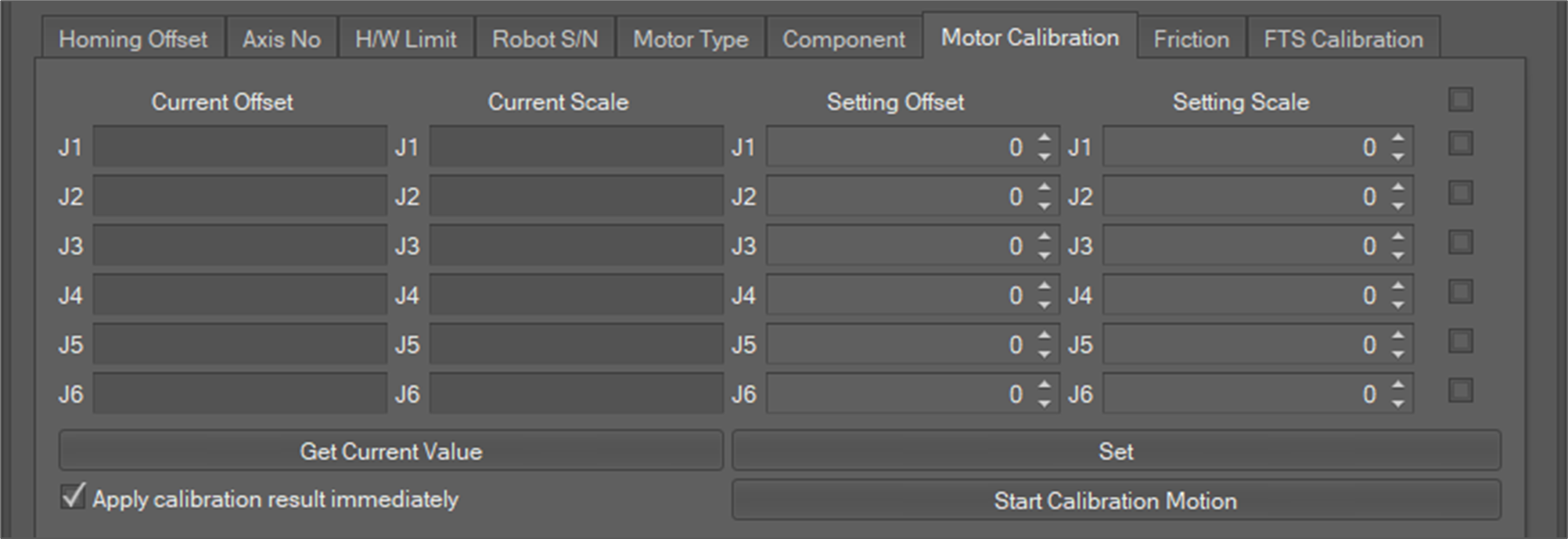
Select the Motor Calibration tab as shown below.
-
If you click the Get Current Value button, the current offset and scale values of the Motor of all axes are shown in the Current Offset, Current Scale area.
-
To modify the offset and scale values of the Motor, fill new setting values in the Setting Offset, Setting Scale area and check the check box and then click the Set button for each axis. To update the settings for all axes, check all the check boxes and then click the Set button.
-
In addition, the calibration motion starts with the value set when the Start Calibration Motion button is clicked, and the setting value is reflected with the start of the calibration motion when the check box of Apply calibration result is selected.
-
After the settings are updated, the system must be restarted.
Caution
If the offset and scale values of the Motor are incorrect, the system could behave dangerously.