
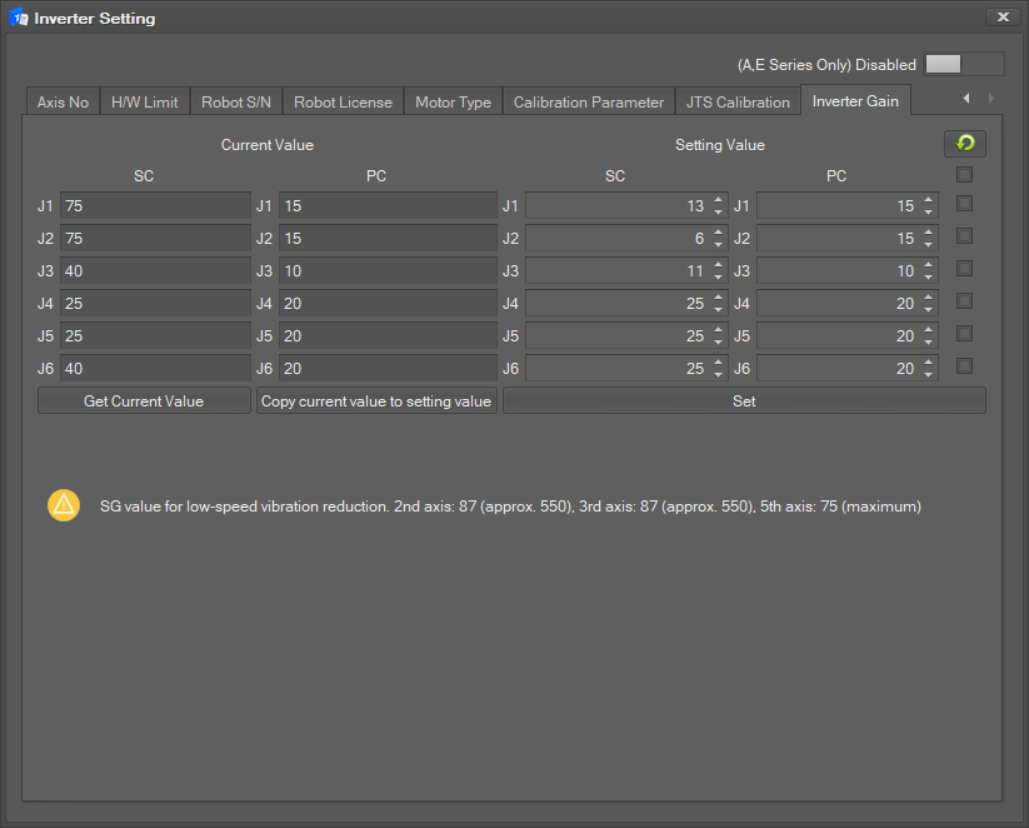
This menu is used to apply inverter gain values to each axis.
-
In the Inverter Settings window, select the Inverter Gain tab.
-
Check the SC and PC values of the ‘Current Value’ through the ‘Get Current Value’ button.
-
When you click the ‘Copy current value to set value’ button, all current values will be applied to the set values.
-
All units of the setting values can be entered in integer format.
-
If you enter a value outside the range set for the desired SC or PC value, it will be automatically set to a value within the range.
-
It will be changed to default when first loading or when you press the ‘Load Defaults’ button.
-
-
Set the desired SC and PC values, select the checkboxes for the desired axes, and then press the ‘Set’ button to set.
-
A reboot is required to apply these values to the robot.
-
P-series robots are not allowed to use Gain table.
-