
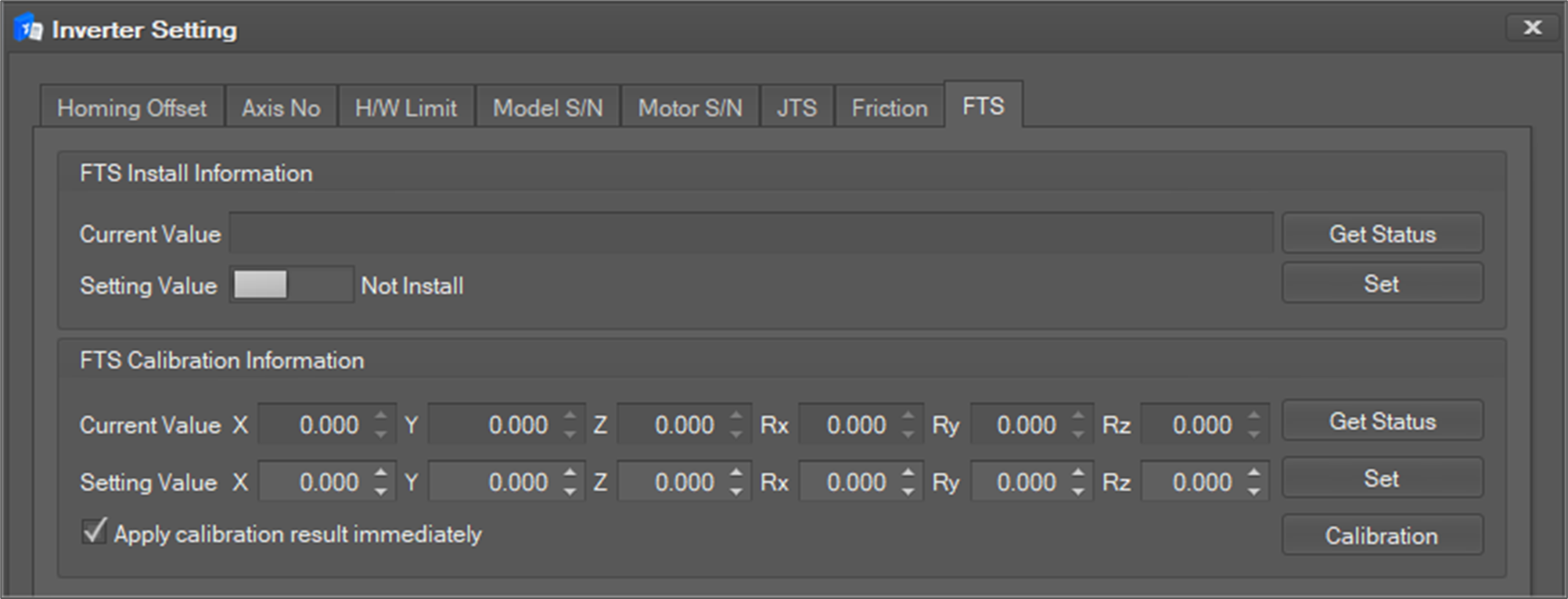
This menu is used to inquire the FTS installation information and to update and inquire current value of the FTS.
-
You can check whether the current FTS is installed or not through the Current Value in the FTS install information. And also you can set whether to install or not using the toggle button of Setting Value. If you want to reflect, click the Set button.
-
You can search the current value by X, Y, Z, Rx, Ry, Rz by clicking the Get Status button on the Current Value in FTS Calibration information.
-
You can set the value on X, Y, Z, Rx, Ry, Rz on the Setting Value in FTS Calibration Information.
-
Click the Calibration button to start the FTS calibration motion. At this time, you can also immediately reflect the correction result by setting the Apply calibration result immediately checkbox.