In this menu, user can set axis number and hardware limit value (lower limit / upper limit) for inverter installed in each axis of robot.
To set and inquire the axis numbers,
-
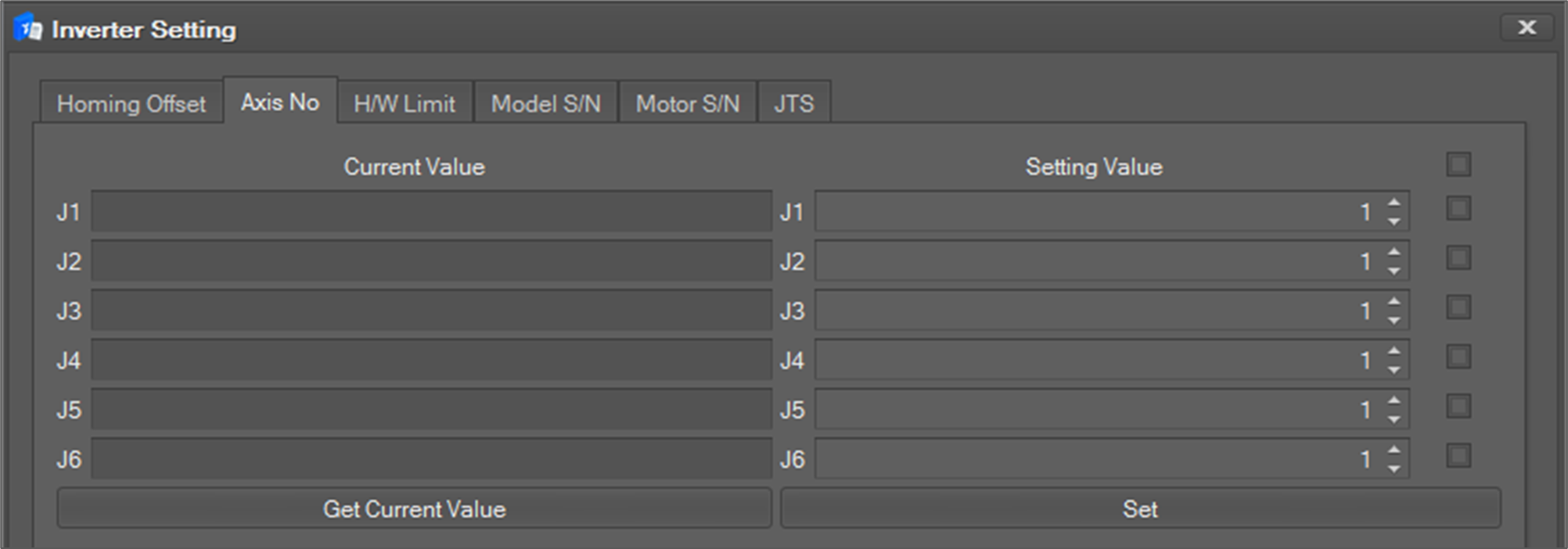
Select the Axis No tab as shown below.
-
Each axis number appears when you click Get Current Value button below the Current Value.
-
If you set the desired value on the Setting Value and select the check box on the right, the value is set only for the selected axis. At this time, when selecting the topmost check box, all axes are selected.
-
The setting value is reflected when the Set button is clicked.
Caution
If the joint number values in each inverter are incorrect, the system could behave dangerously.
To set and inquire the hardware limit,
-
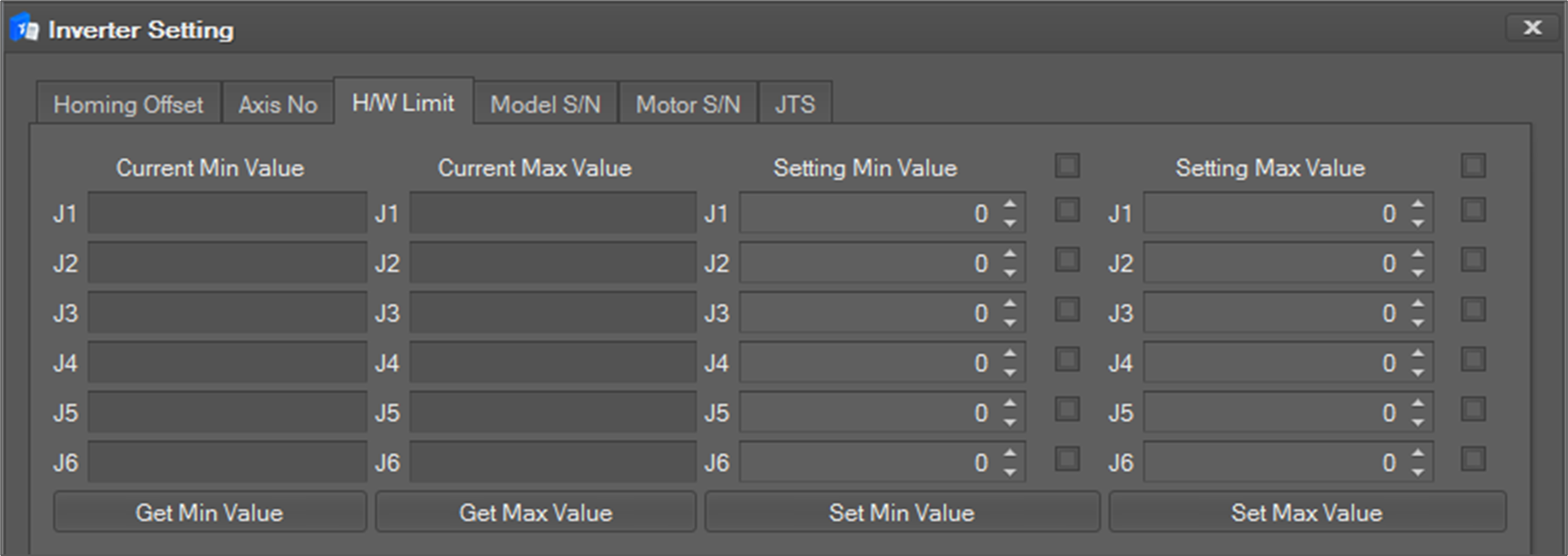
Select the H/W Limit tab as shown below.
-
If the user clicks the Get Current Value (Get Min Value/ Get Max Value) button, the current setting values of all axes are shown in the Current Value (Current Min Value/Current Max Value) area.
-
If the user wants to modify a setting value, the user can write a new setting value in Setting Value (Setting Min Value/Setting Max Value) Click the checkbox for each axis and click the Set (Set Min Value/Set Max Value) button to update the settings for a specific axis. To update the settings for all axes, check all checkboxes.
-
Click the Set (Set Min Value/Set Max Value) button to reflect.
-
After the settings are updated, the system must be restarted.