It provides the ability to edit straight lines/curves.
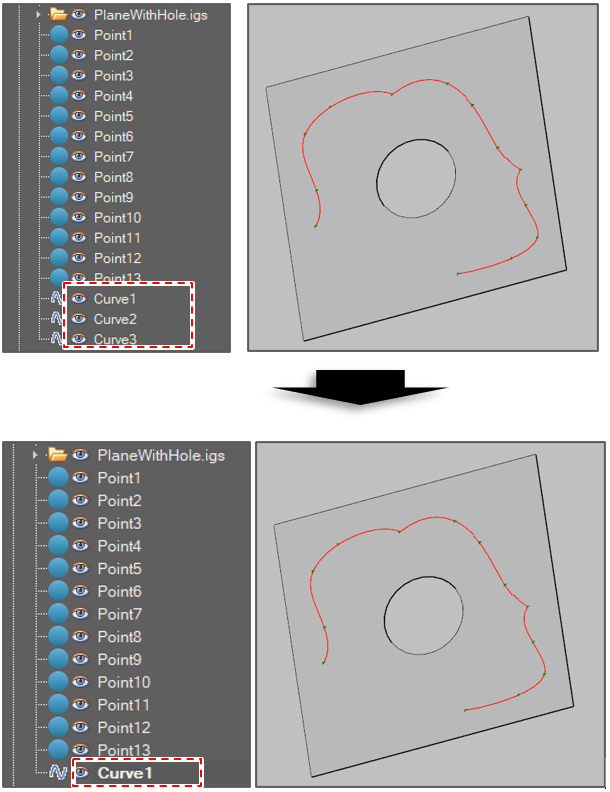
Merge Curves
The function merges 2 or more selected curves into a curve.
-
Click [Create Curve] button in the menu bar.

-
Select [Merge Curves] option in the active window.
-
Select 2 or more curve objects.
-
Click the [Run] button.
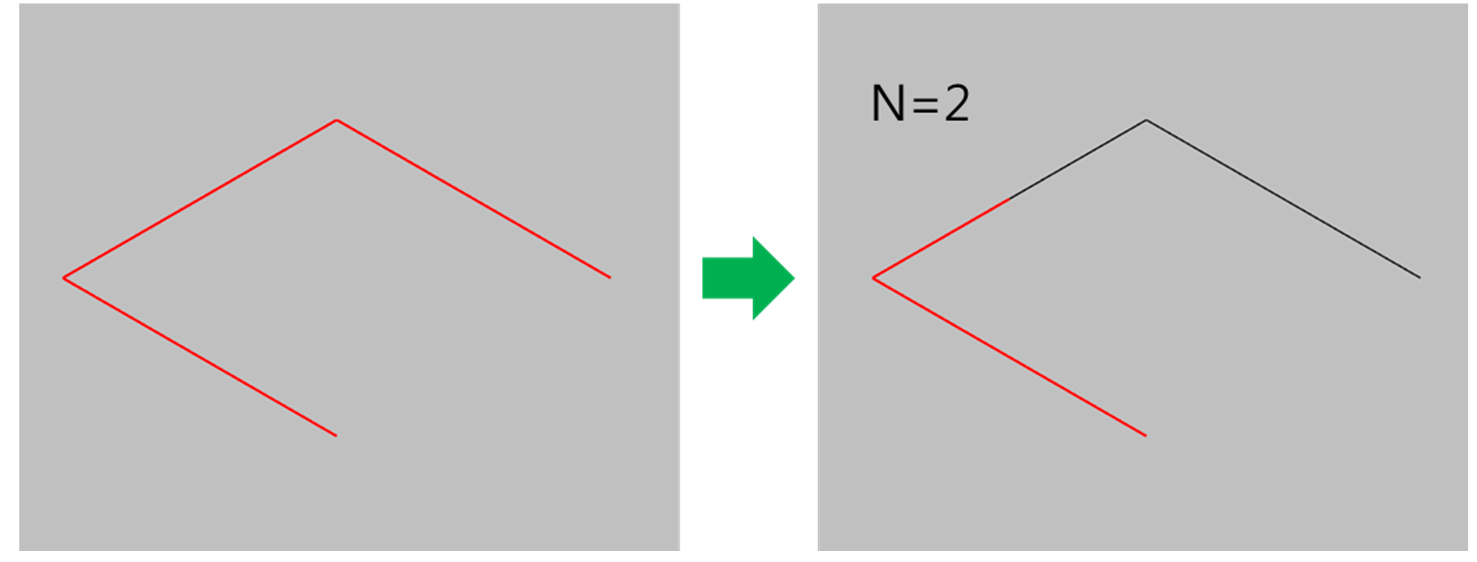
Split Curve Evenly
The function splits a curve into 2 or more curves which has same length.
-
Click [Create Curve] button in the menu bar..
-
Select [Split Curve Evenly] option in the active window
-
Select a curve object.
-
Select the number of curves to split.

-
Click the [Run] button.
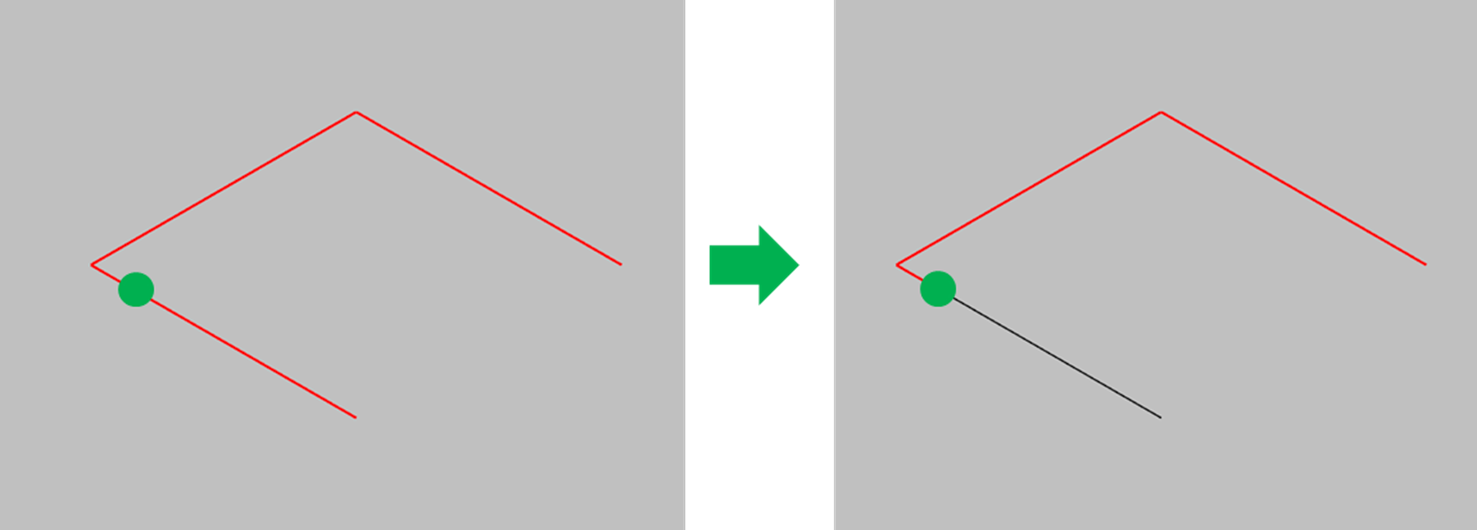
Split Curve On Selected Point
The function split the selected curve into 2 curves on the point on the curve.
-
Click [Create Curve] button in the menu bar.
-
Select [Split Curve On Selected Point] option in the active window.
-
Select a curve object.
-
Select a point object on the curve object.
-
Click the [Run] button.
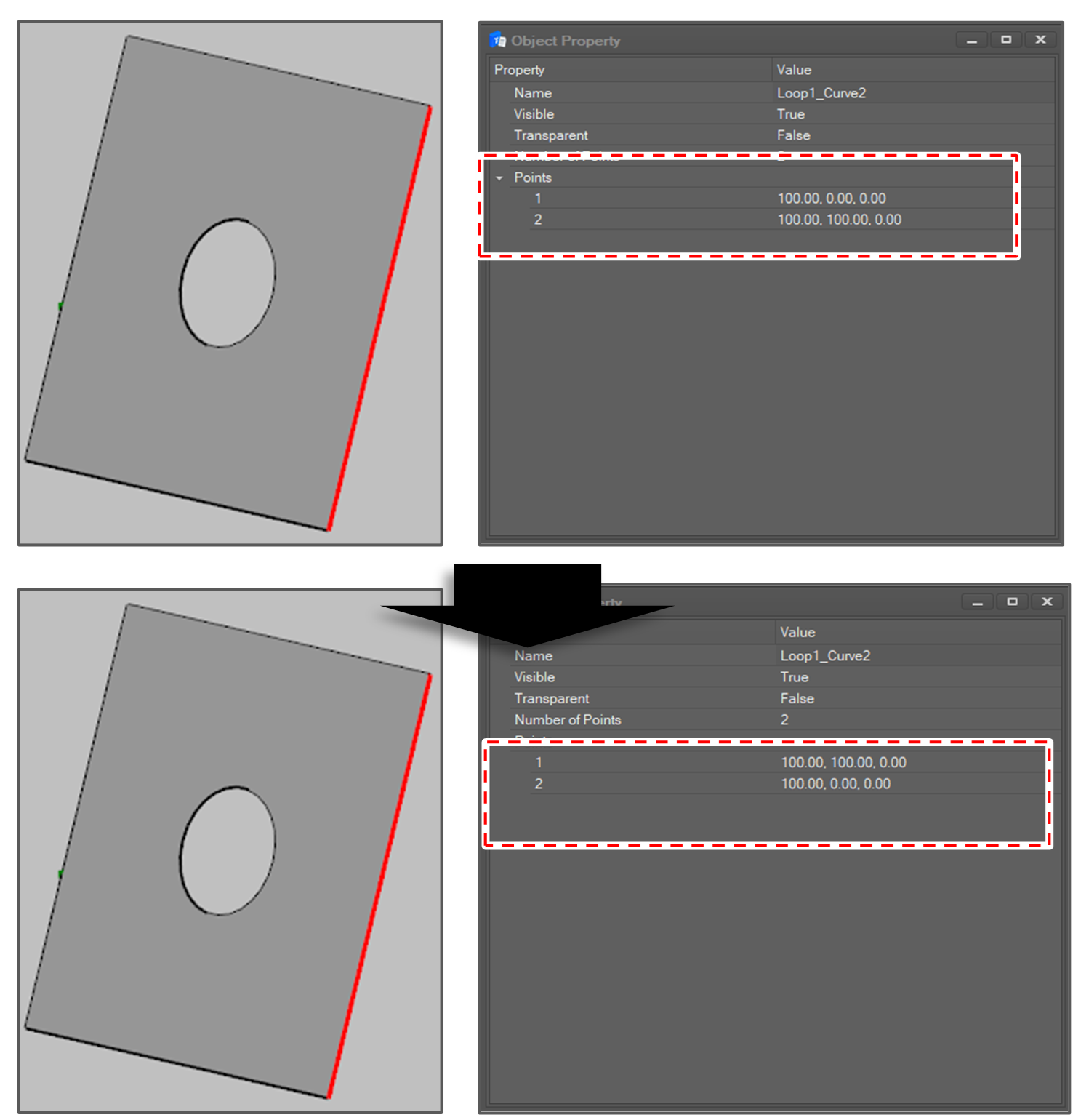
Reverse Curve
The function reversed the direction of the selected curves.
-
Click [Create Curve] button in the menu bar.
-
Select [Reverse Curve] option in the active window.
-
Select 1 or more curve objects.
-
Click the [Run] button.