
Breadcrumbs

Bookmark

Toggle Bookmark

To add or remove a bookmark, set the cursor at the text line and click the Toggle Bookmark image2021-11-29_13-40-0.png  button on the toolbar or press the F2 key.

image2021-11-30_10-15-42.png

If the cursor line has no bookmark, a new bookmark is added and the Bookmark List is updated.
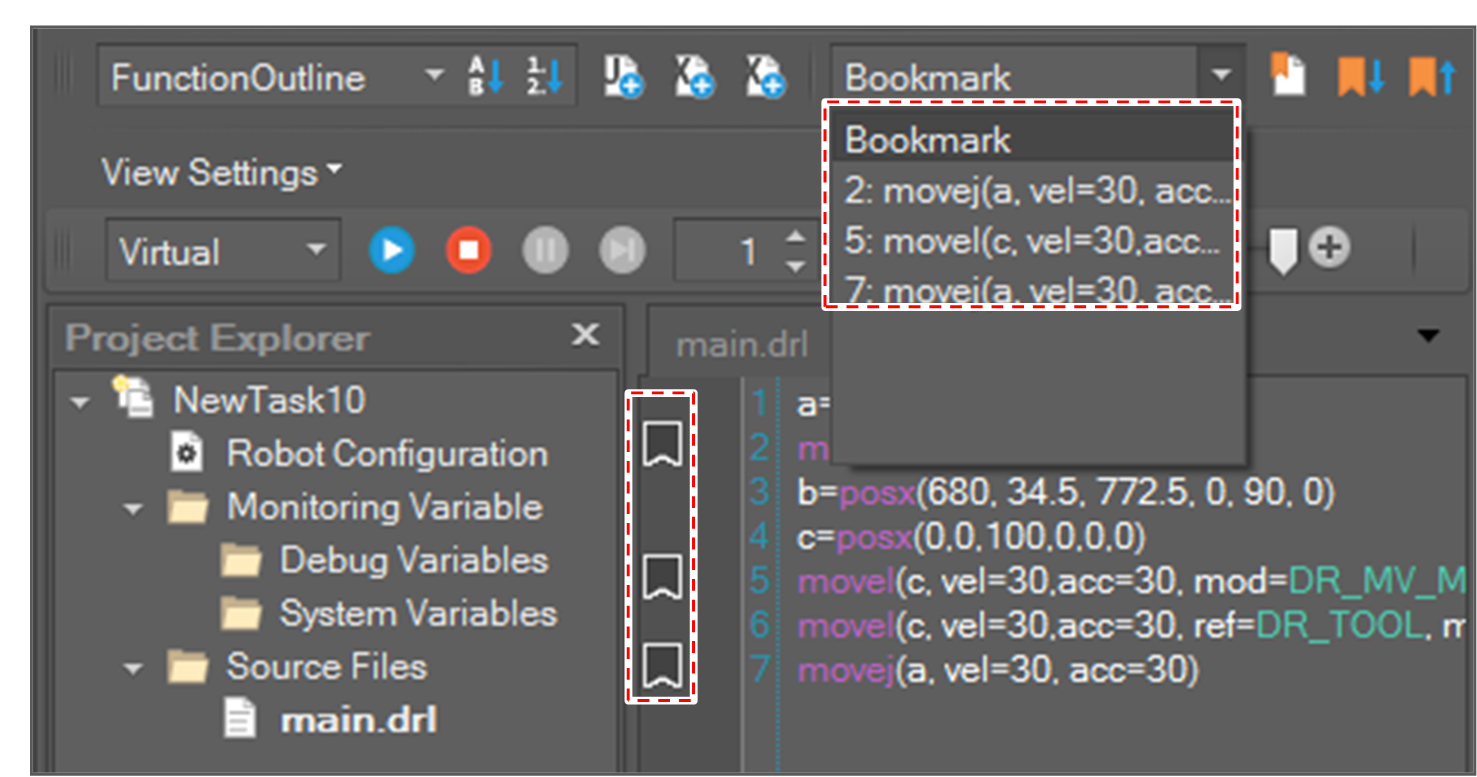
image2021-11-30_10-16-49.png

If the cursor line has a bookmark, the bookmark is removed and the Bookmark List is updated.

Go to Bookmark

If you click the Go to Next Bookmark image2021-11-29_13-42-36.png  button on the toolbar or press Ctrl + F2, the cursor goes to the nearest next bookmark from the current cursor position.

If you click the Go to Previous Bookmark image2021-11-29_13-42-50.png  button on the toolbar or press Shift + F2, the cursor goes to the nearest previous bookmark from the current cursor position.

image2021-11-30_10-18-33.png

If you select a bookmark from the Bookmark List, the cursor goes to the bookmark.
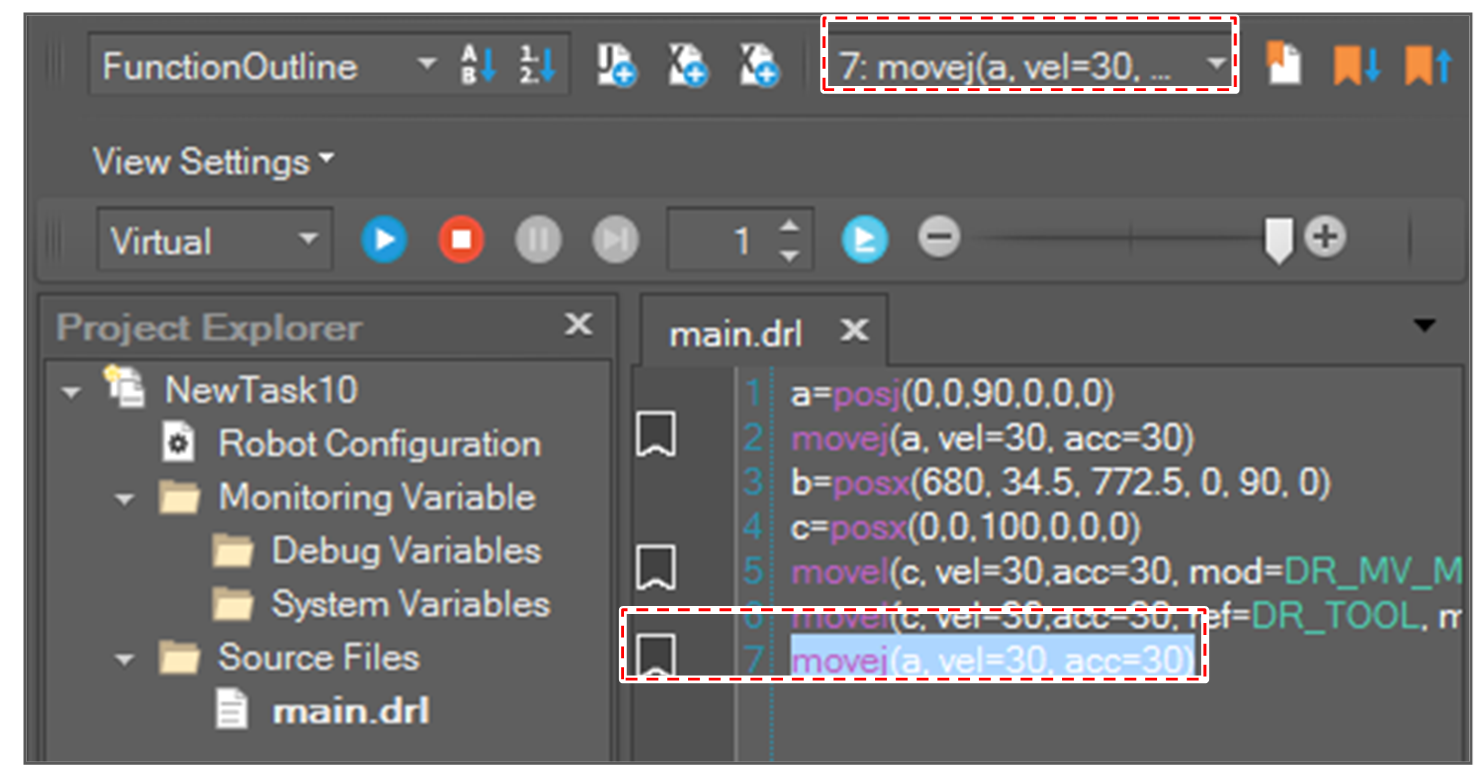
image2021-11-30_10-19-57.png

