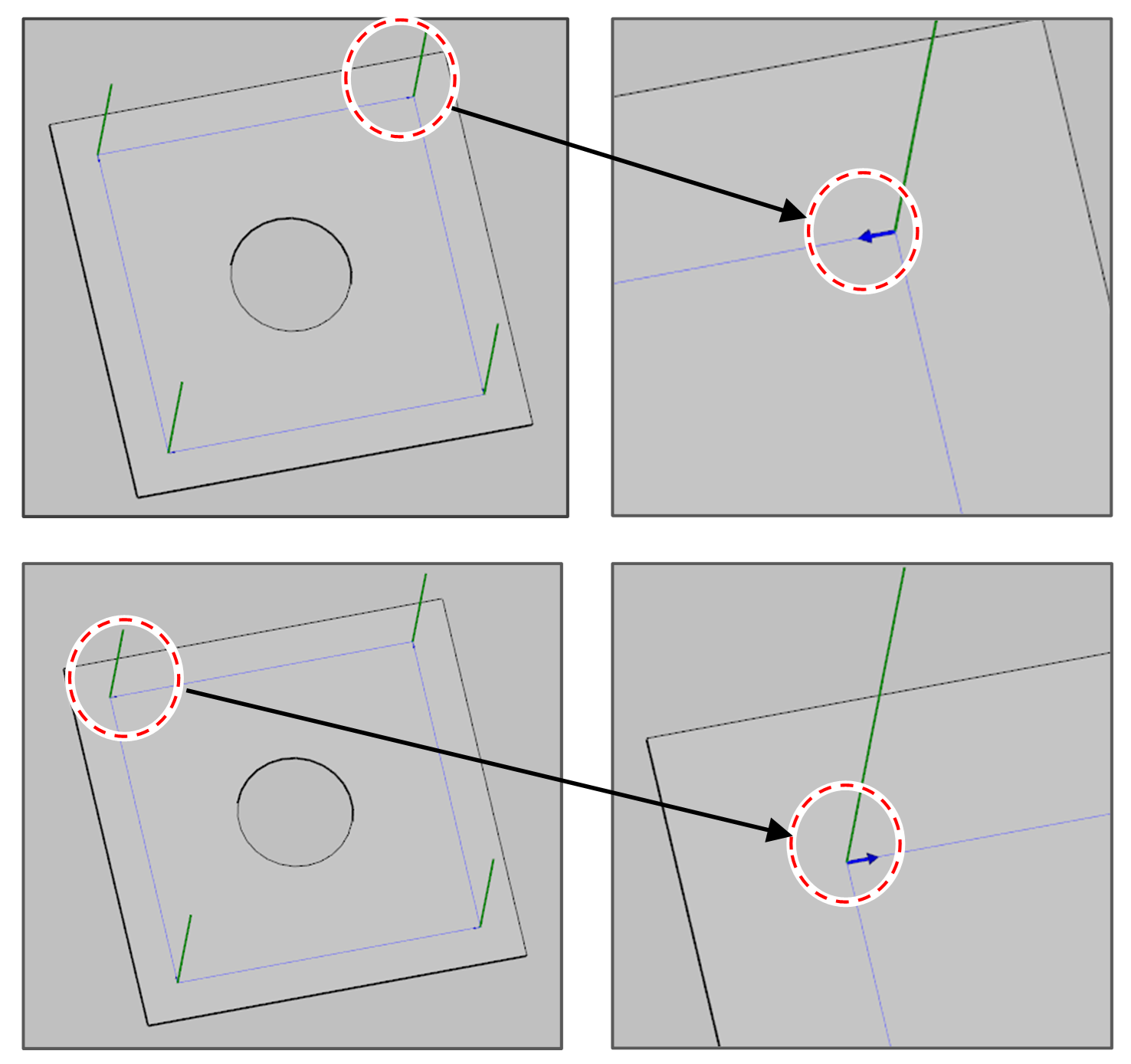
The function reverses the direction of a path.
-
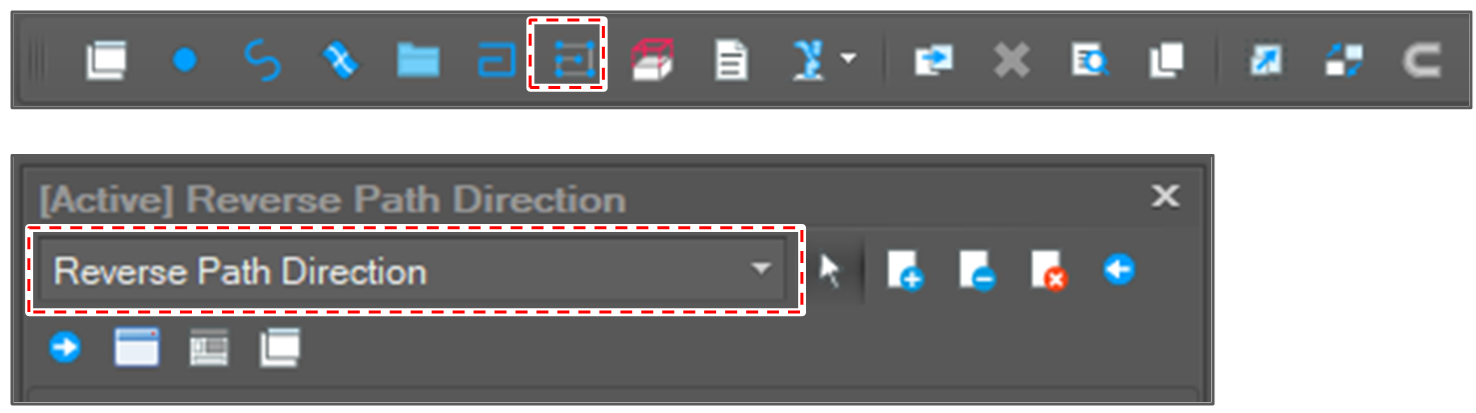
Open [Reverse Path Direction] window.
After clicking [Edit Path] button, select the [Reverse Path Direction] option.
-
Select path segments to reverse.
-
Click the [Run] button.

-
Check the result.
The arrow in blue color means the direction of the path. -