
Modbus IO has two types, TCP device and RTU Device.
From the controller version GF02060300, up to 100 Modbus IOs can be added regardless of device, IP, port number.
Add a Modbus Monitoring Item
To add a Modbus monitoring item, select a tool item (TCP device or RTU Device) and click the Add Item 
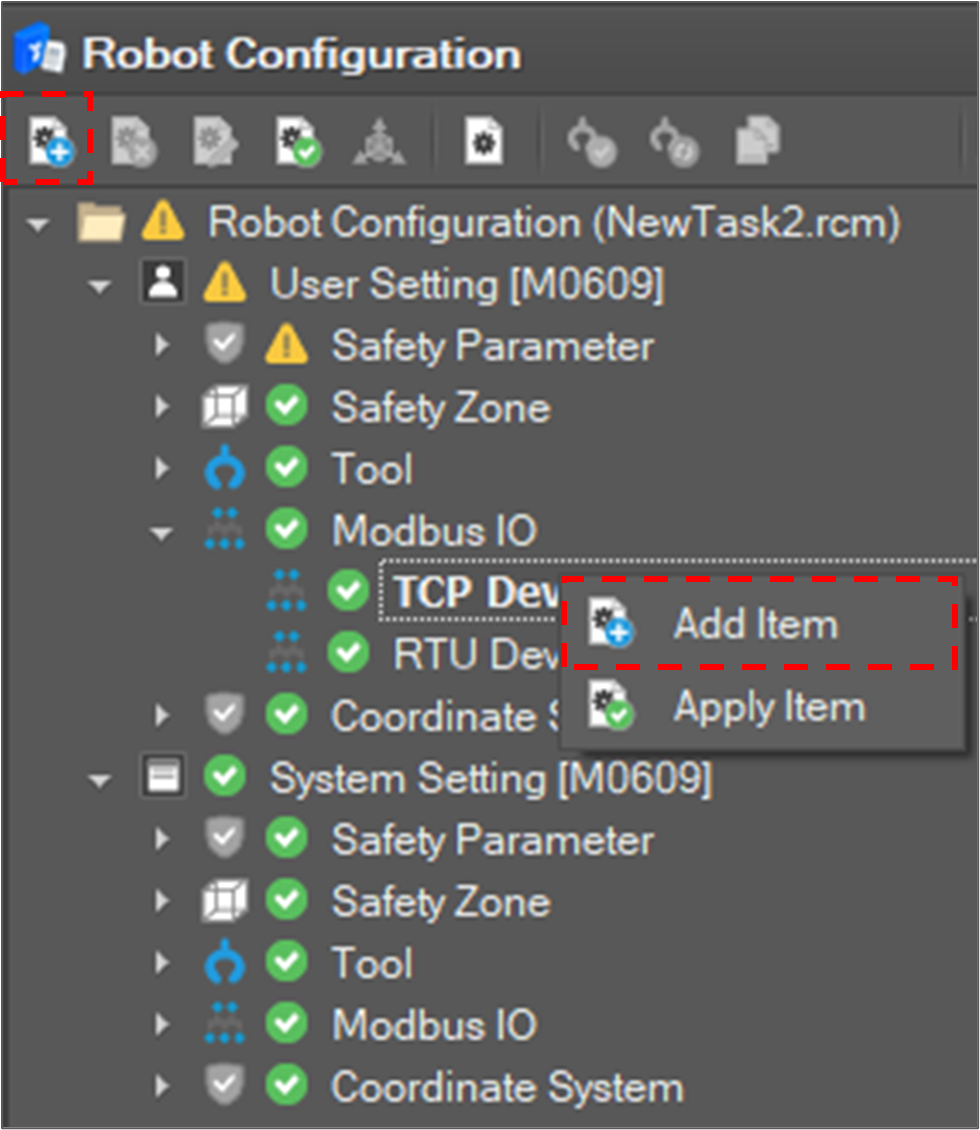
Then, the Modbus Setting window appears on the right side.
Modbus Device information includes:
-
Device IP Address and Port
-
I/O Type
|
IO Type |
Read/Write Property |
Value Range |
|
Discrete Input |
Read Only |
0~1 (1 Bit) |
|
Coil |
Read / Write |
0~1 (1 Bit) |
|
Input Register |
Read Only |
0~65535 (2 Bytes) |
|
Holding Register |
Read /Write |
0~65535 (2 Bytes) |
-
I/O Index
If setting is done, click the Confirm button.
When a new item is added to the tree, select the item and click the Apply Item 
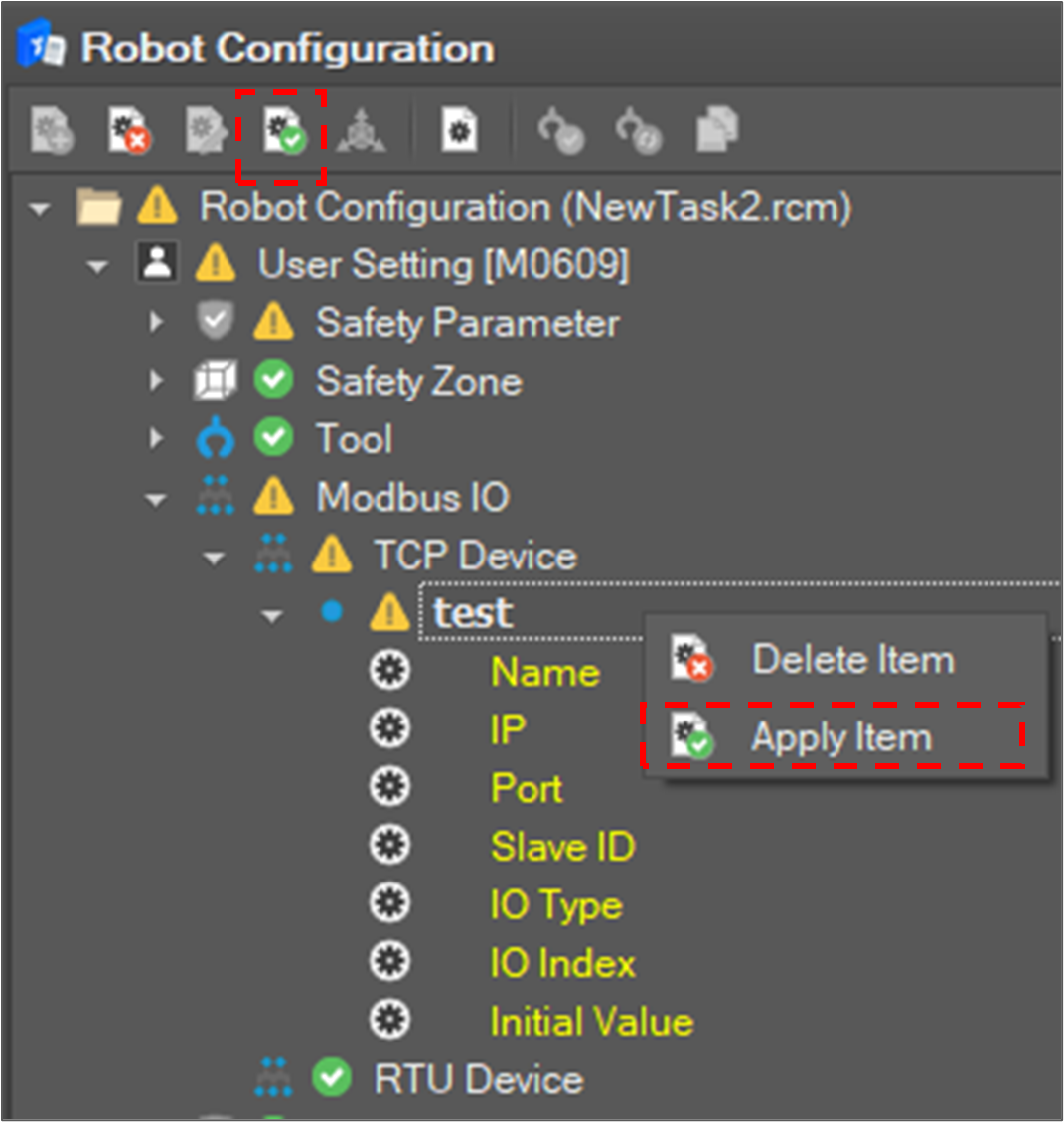
If the setting item is successfully applied, the value of the item is displayed in the Input Value field in the tree.
Remove a Modbus Monitoring Item
To remove monitoring items, select an item node in the tree and click the Delete Item 
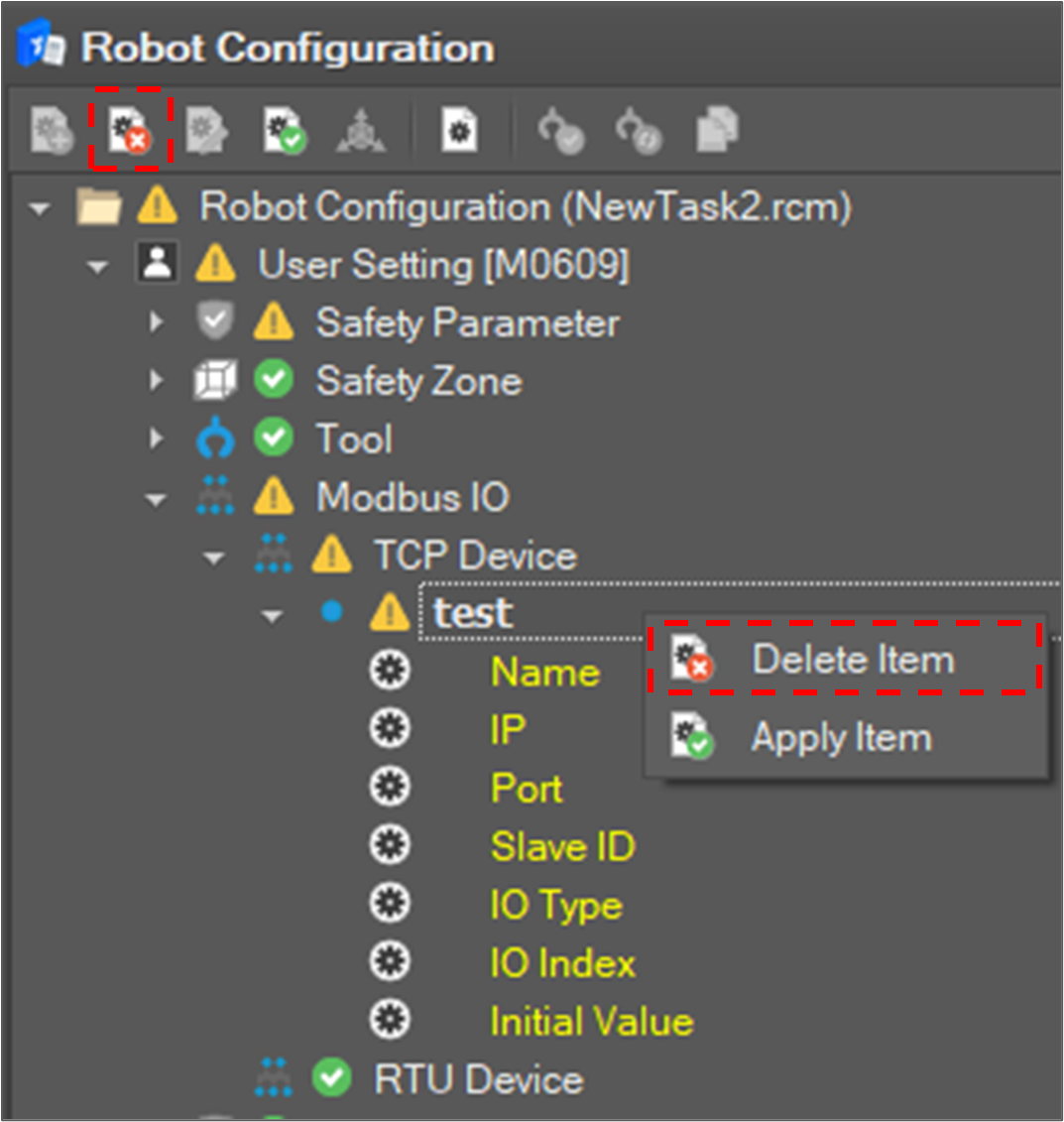
Then, the selected items are removed from the tree and controller.