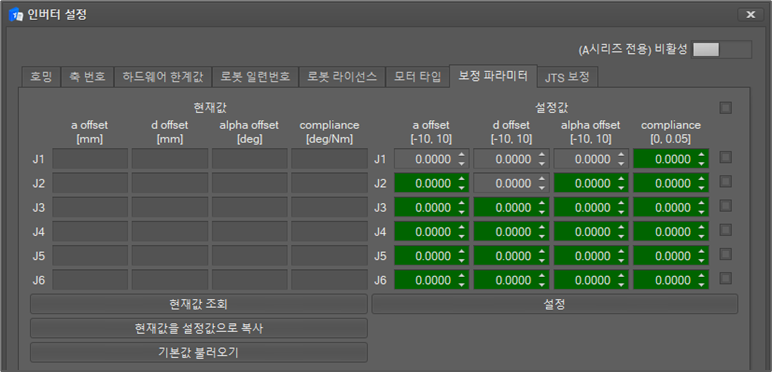
This menu is used to set and query calibration parameters.
-
Select the Calibration Parameters tab as below.
-
When you click the inquiry button at the bottom of the current value area, the correction parameter value is inquired.
-
Provides a button to copy the current value to the set value.
-
Provides a button to change the setting value to the default value.
-
After selecting the desired setting value in the setting value area, when the check box on the right is selected, the correction parameter value is set only for the selected axis. At this time, all axes are selected when the top checkbox is selected.