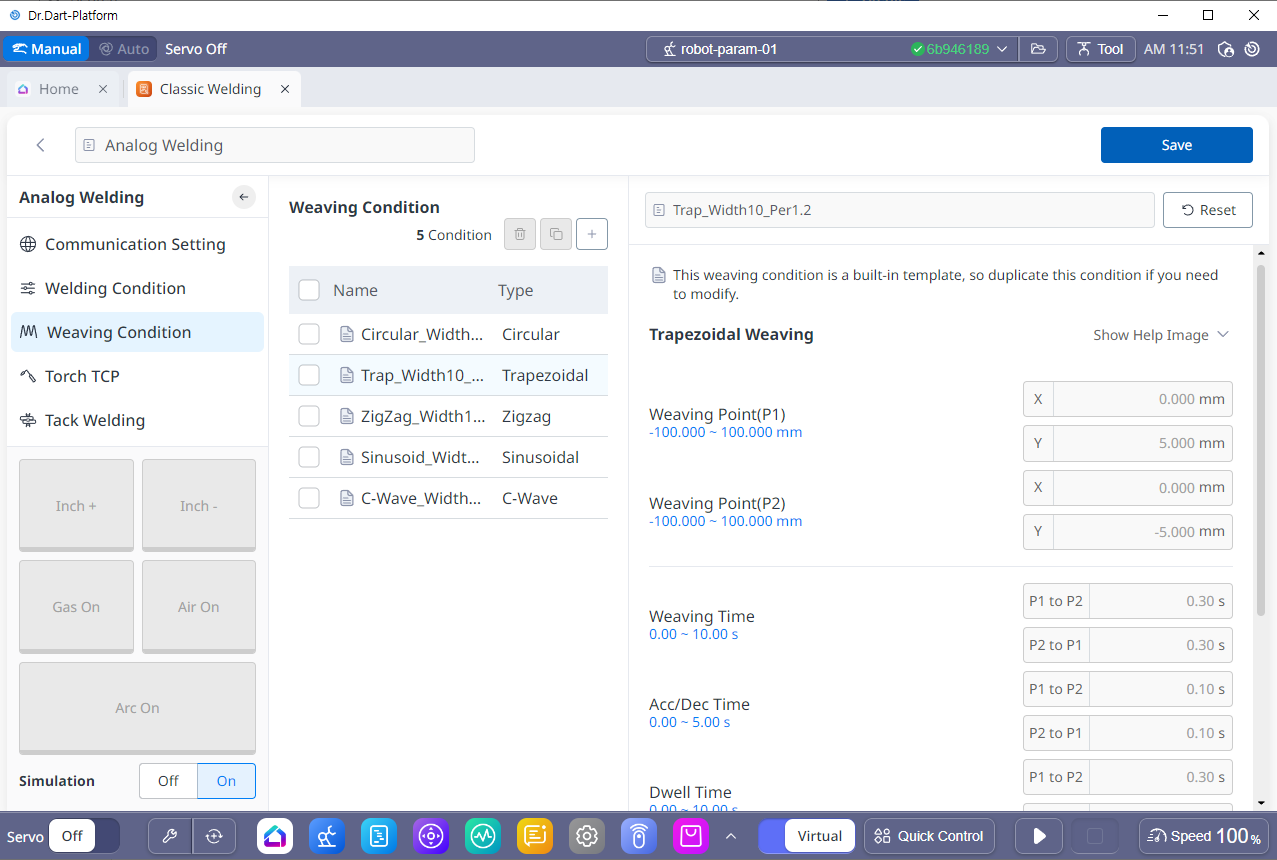
This applies a weaving function to a motion following a welding path to adjust the thickness and shape of the welding bead (final product). Five weaving patterns are provided: trapezoidal, circular, zigzag, sinusoidal and c-wave. To set the weaving condition, it is necessary to understand the weaving coordinates and weaving plane.
1. Weaving Coordinates
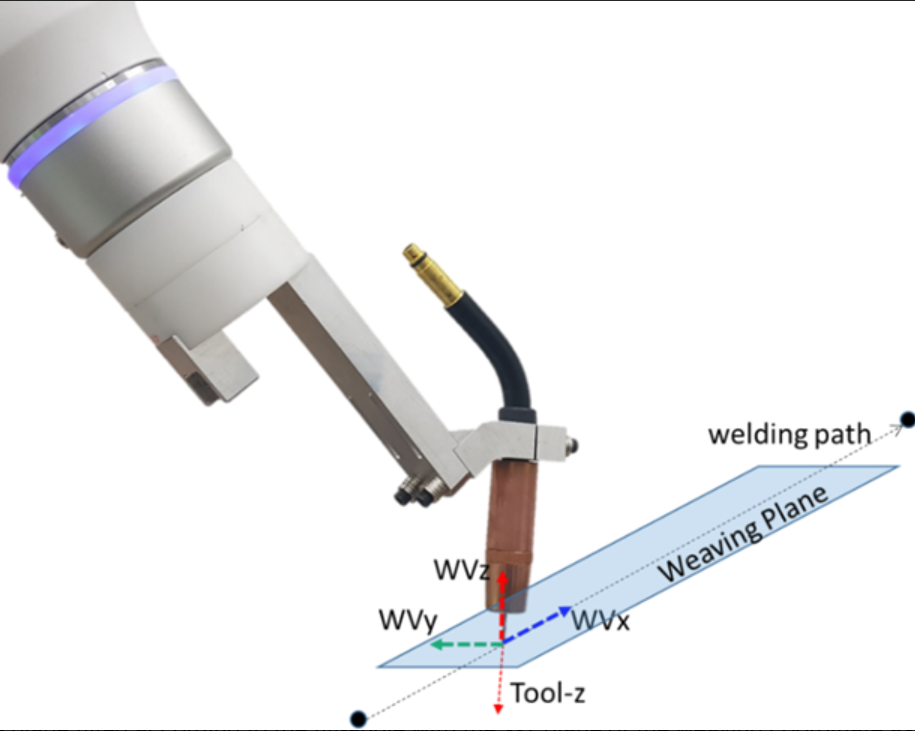
The starting point of a weaving condition is a point on the welding path. With the welding path direction as the weaving x-axis, the weaving coordinates are defined with the tool (TCP) direction from the weaving x-axis as the weaving z-axis, and the vector multiplied (cross product) direction as the weaving y-axis. Refer to the figure below.
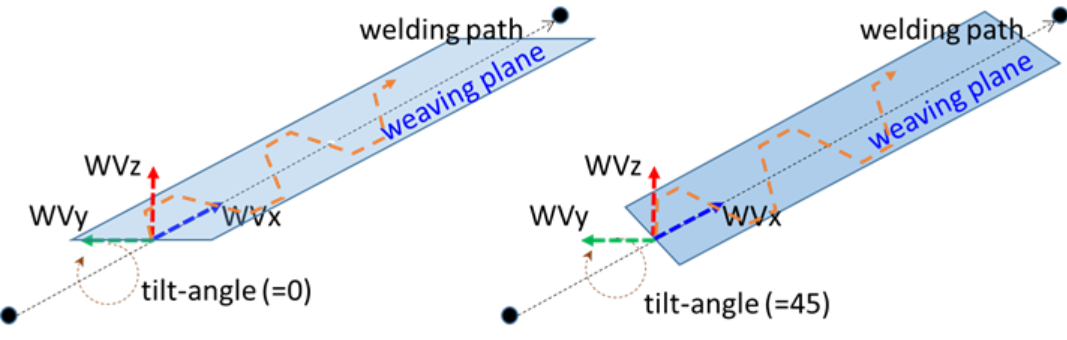
The plane tilted according to the tilt-angle with the X-Y plane of the weaving coordinate as the x-axis is referred to as the weaving plane, and the weaving motion is executed on the weaving plane. For example, the figure below shows instances where the tilt-angles are 0 degrees and 45 degrees.
2. Weaving Detail Settings
You can create new weaving conditions, modify or delete existing weaving conditions, and copy existing weaving conditions and set them as new conditions.
Weaving conditions include basic weaving conditions and user-created conditions. You can use the basic weaving conditions as they are or add new weaving conditions based on the basic weaving conditions.
There are a total of 5 pattern settings available for the weaving pattern. For detailed settings for each pattern, please refer to the setting method for each item.