
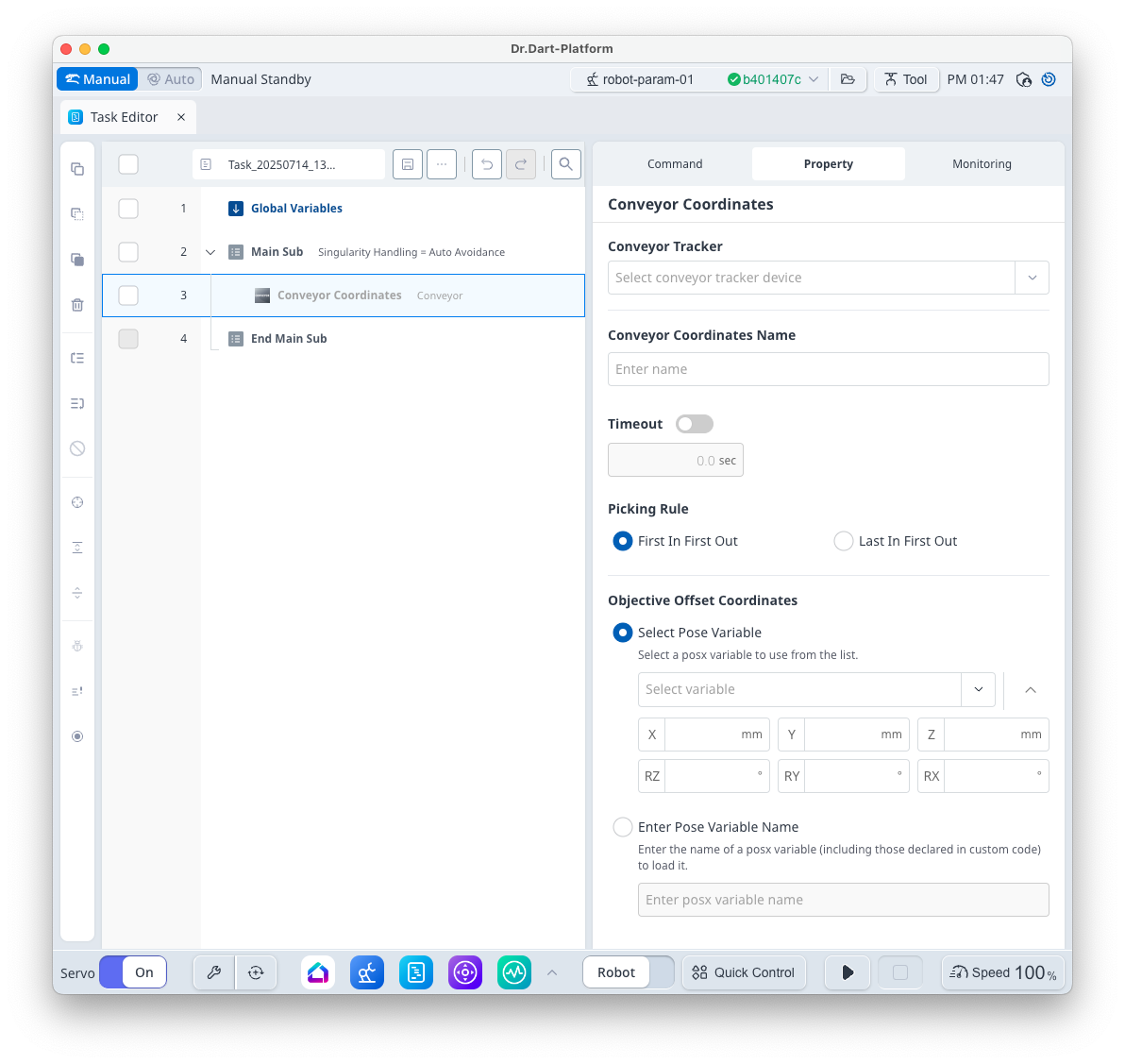
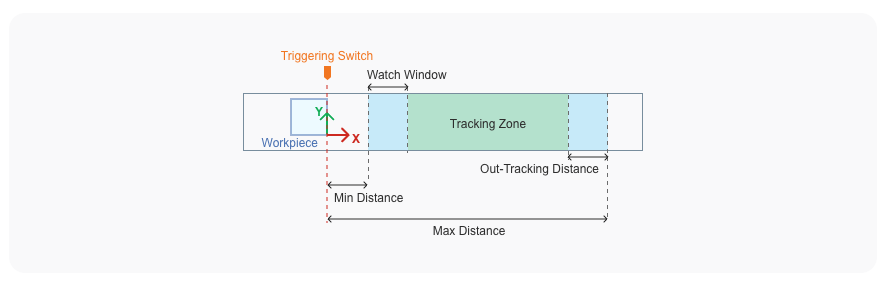
[Conveyor Coordinates] acquires the coordinate information of the moving workpiece. This command returns the coordinates information of a workpiece in the watch window at the time the command is executed.
|
Item |
Description |
|---|---|
|
Conveyor Tracker |
Select the [Conveyor Tracker] device created by Device Manager module. |
|
Conveyor Coordinates Name |
The entered name is used as a conveyor coordinates (201 ~ ) variable. |
|
Timeout |
Sets the standby time until workpiece information is received. Setting it as [Off] or as 0 will put it on standby indefinitely until a workpiece is delivered. If a workpiece is not delivered within the set time, it skips to the next program line. |
|
Picking Rule |
Picking Rules determines whether to work on workpieces received first or workpieces received last. First In First Out or Last In Last Out can be selected. |
|
Objective Offset Coordinates |
Use it when you want to give offset to the work reference coordinate system. [Select Pose Variable] is used when you want to give a static offset. [Enter Pose Variable Name] uses an external sensor to dynamically change the offset and updates the program in real time if necessary for the variable. |