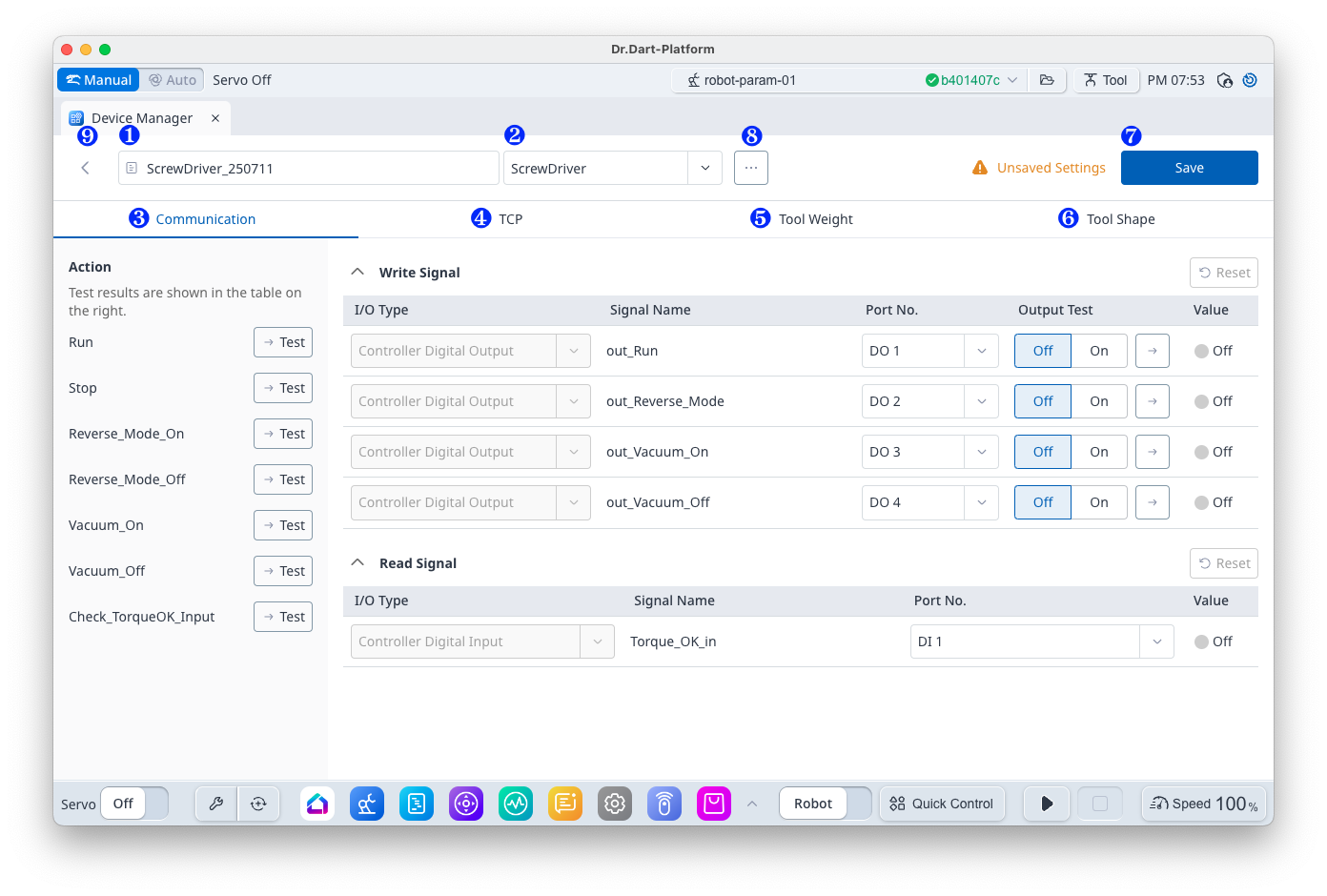
항목
|
기능
|
|
|---|---|---|
|
1 |
Name |
The name of the current device data is displayed and can be changed. |
|
2 |
Type |
Displays the type of current device. |
|
3 |
Communication |
Select the Communication Settings panel. |
|
4 |
TCP |
Select the TCP data settings panel. ※ Gripper, Tool type device only appears. |
|
5 |
Tool Weight |
Select the Tool Weight data settings panel. ※ Gripper, Tool type device only appears. |
|
6 |
Tool Shape |
Select the Tool Appearance Data Settings panel. ※ Gripper, Tool type device only appears. |
|
7 |
Save |
Save the data. |
|
8 |
Option |
Displays the following option menus.
|
|
9 |
나가기 버튼 |
You can return to the list screen. |
1. Edit Data
The Edit Data panel depends on the device type.
|
Type |
Panel |
|
|---|---|---|
|
1 |
Gripper, Tool |
Provide and enable Communication, TCP, Tool Weight, Tool Shape tabs |
|
2 |
Turning Center, Press Machine, Injection Molding Machine, Bolt Feeder (Feeder) |
Communication, TCP, Tool Weight, Tool Shape tab provided, Tool related tabs disabled |
|
3 |
Pallet, External Encoder, Conveyor Tracker |
Provides device-specific data editing screen |
-
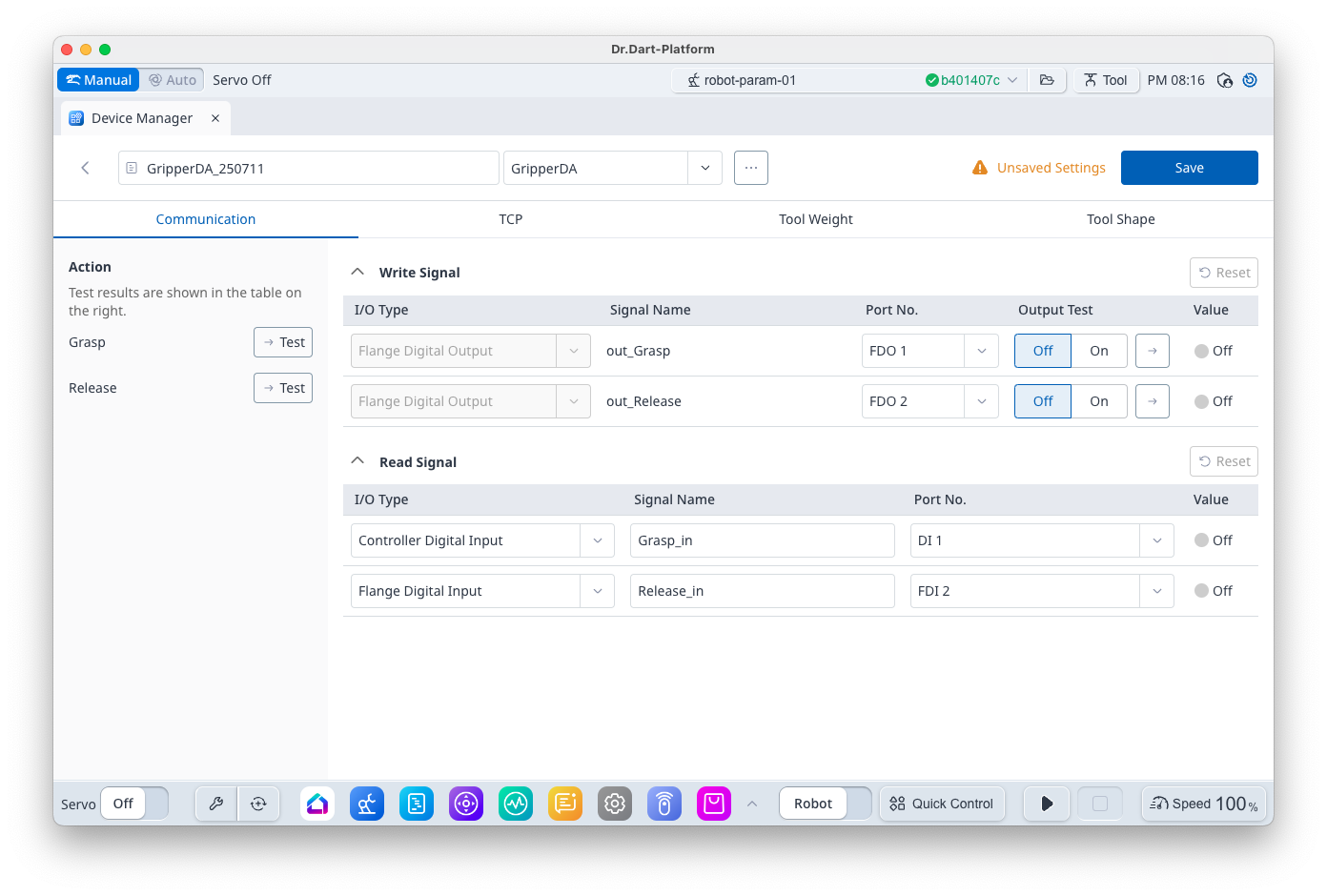
Communication Panel
|
Item |
Function |
|
|---|---|---|
|
1 |
Action List Panel |
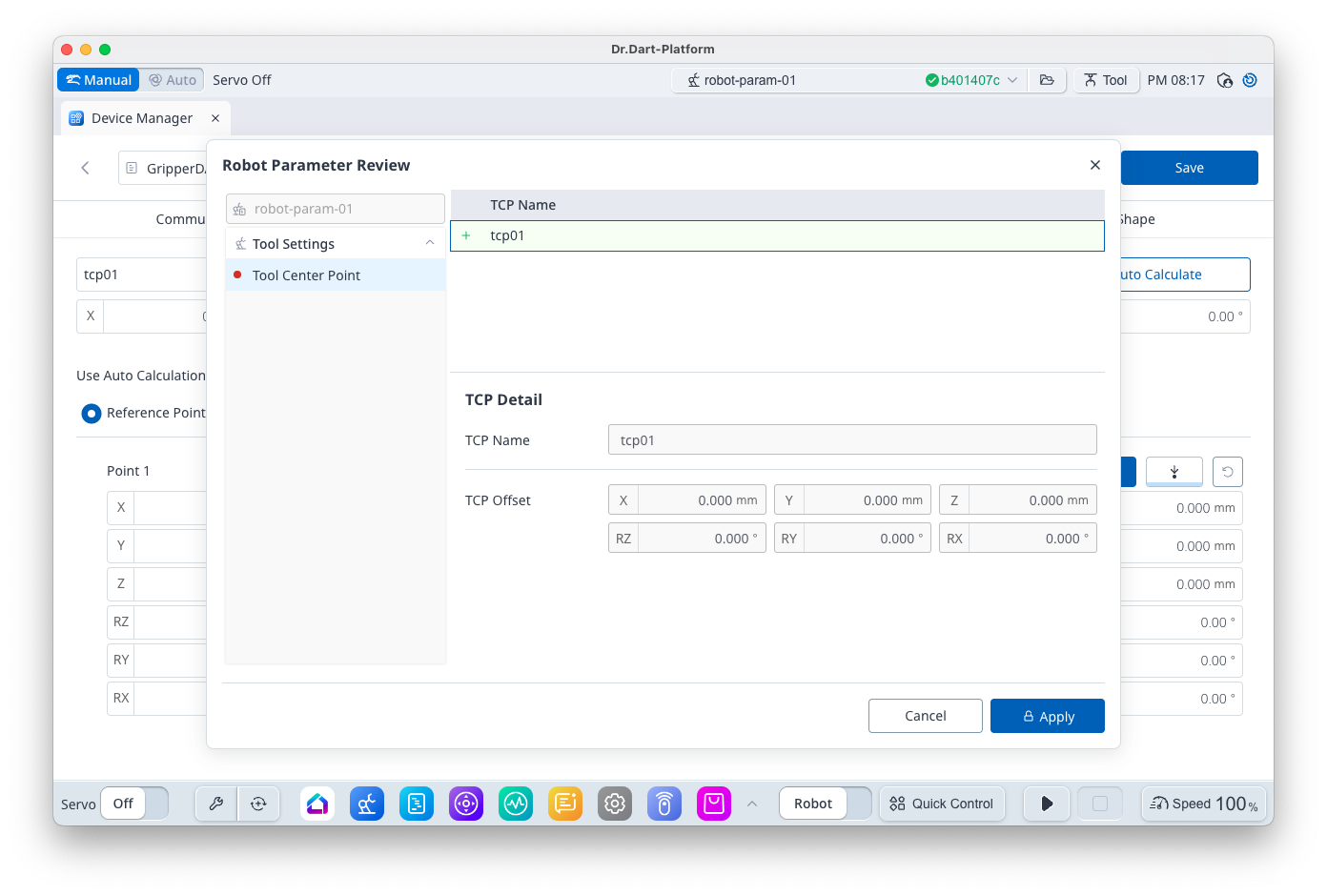
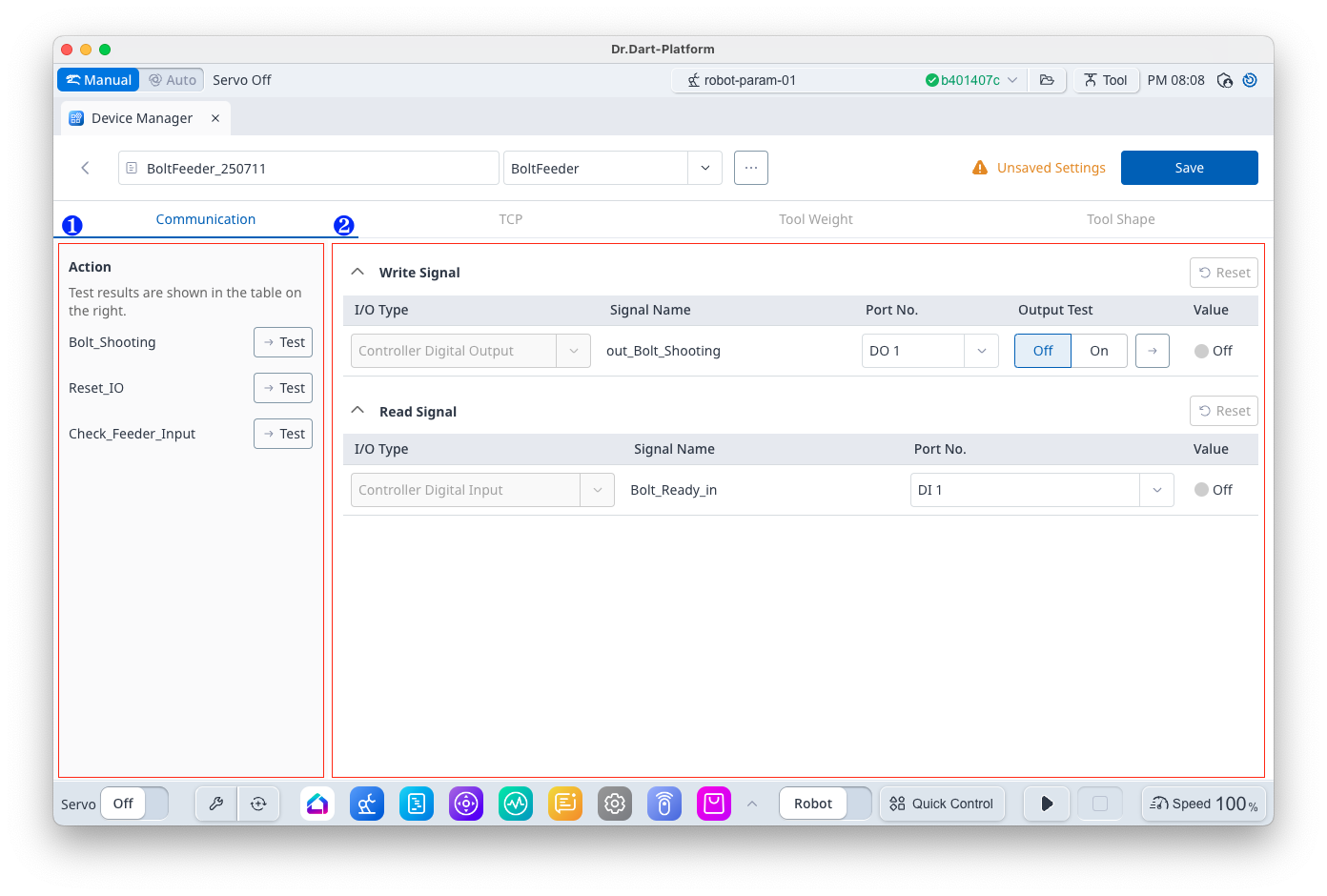
Displays a list of actions provided by the selected device. The [Test] button is disabled during DRL or Task operation. |
|
2 |
Communication Setting Panel |
The Communication Settings panel by Device Type is displayed. Refer to the Basic Devices module for a detailed screen for each device type. |
-
TCP Panel
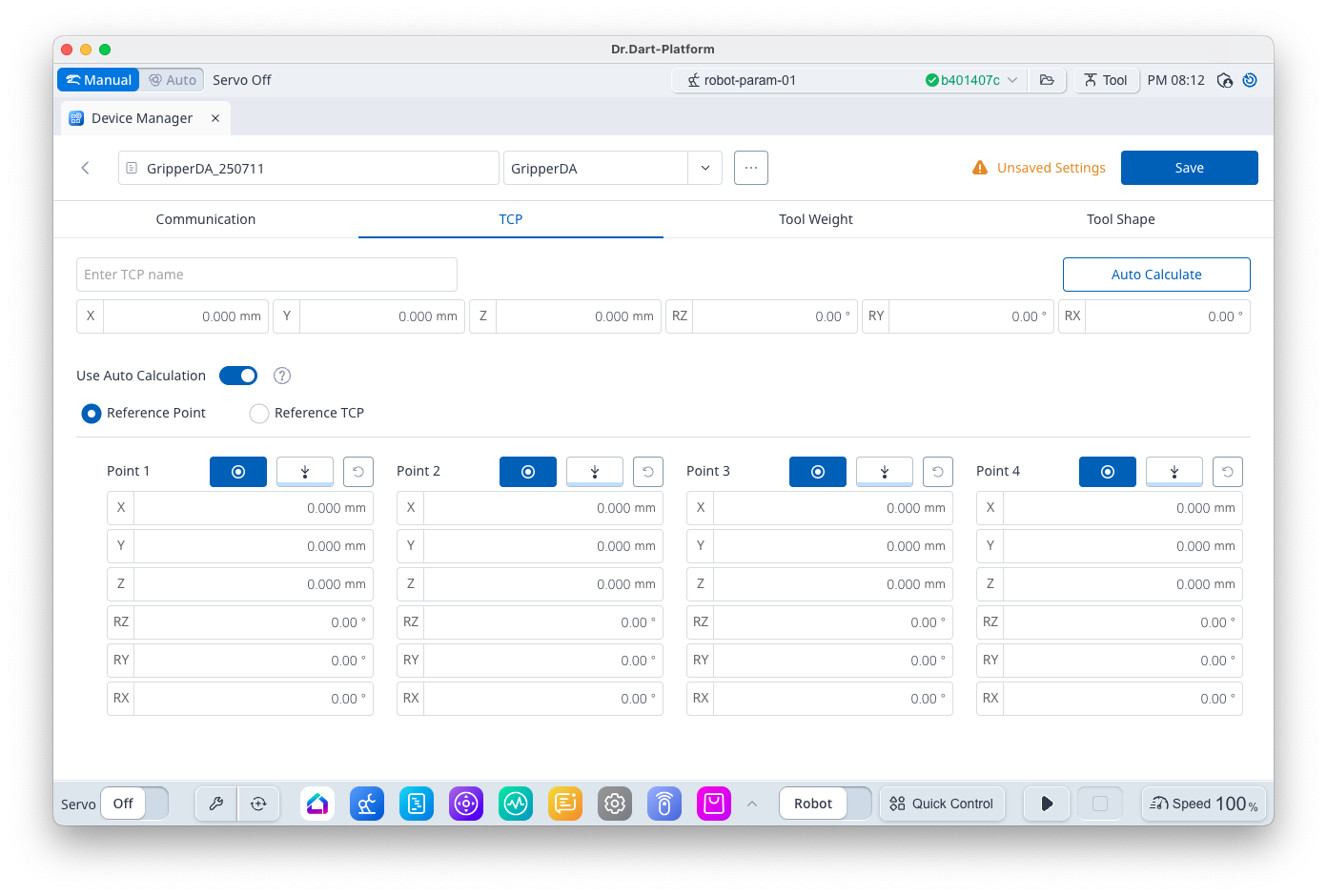
You can set up TCP data.
If the TCP name is empty, it will not be added to robot parameter file when saved.
-
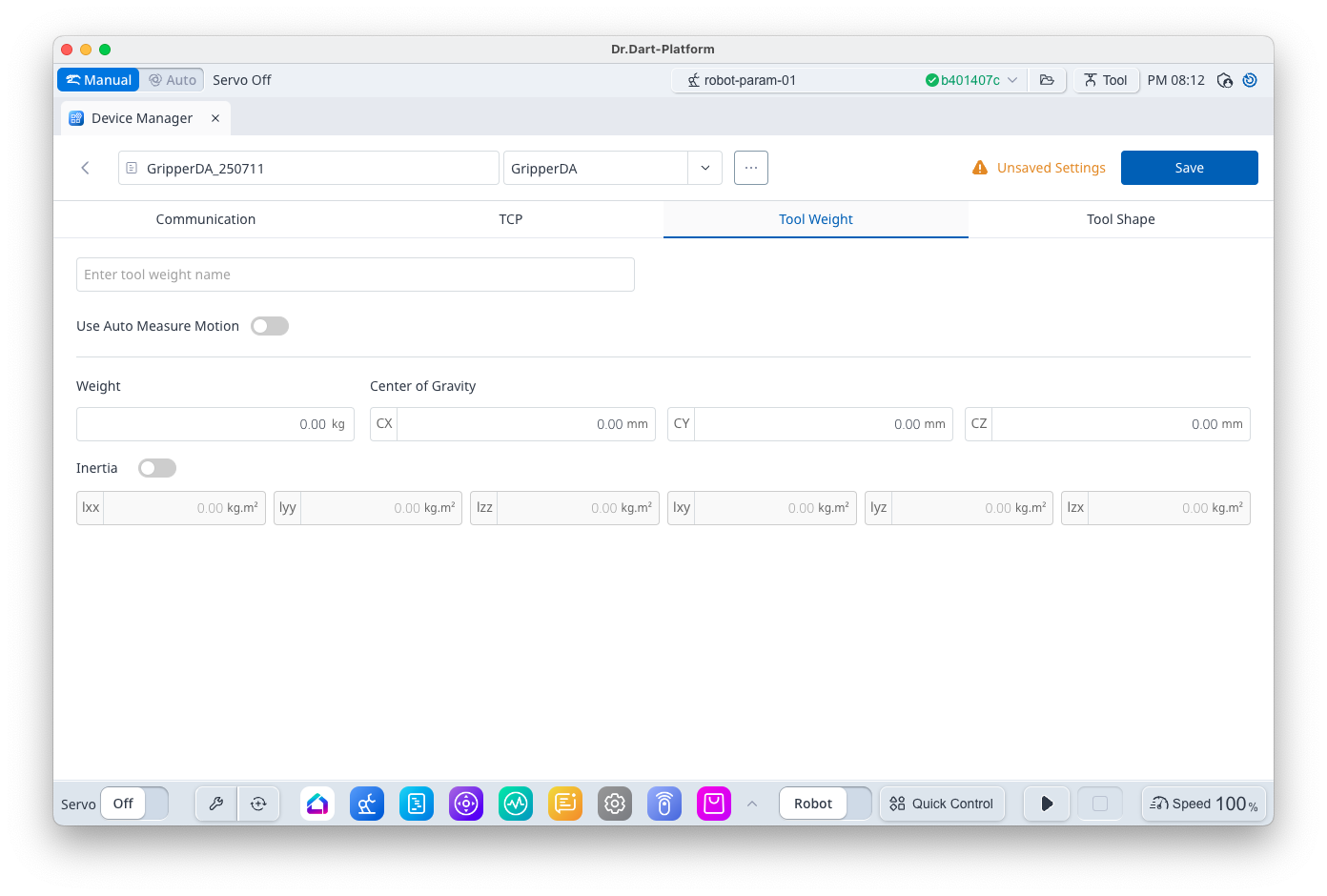
Tool Weight Panel
You can set up Tool Weight data.
If the Tool Weight name is empty, it will not be added to robot parameter file when saved.
-
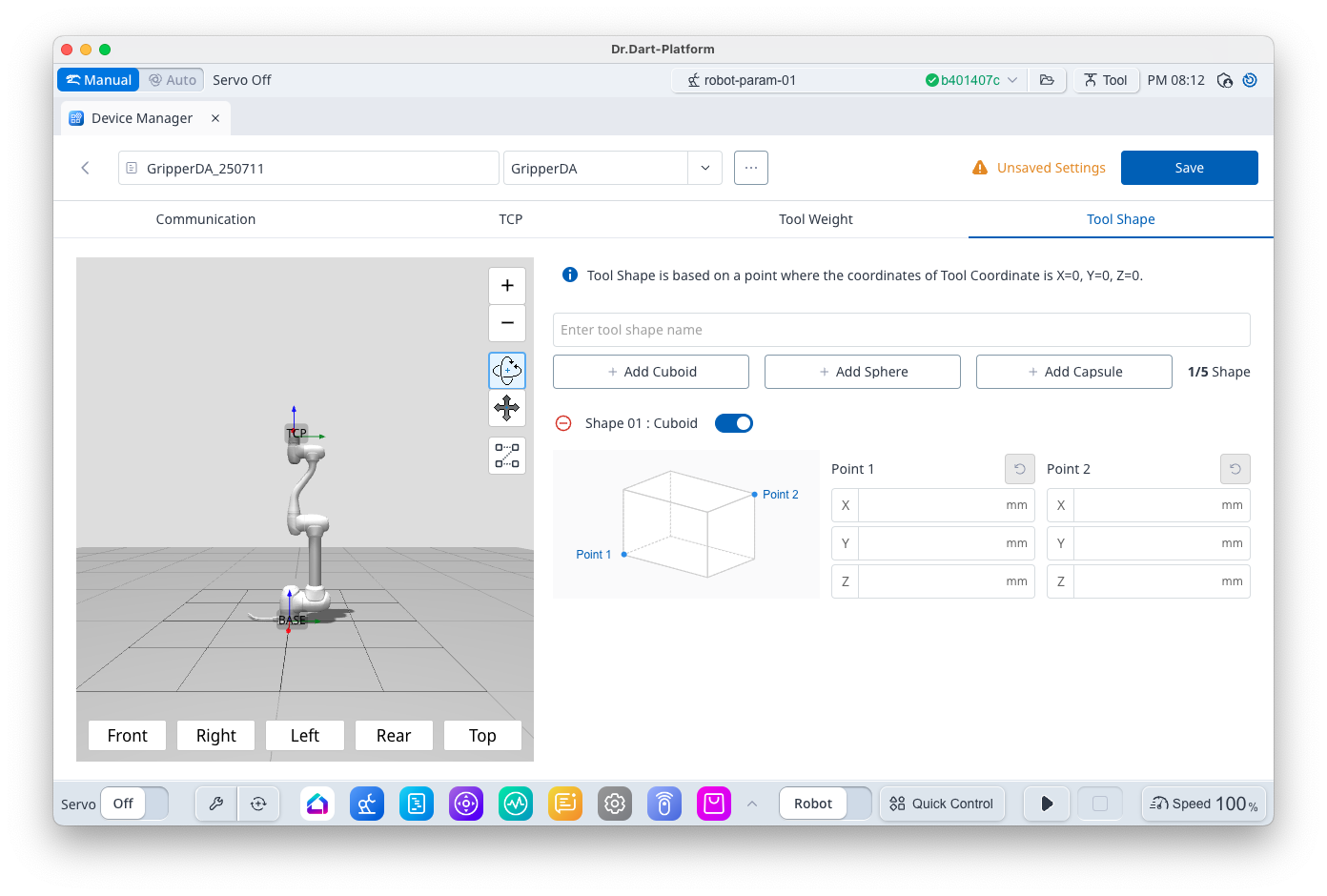
Tool Shape Panel
You can set up Tool Shape data.
If the Tool Shape name is empty, it will not be added to robot parameter file when saved.
2. Save Data
The [Save] button is activated when the following conditions are met.
-
If the data has changed
-
The data information set in TCP, Tool Weight, and Tool Shape is not currently added to robot parameter file
If the [Save] button is clicked, the [Robot Parameter Review] dialog will be displayed if the following conditions are met.
-
Tool data is completely entered
-
If it is not currently added to robot parameter file