
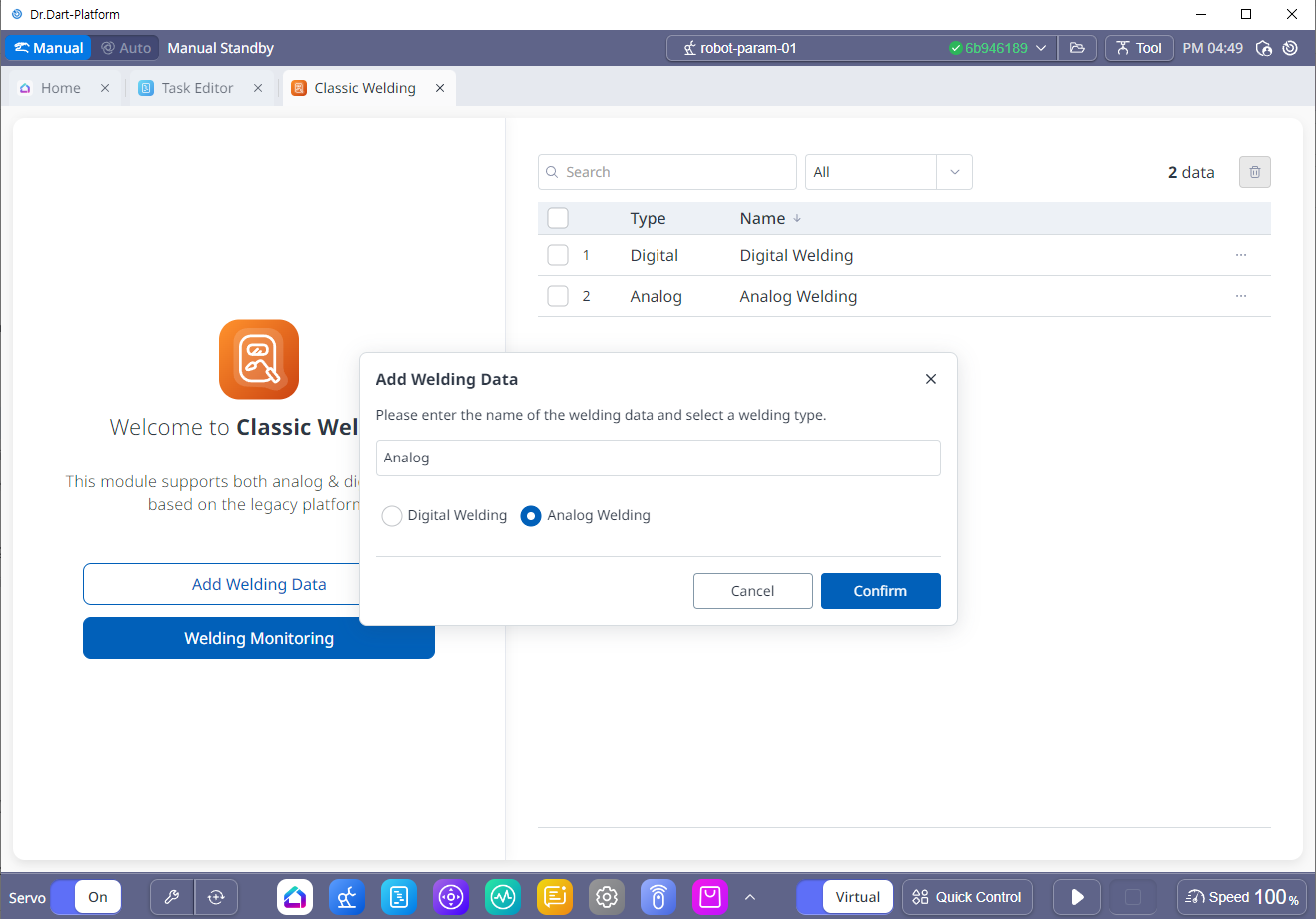
To use analog welding, click “Add Welding Data”, select “Analog Welding” and enter the welding machine name.
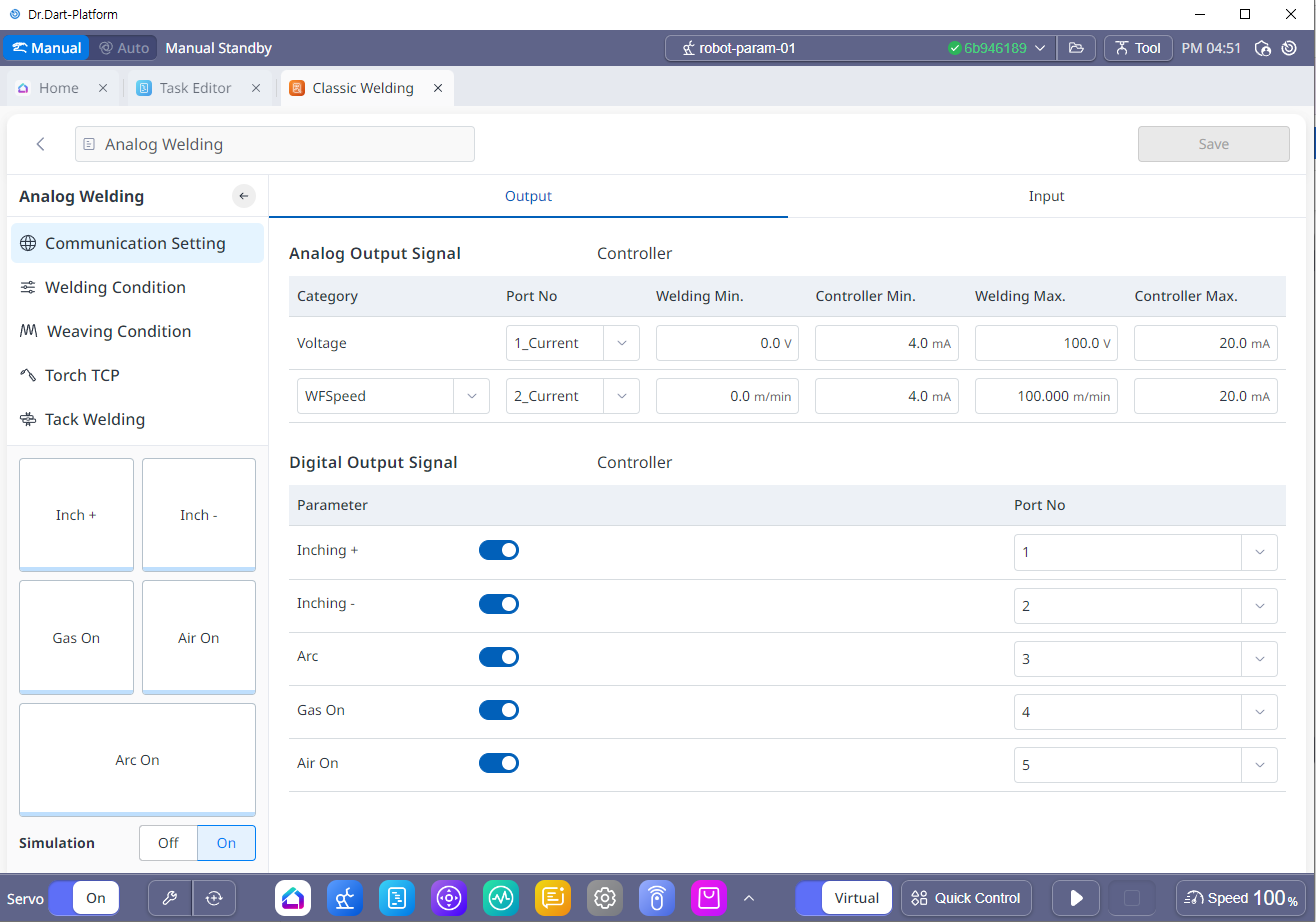
1. Communication Setting
-
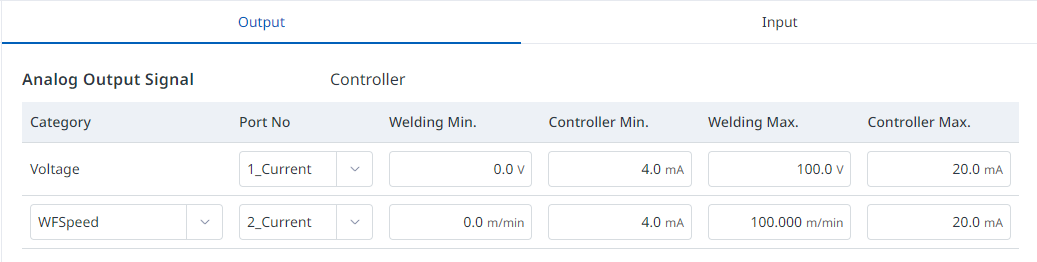
Analog Output Signal (Output)
-
Port No: Select the analog output channel and mode (current output or voltage output) of the controller.
-
Welding Min. : Minimum output value of the welding machine.
-
Controller Min. : The analog minimum value of the controller corresponding to the minimum output value of the welding machine.
-
Welding Max. : Maximum output value of the welding machine.
-
Controller Max. : The analog maximum value of the controller corresponding to the maximum output value of the welding machine.
-
-
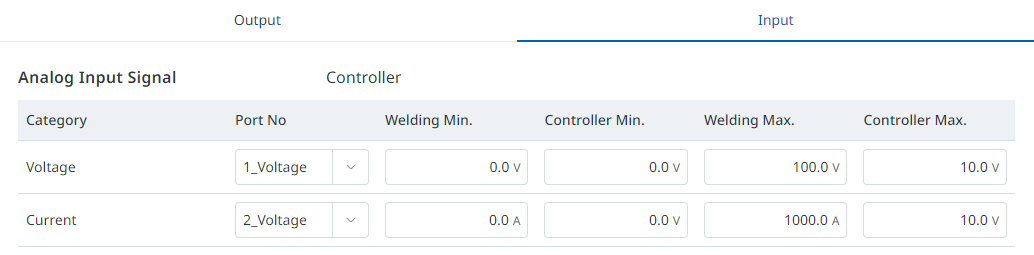
Analog Output Signal (Input)
-
To monitor the voltage/current measurement values during welding, you must connect a welding machine with analog output or a separate sensor. Enter the analog input channel number, input mode, and conversion relationship with the sensor input of the corresponding controller.
-
Port No: Select the analog input channel and mode (current input or voltage input) of the controller.
-
Welding Min. : Minimum input value of the welding machine.
-
Controller Min. : The analog minimum value of the controller corresponding to the minimum input value of the welding machine.
-
Welding Max. : Maximum input value of the welding machine.
-
Controller Max. : The analog maximum value of the controller corresponding to the maximum input value of the welding machine.
-
-
Digital Output Signal
-
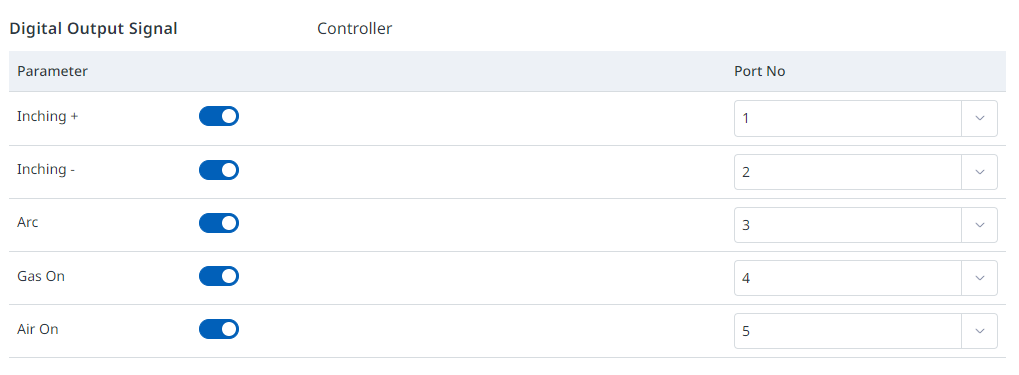
Set the digital output corresponding to the welding output signal (ARC), gas output signal (GAS), forward wire feed signal (Feed(inching)-Forward), reverse wire feed signal (Feed(inching-Backward)), and air-on channel that are connected to the welding machine via digital contact method. The welding output signals are entered selectively depending on whether the welding machine supports the corresponding function.
-
-
Digital Input Signal
-
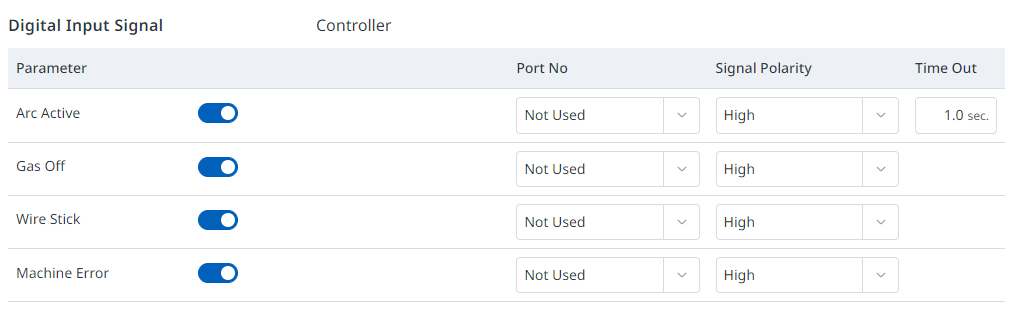
In the figure below, select the function you want to use among the arc generation, gas off, wire stick, and machine error functions, and then set the digital input port and polarity.
-
In common cases where the corresponding signals are deactivated or the timeout period for arc occurrence has elapsed, an operator intervention function pop-up appears, allowing direct teaching and the Move along the path function to be used to move the robot to resolve the issue and then resume work.
-
Among the operator intervention functions, the resume welding function is only available for analog welding.