
This is a command that ends the task with a tool.
-
It is used to end tasks of the [Airblowing], [Polishing], [Deburring] and [Gluing] commands.
-
It must be used with [Airblowing], [Polishing], [Deburring] or [Gluing].
-
When selecting a [Pattern] with the [Airblowing], [Polishing], [Deburring] or [Gluing] command, [End Task] must also be selected.
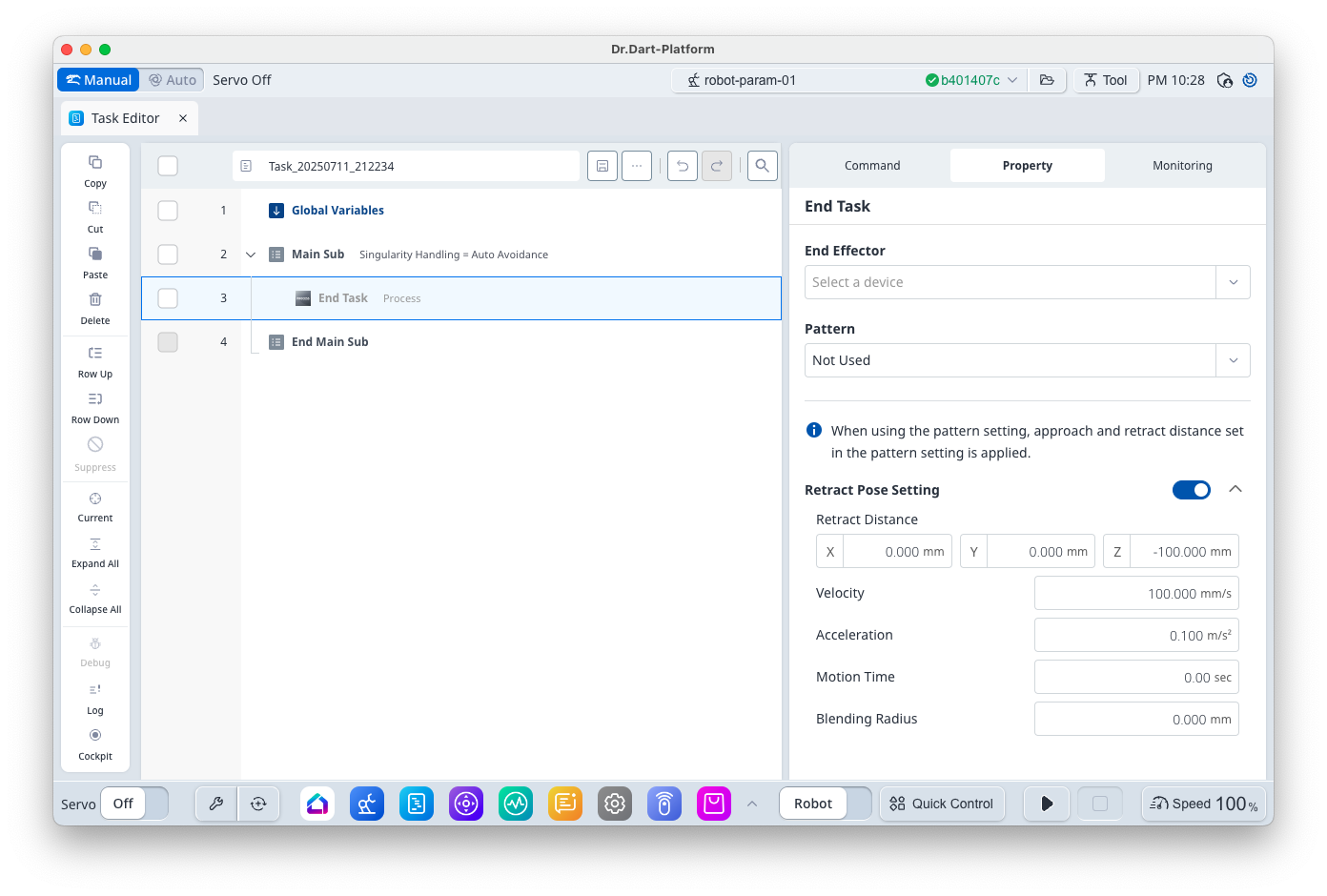
Basic Information
|
Item |
Description |
|---|---|
|
Recommended Device |
Tool |
|
Optinal Features |
|
|
Command Completion Condition |
|
|
Support Robot Series |
E, A, AS, M, H |
Default Motion Sequence
([Airblowing], [Polishing], [Deburring], [Gluing] → Task/Joint Motion (or Move to Pattern Calculation Pose) → [Stop] action of [End Effector] → Save Current Pose → Move to [Retract Pose]
Definition of Screen
|
Item |
Description |
Default Value and Input Range |
|
|---|---|---|---|
|
Basic Setting |
End Effector |
I/O test available upon tool selection |
|
|
Pattern |
Select if a pattern is used |
|
|
|
Retract Pose Setting (Option) |
Use |
Select whether to use Retract Pose |
True [True, False] |
|
Retract Distance |
Distance from the teaching pose in x, y and z directions
|
[0, 0, -100] mm [-99999.999 ~ 99999.999] |
|
|
Velocity |
This is the motion velocity to the retract pose. |
100 mm/s [0.001 ~ 8000] |
|
|
Acceleration |
This is the motion acceleration to the retract pose. |
0.1 m/s2 [0.001 ~ 20] |
|
|
Motion Time |
This is the motion time to the retract pose.
|
0 s [0 ~ 10000] |
|
|
Blending Radius |
This is the blending radius connecting the movement between the teaching pose and the retract pose. |
0 mm [0 ~ 1000] |
|