
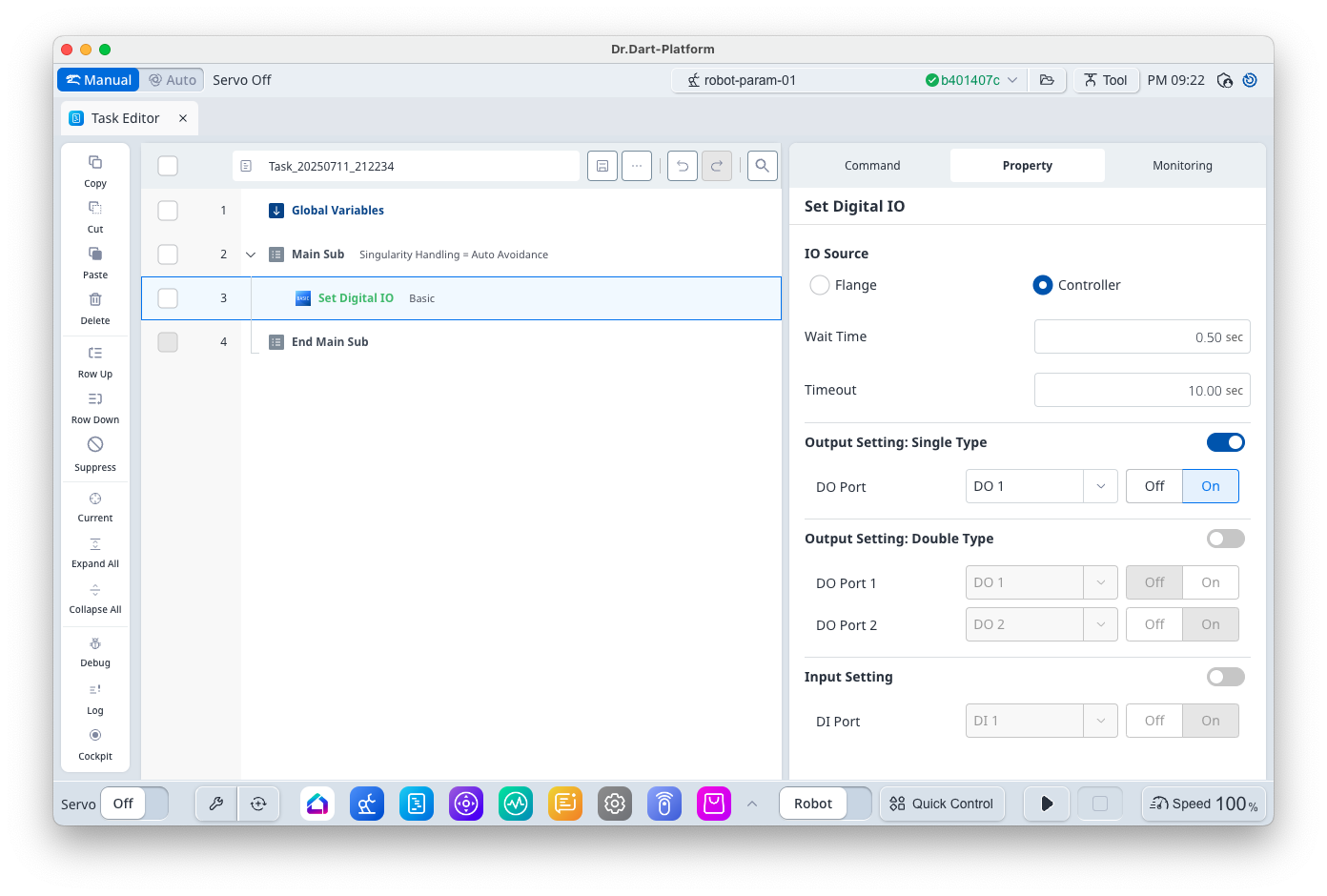
This is a command for operating the digital input/output. In the case of output,
-
If the SA option is selected, configure one port
-
If the DA option is selected, configure two ports to be used as a pair.
-
In the case of input, only one port can be selected.
-
Not related to robot motion.
Basic Information
|
Item |
Description |
|---|---|
|
Recommended Device |
None |
|
Optinal Features |
|
|
Command Completion Condition |
None |
|
Support Robot Series |
E, A, AS, M, H, P |
Default Motion Sequence
-
Output (Single Type) 설정 시: Output 신호 한 개 동작
-
Output (Double Type) 설정 시: Output 신호 두 개 동작
-
Input 설정 시: Input 신호 한 개 확인
Definition of Screen
|
Item |
Description |
Default Value and Input Range |
|
|---|---|---|---|
|
Basic Setting |
IO Source |
Select Digital I/O Connection
|
Controller [Flange, Controller] |
|
Wait Time |
Standby time after I/O motion |
0.5 s [0 ~ 10000] |
|
|
Timeout |
Max input signal standby time |
10 s [0 ~ 10000] |
|
|
Output Setting: Single Type (Option) |
Output Port |
Output Port
|
1 [1 ~ 16] |
|
Output Value |
Output Value |
On (1) [Off (0), On(1)] |
|
|
Output Setting: Double Type (Option) |
Output Port1 |
Output Port1 |
1 [1 ~ 16] |
|
Output Value1 |
Output Value1 |
Off (0) [Off (0), On(1)] |
|
|
Output Port2 |
Output Port2 |
2 [1 ~ 16] |
|
|
Output Value2 |
Output Value2 |
On (1) [Off (0), On(1)] |
|
|
Input Setting (Option) |
Input Port |
Input Port |
1 [1 ~ 16] |
|
Input Value |
Input Value |
On (1) [Off (0), On(1)] |
|