
In the Network section, you can set it up in relation to the controller and IDE connection.
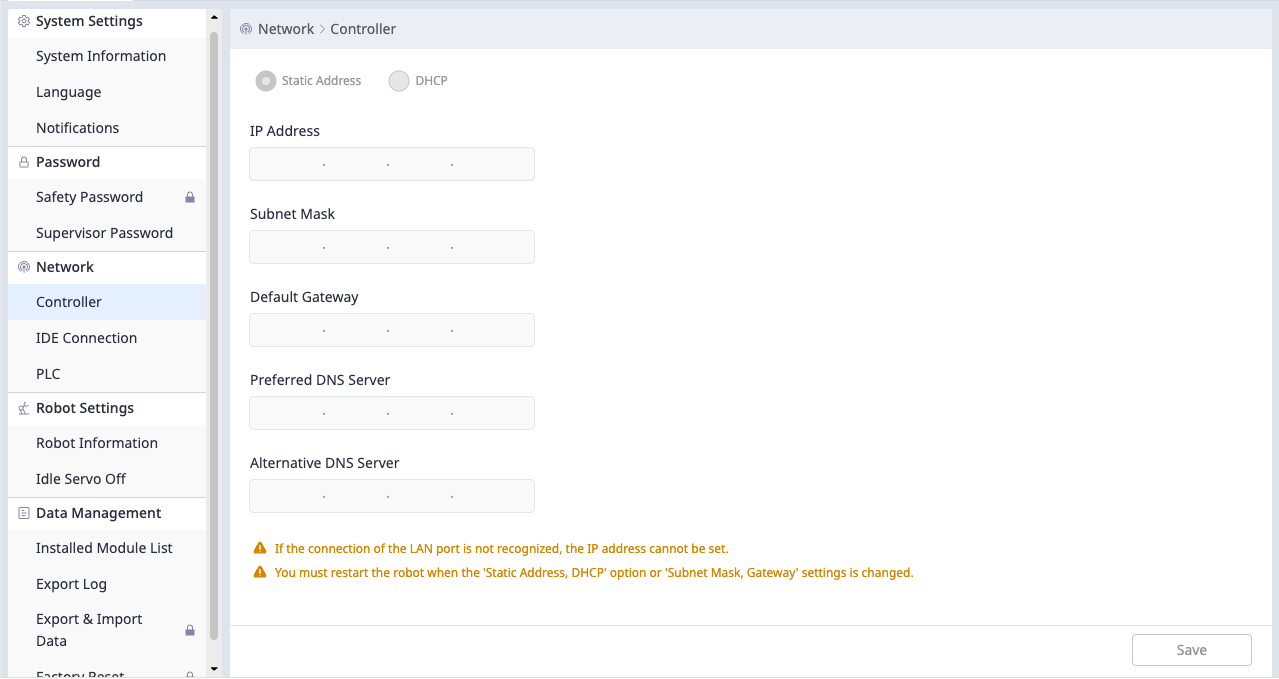
Controller
For the controller settings, you can choose either a fixed address or DHCP.
IDE Connection
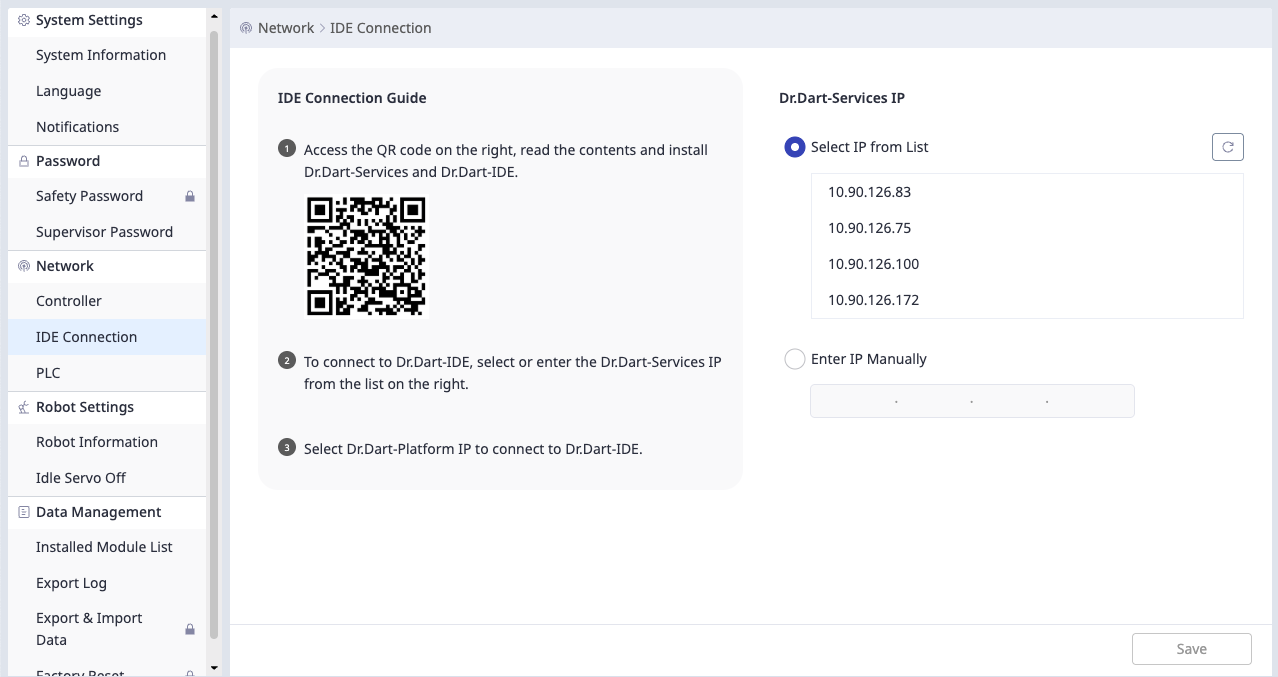
In the IDE Connection tab, you can select the IP to connect with Dr.Dart-IDE.
User can select a connectable IP from the list or enter it directly.
PLC
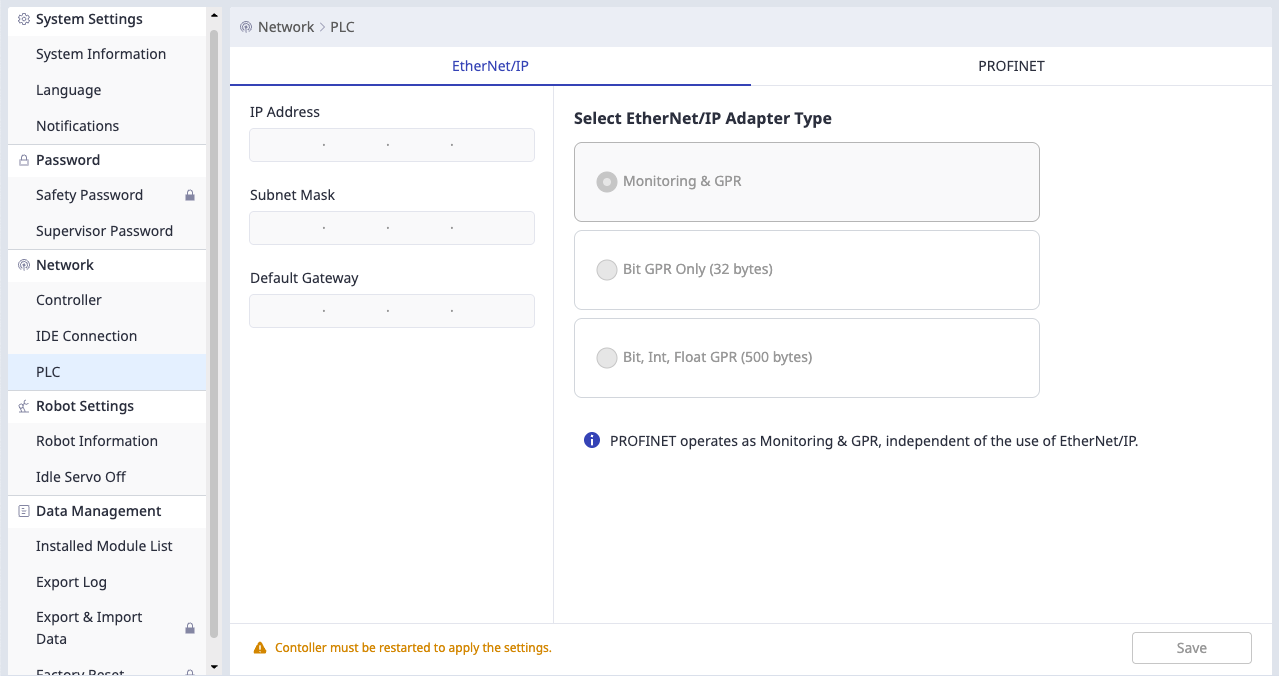
This menu allows you to view and configure the EtherNet/IP and PROFINET network settings of the controller, including communication methods and data configuration.
Note
-
The settings will not be saved until you press the Save button at the bottom.
-
If you are using industrial communications, use a static address.