
Menu
|
|
Items |
Description |
|---|---|---|
|
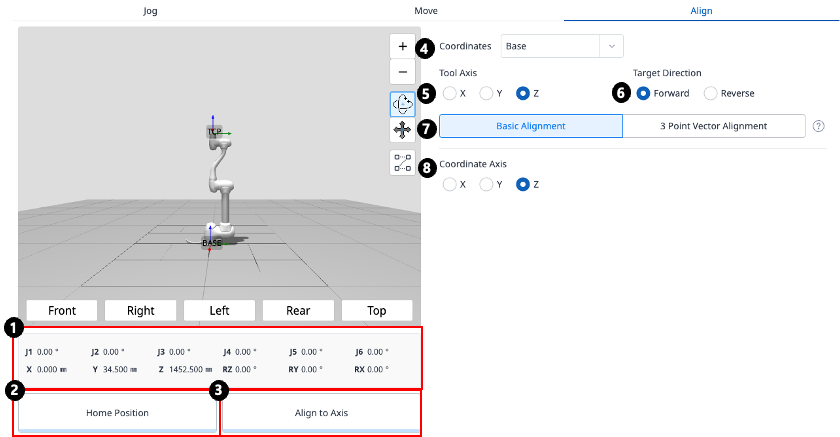
1 |
Robot Posture |
Displays the current robot’s joint posture and task posture.
|
|
2 |
Home Position Button |
Moves the robot to the home position when clicked. |
|
3 |
Align Button |
Aligns the robot when clicked. |
|
4 |
Select Reference Coordinate System |
Select the reference coordinate system for positioning. |
|
5 |
Tool Axis |
Select which axis of the TCP to align. |
|
6 |
Target Direction |
Select the direction to align the TCP with. |
|
7 |
Alignment Method |
Select the alignment method.
|
|
8 |
Coordinate Axis |
Select which axis of the reference coordinate system to align with. |
|
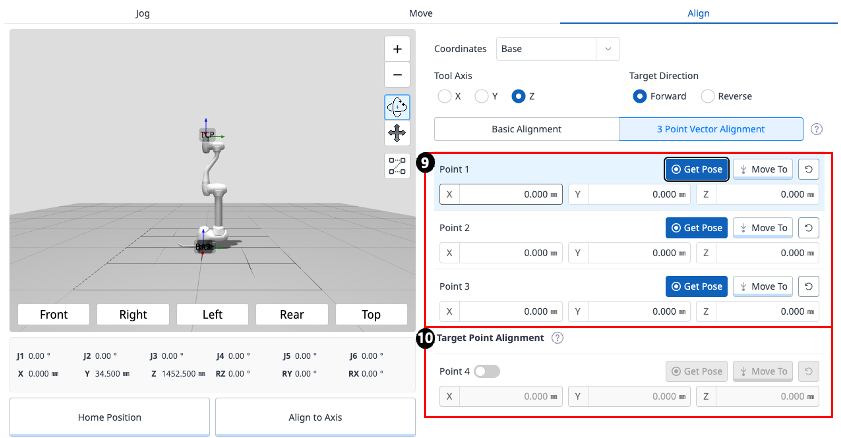
9 |
Select Points on a Plane |
Select three points that define the plane. 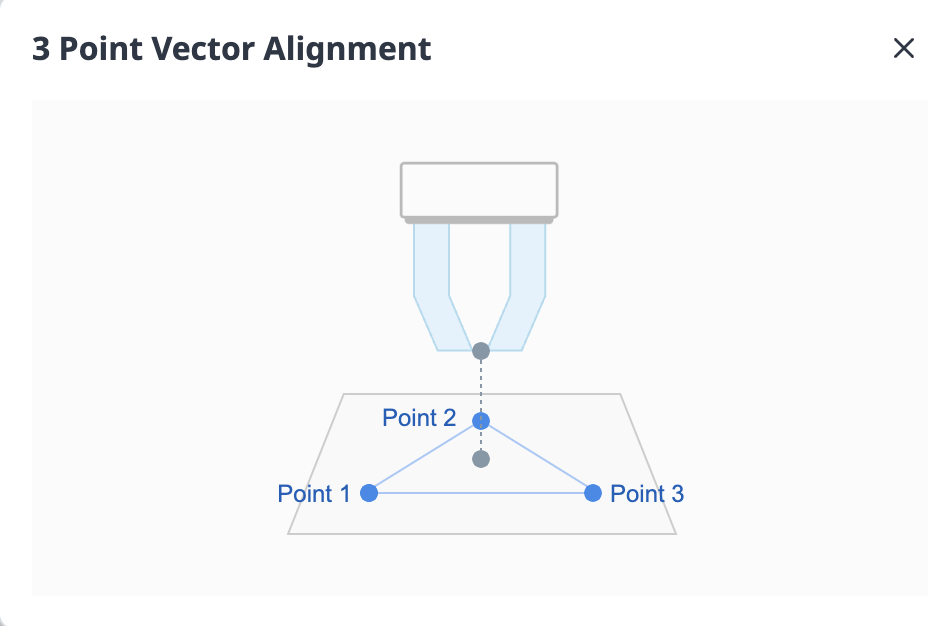
|
|
10 |
Target Point Alignment |
Select a point to position the TCP.
|