
Feature
-
Provides an example of operating a Single Robot.
(Please refer to Chapter 5, "dsr_launcher" for detailed robot environment configuration.)
-
The example files was written in python
- Directory of .py files: ~/catkin_ws/src/doosan-robot/dsr_example/py/scripts/simple
Paramaters of dsr_launcher
|
Parameter Name |
Data type |
Default Value |
Description |
|---|---|---|---|
|
ns |
- |
dsr01 |
ROBOT name space . single robot : dsr01 . multi robot: dsr01, dsr02, dsr03, dsr04 … |
|
host |
- |
127.0.0.1 |
Robot controller IP . Emulator : 127.0.0.1 . Real robot controller : 192.168.127.100 |
|
port |
- |
12345 |
port |
|
mode |
- |
virtual |
Robot operation mode - virtual : virtual mode - real : real mode |
|
model |
- |
m1013 |
M-Series Robot model . m0609, m0617, m1013, m1509 A-Series Robot model . a0509 |
|
color |
- |
white |
Robot color . white or blue |
|
gripper |
- |
none |
using gripper or not . none : not use gripper . robotiq_2f : use robotiq 2finger gripper |
|
mobile |
- |
none |
using mobile robot or not . none : not use mobile robot . husky : use husky mobile robot |
Example
1. Robot controller default IP/Port
- IP : 192.168.127.100 , port = 12345

2. launch
Run dsr_launher for your desired configuration.
- single robot in rviz, virtual mode, m1013(white)
$ roslaunch dsr_launcher single_robot_rviz.launch mode:=virtual model:=m1013 color:=white
- single robot in gazebo, real mode, m1013(blue)
$ roslaunch dsr_launcher single_robot_gazebo.launch mode:=real host:=192.168.127.100 model:=m1013 color:=blue
- single robot in rviz + gazebo, virtual mode, m1013(white)
$ roslaunch dsr_launcher single_robot_rviz_gazebo.launch model:=m1013 color:=white

3. run application node
- Edit example files
   . Open the example file you want to run and modify the ROBOT_ID and ROBOT_MODEL accordingly.
   .. ex>
ROBOT_ID = "dsr01"
ROBOT_MODEL = "m1013"

$ rosrun dsr_example_py single_robot_simple.py
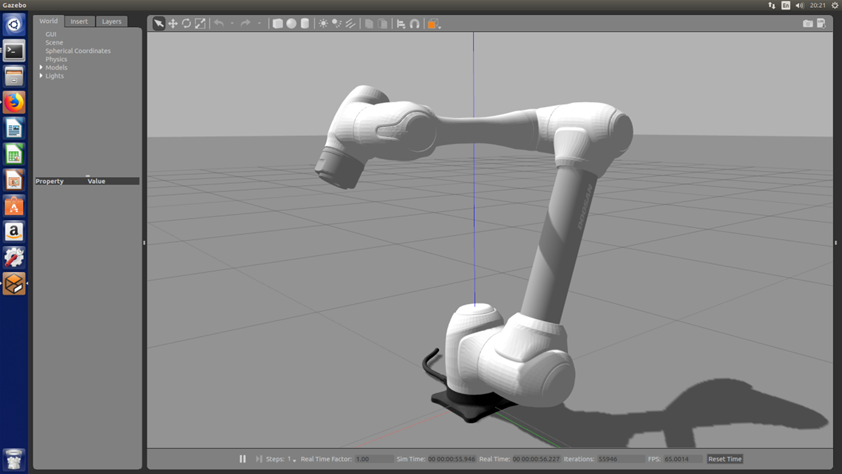
Figure 6.2 single robot