
Feature
-
Use real mode to drive a real robot.
-
In real mode operation, communication must be established with the real robot controller.
-
The default IP of the robot controller is 192.168.127.100 and the port is 12345.
-
Selecting arguments(mode:=real host:=192.168.127.100 port:=12345) to real mode when running the dsr_launcher launch file.
ex> roslaunch dsr_launcher single_robot_gazebo.launch mode:=real host:=192.168.127.100 port:=12345
Connect with Controller
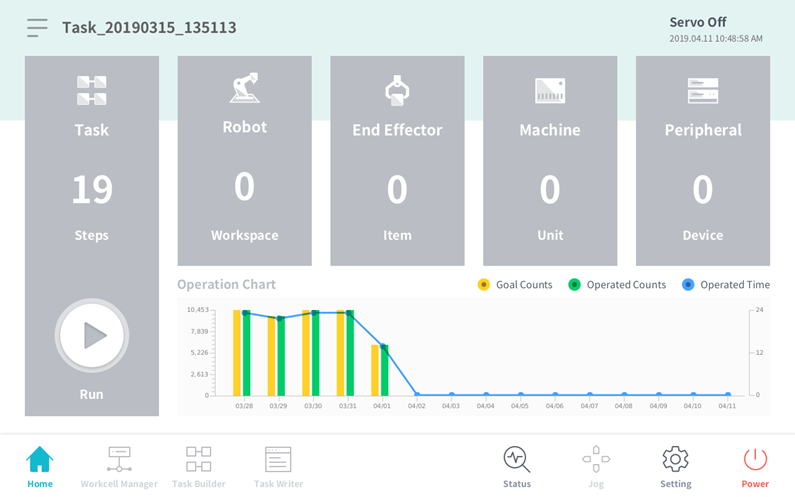
Figure 2.2 Teach Pandaunt Screen
-
The user can set static IP in Setting -> Network of TP screen.
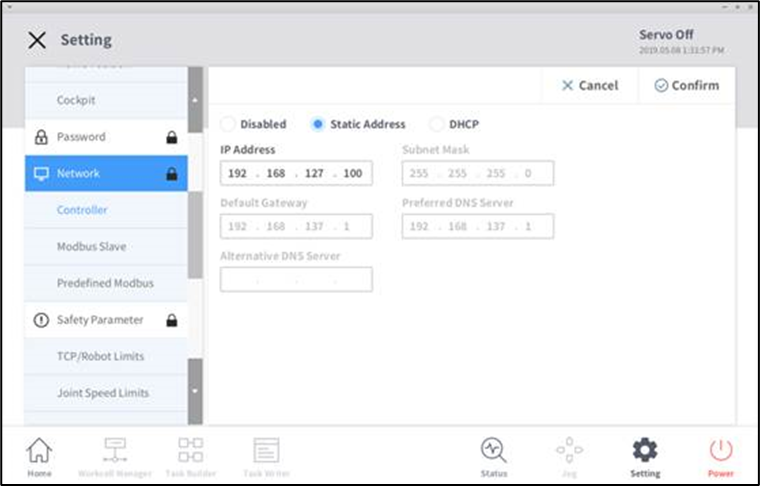
Figure 2.3 Check robot controller IP on TP
-
Check the IP of the controller set in the Network tab, and set this IP in the ROS
(host := ROBOT_IP) -
If the ROS control node is correctly executed, ROS has the robot control.
-
If the TP transfer control, below pop-up message on the TP screen.
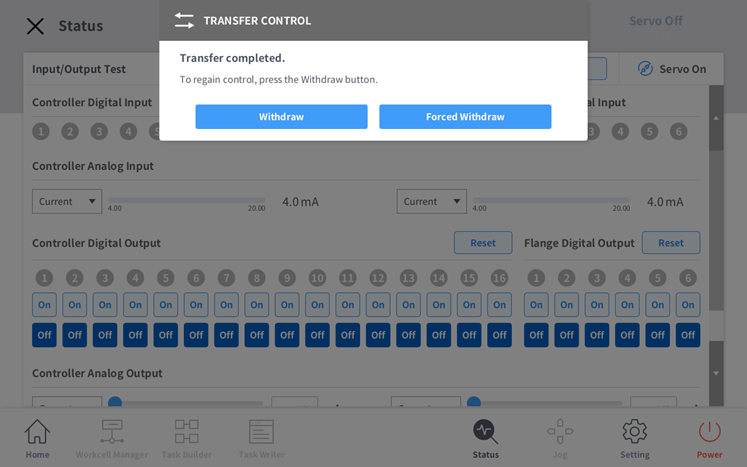
Figure 2.4 Transfer Control pop-up message