
Insert
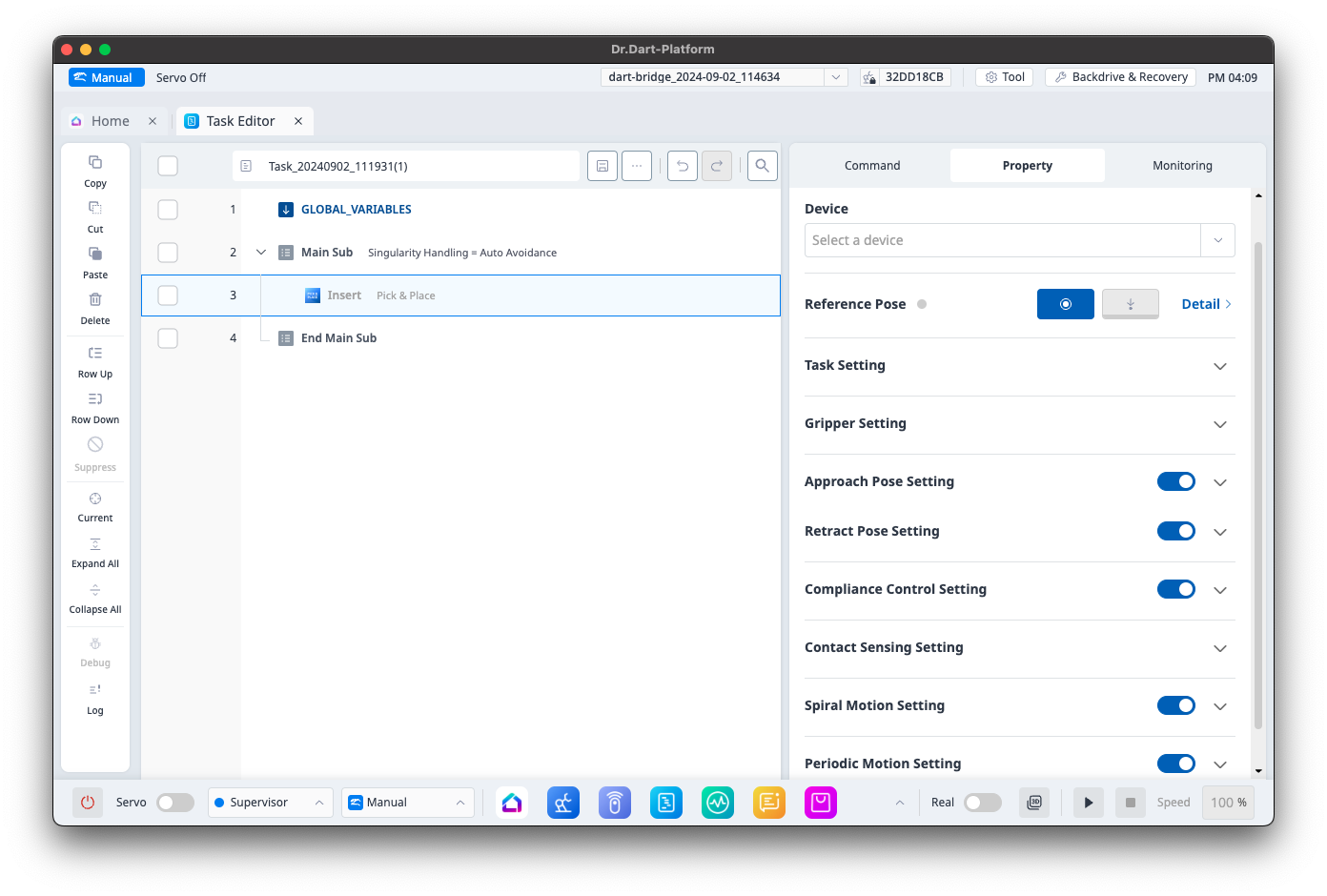
Category
|
Function
|
|
|---|---|---|
|
1 |
Device |
Configure the device. |
|
2 |
Reference Pose |
Configure the reference pose. |
|
3 |
Task Setting |
Configure hole depth, insert velocity and acceleration, task velocity and acceleration. |
|
4 |
Gripper Setting |
Configure the gripper information. |
|
5 |
Approach Pose Setting |
Configure approach distance, velocity, acceleration, and motion time. |
|
6 |
Retract Pose Setting |
Configure retreat distance, velocity, acceleration, and blending radius. |
|
7 |
Compliance Control Setting |
Configures stiffness. |
|
8 |
Contact Sensing Setting |
Configure task direction, contact margin, desired force, contact force, and timeout. |
|
9 |
Spiral Motion Setting |
Configures spiral interval, maximum radius, velocity, and acceleration. |
|
10 |
Periodic Motion Setting |
Configures maximum angle, maximum period, and maximum repeat number. |
Interlock Pick
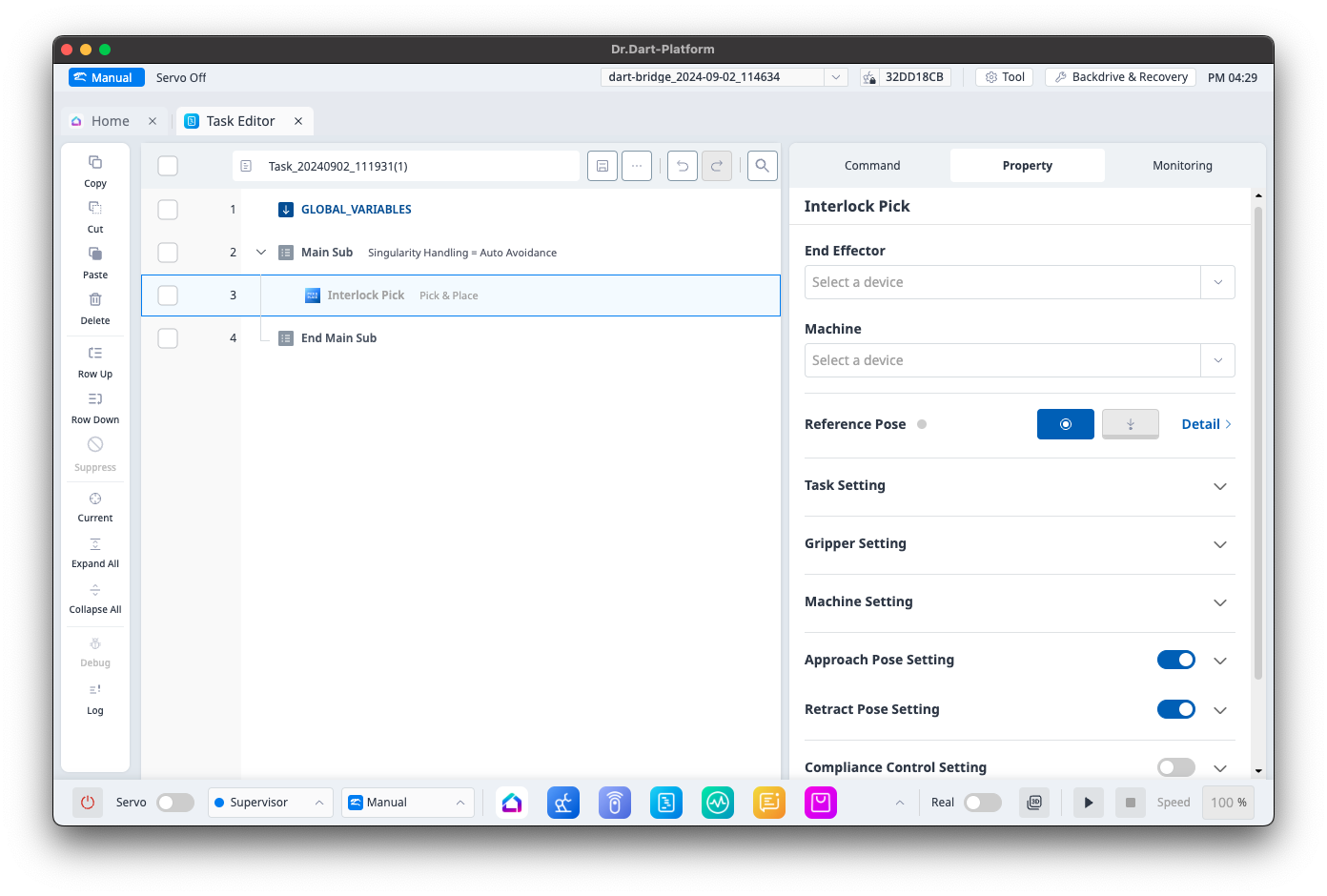
Category
|
Function
|
|
|---|---|---|
|
1 |
End effector |
Configures the device. |
|
2 |
Machine |
Configures the machine. |
|
3 |
Reference Pose |
Configures the reference pose. |
|
4 |
Task Setting |
Configures task speed and acceleration. |
|
5 |
Gripper Setting |
Configures the gripper information. |
|
6 |
Machine Setting |
Configures check machine ready state, post-check wait time, post-chuck wait time, and chuck open before placing state. |
|
7 |
Approach Pose Setting |
Configure approach distance, velocity, acceleration, motion time, and blending radius. |
|
8 |
Retract Pose Setting |
Configure retreat distance, velocity, acceleration, motion time, and blending radius. |
|
9 |
Compliance Control Setting |
Configures stiffness. |
|
10 |
Contact Sensing Setting |
Configure task direction, contact margin, desired force, contact force, and timeout. |
Interlock Place
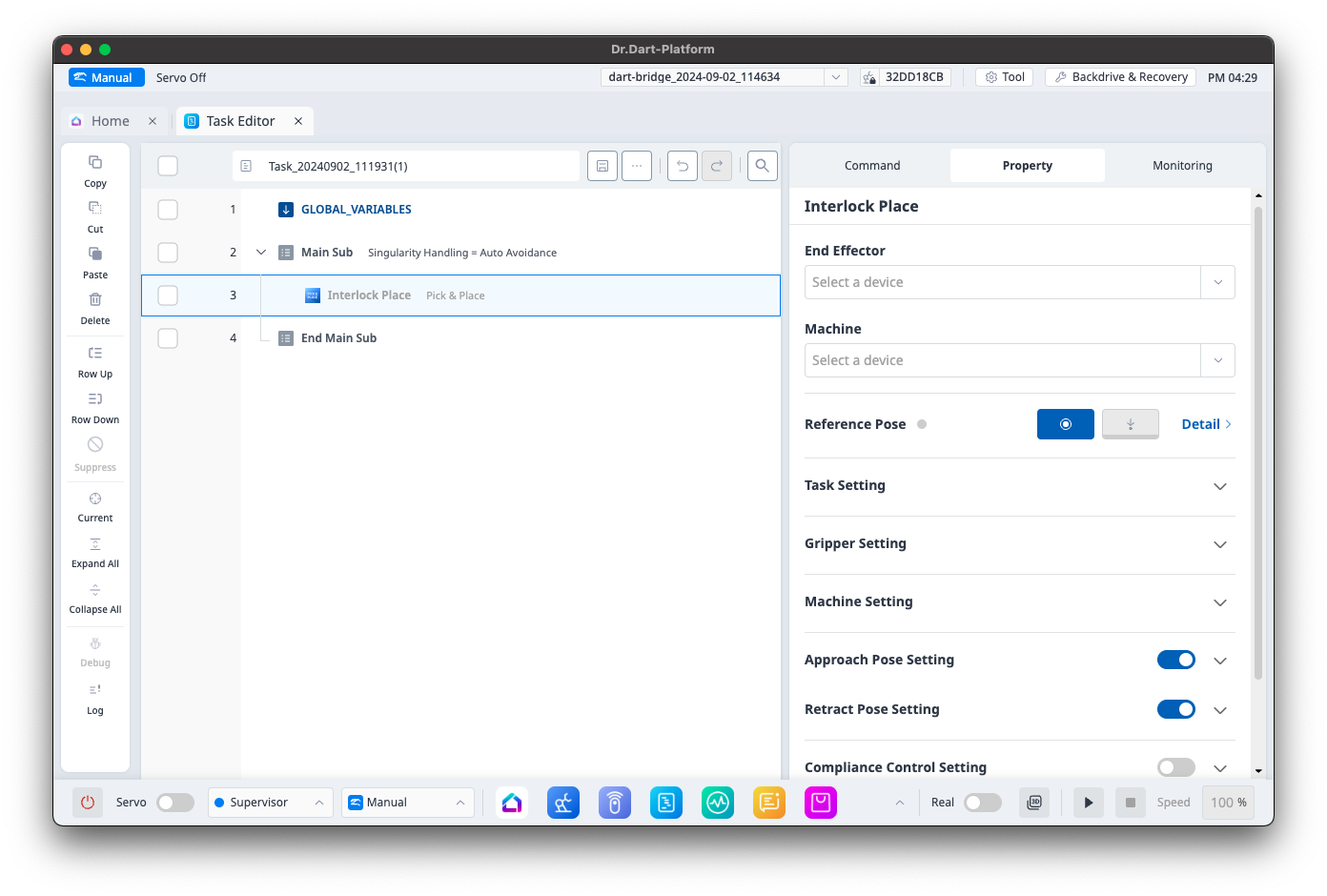
Category
|
Function
|
|
|---|---|---|
|
1 |
End effector |
Configures the device. |
|
2 |
Machine |
Configures the machine. |
|
3 |
Reference Pose |
Configures the reference pose. |
|
4 |
Task Setting |
Configures task speed and acceleration. |
|
5 |
Gripper Setting |
Configures the gripper information. |
|
6 |
Machine Setting |
Configures check machine ready state, post-check wait time, and post-chuck wait time. |
|
7 |
Approach Pose Setting |
Configure approach distance, velocity, acceleration, and blending radius. |
|
8 |
Retract Pose Setting |
Configure retreat distance, velocity, acceleration, and blending radius. |
|
9 |
Compliance Control Setting |
Configures stiffness. |
|
10 |
Contact Sensing Setting |
Configure task direction, contact margin, desired force, contact force, timeout, and offset margin. |
Pick
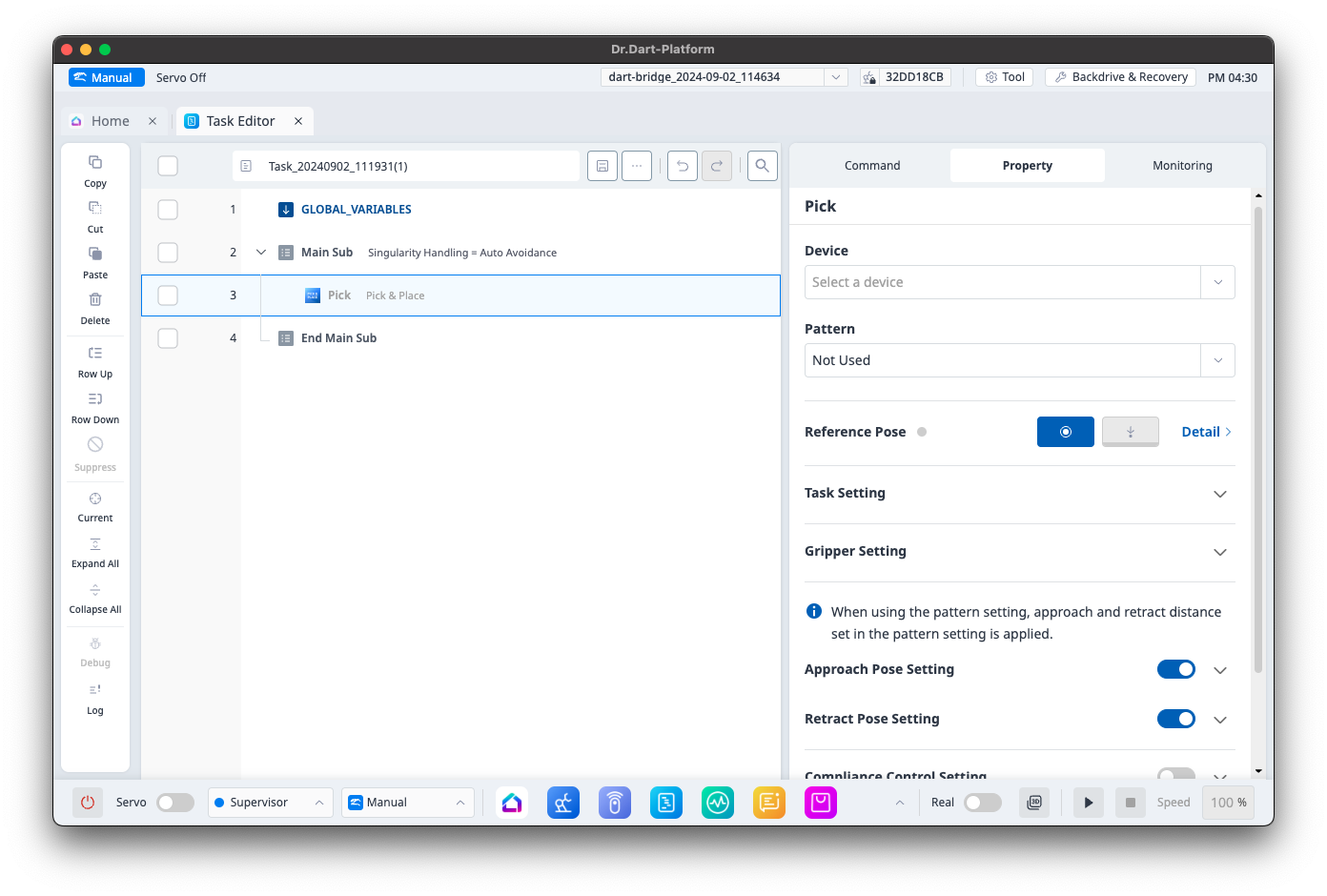
Category
|
Function
|
|
|---|---|---|
|
1 |
Device |
Configures the device. |
|
2 |
Pattern |
Configures the pattern. |
|
3 |
Reference Pose |
Configures the reference pose. |
|
4 |
Task Setting |
Configures repeat condition, task speed and acceleration. |
|
5 |
Gripper Setting |
Configures the gripper information. |
|
6 |
Approach Pose Setting |
Configure approach distance, velocity, acceleration, motion time, and blending radius. |
|
7 |
Retract Pose Setting |
Configure retreat distance, velocity, acceleration, motion time, and blending radius. |
|
8 |
Compliance Control Setting |
Configures stiffness. |
|
9 |
Contact Sensing Setting |
Configure task direction, contact margin, desired force, contact force, timeout, and offset margin. |
Place
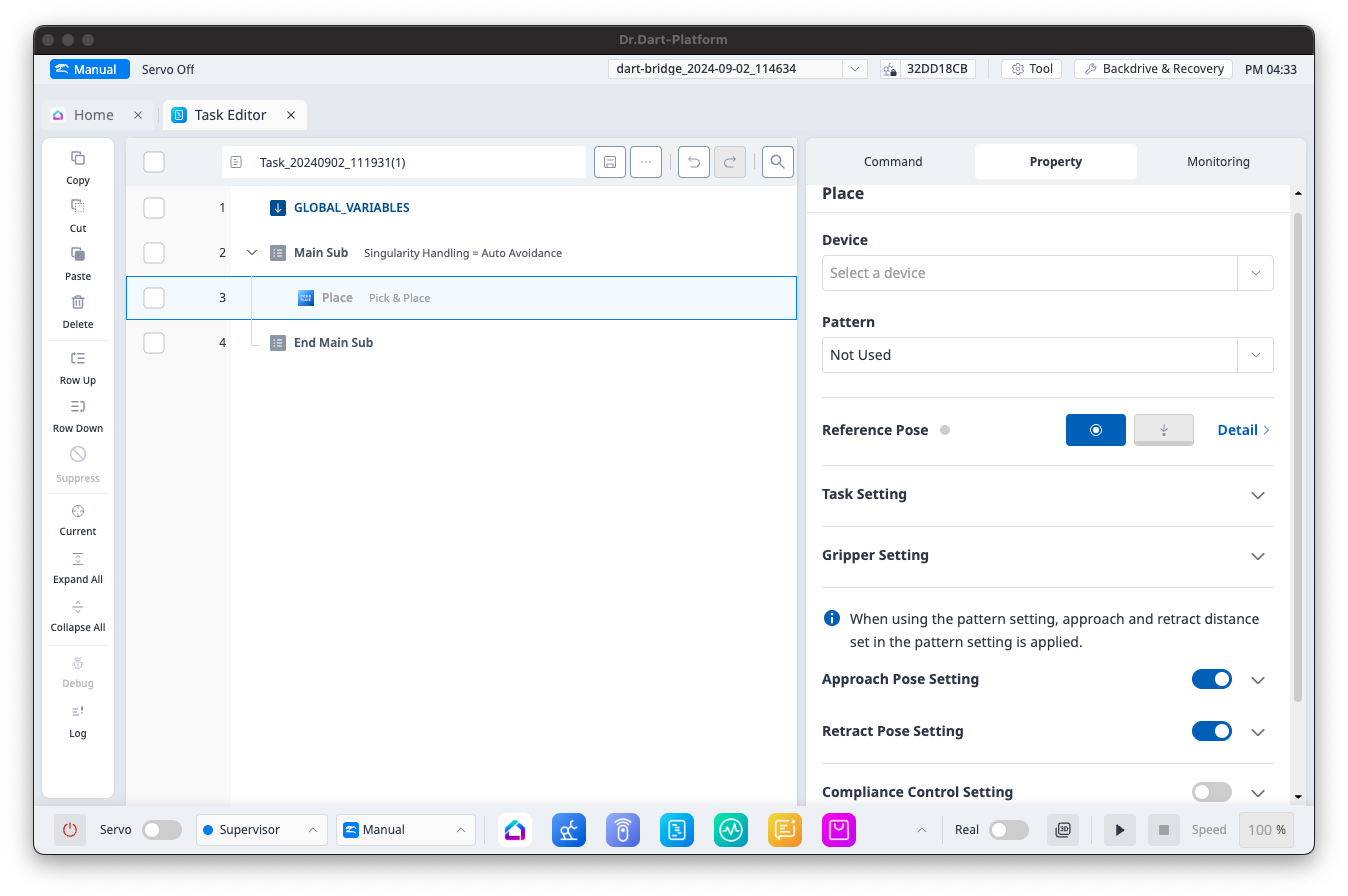
Category
|
Function
|
|
|---|---|---|
|
1 |
Device |
Configures the device. |
|
2 |
Pattern |
Configures the pattern. |
|
3 |
Reference Pose |
Configures the reference pose. |
|
4 |
Task Setting |
Configures repeat condition, task speed and acceleration. |
|
5 |
Gripper Setting |
Configures the gripper information. |
|
6 |
Approach Pose Setting |
Configure approach distance, velocity, acceleration, motion time, and blending radius. |
|
7 |
Retract Pose Setting |
Configure retreat distance, velocity, acceleration, motion time, and blending radius. |
|
8 |
Compliance Control Setting |
Configures stiffness. |
|
9 |
Contact Sensing Setting |
Configure task direction, contact margin, desired force, contact force, and timeout. |
Pick Bolt
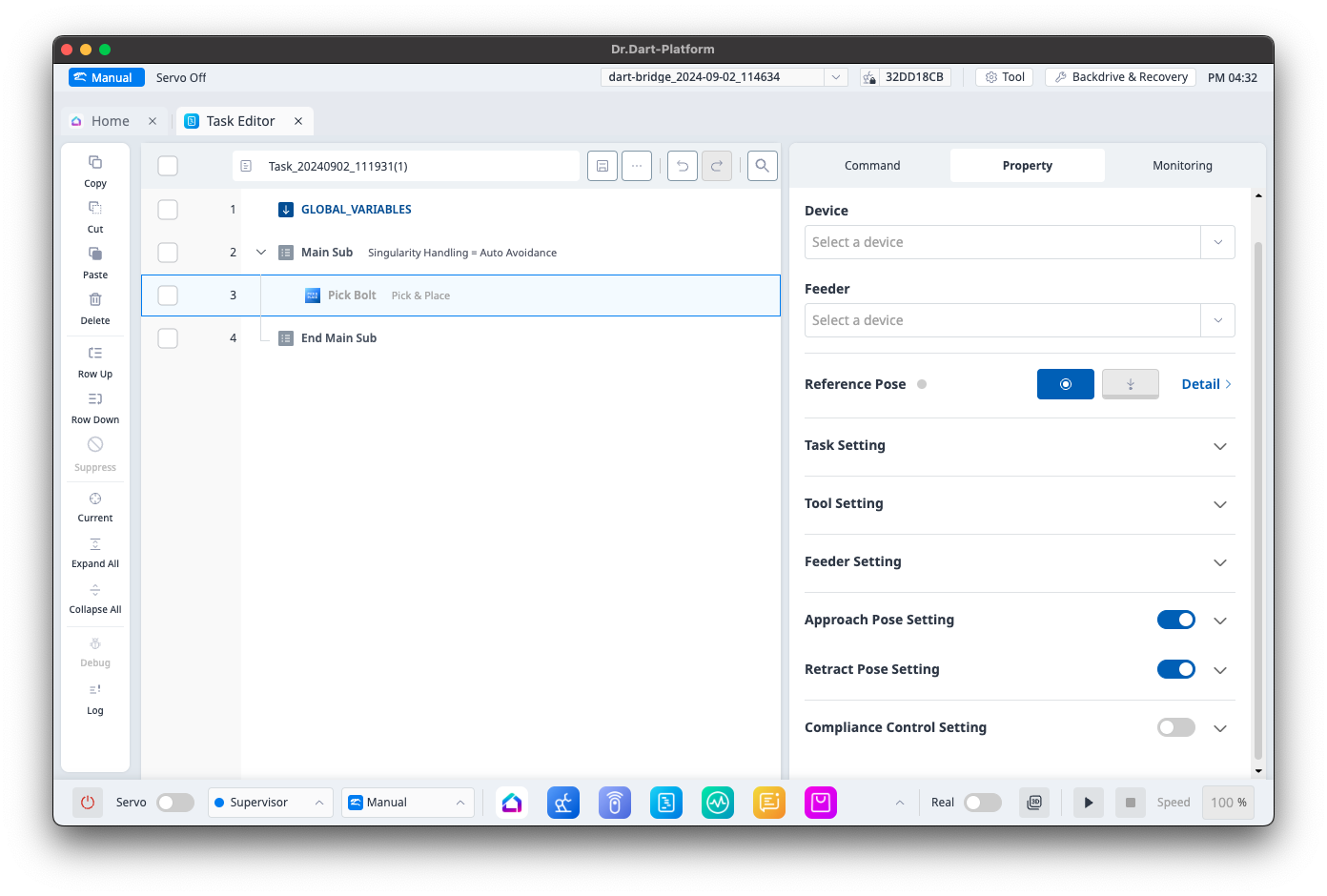
Category
|
Function
|
|
|---|---|---|
|
1 |
Device |
Configures the device. |
|
2 |
Feeder |
Configures the feeder. |
|
3 |
Reference Pose |
Configures the reference pose. |
|
4 |
Task Setting |
Configures task velocity and acceleration. |
|
5 |
Tool Setting |
Configures the tool information. |
|
6 |
Feeder Setting |
Configure check bolt ready state, feeder type, and post-check wait time. |
|
7 |
Approach Pose Setting |
Configure approach distance, velocity, acceleration, motion time, and blending radius. |
|
8 |
Retract Pose Setting |
Configure retreat distance, velocity, acceleration, motion time, and blending radius. |
|
9 |
Compliance Control Setting |
Configures stiffness. |