Main Screen Features
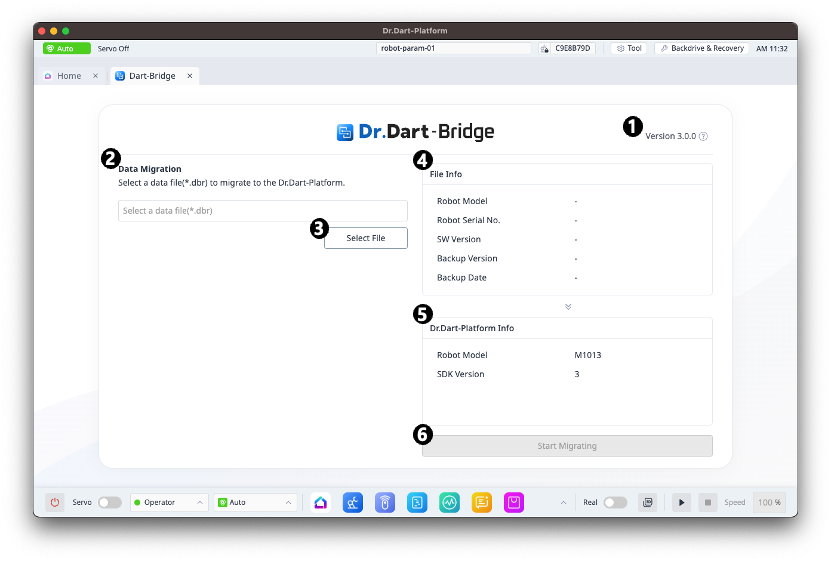
|
Category |
Function |
|
|---|---|---|
|
1 |
Version Information |
Display the current version information of the Dart-Bridge module and view detailed information. |
|
2 |
Migration File Selection Information |
Show the name of the currently selected migration file. |
|
3 |
Migration File Selection Button |
Select and load migration files generated through Dart-Bridge (SW). |
|
4 |
Migration File Information |
Display information about the loaded migration file. |
|
5 |
Dart-Platform Information |
Display information about the current Dart-Platform v3 and its compatibility. |
|
6 |
Start Migration Button |
Start the migration process. |
File Selection
When the Select file button is clicked, a file selection dialog provided by the PC's operating system will appear.
Upon completion of selecting a migration data file, information about the selected data will be displayed in the information pane on the right.
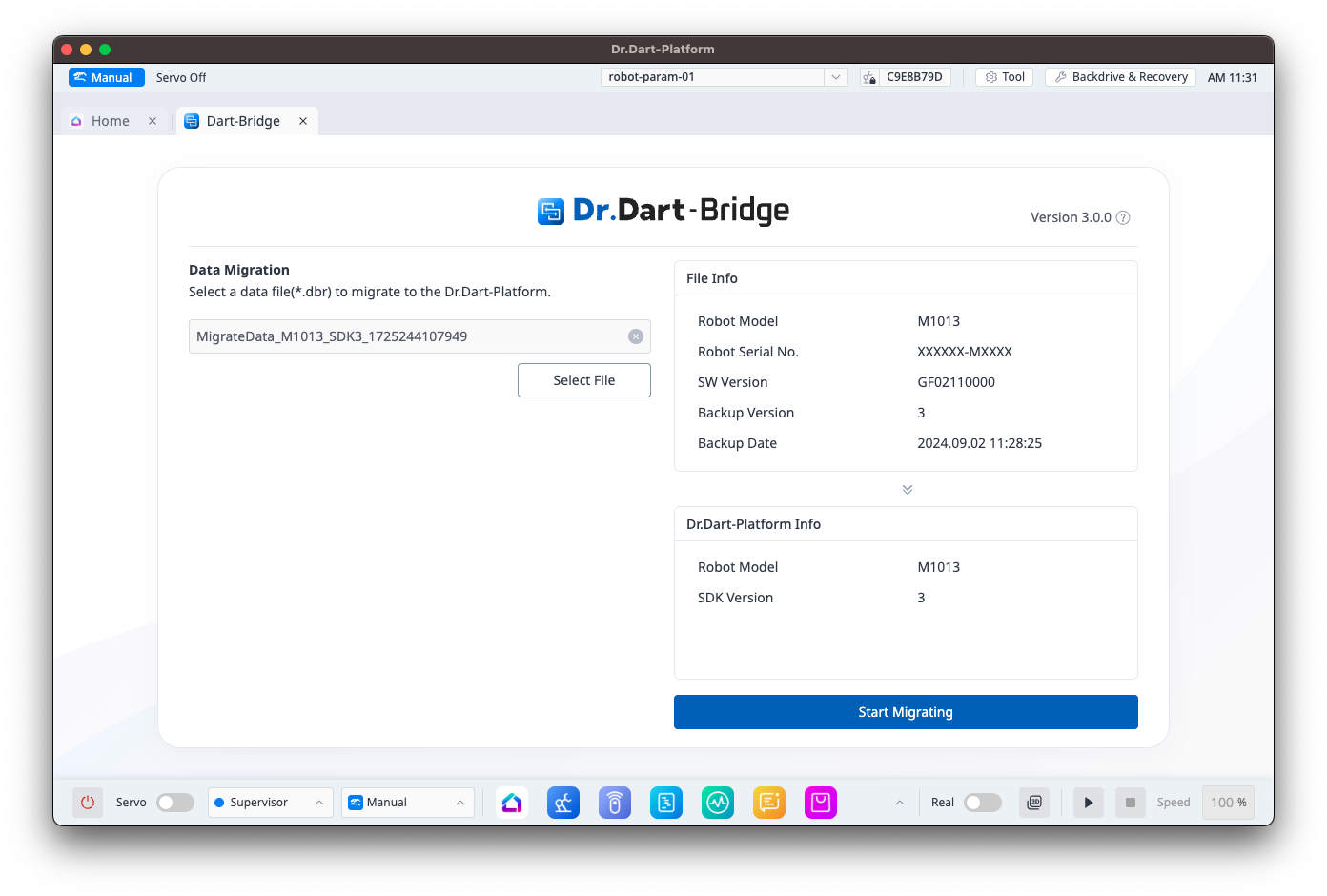
You can only select files with the .dbr extension.
Data Migration Progress
You can start the migration by clicking the "Start Migration" button at the bottom of the information pane on the right.
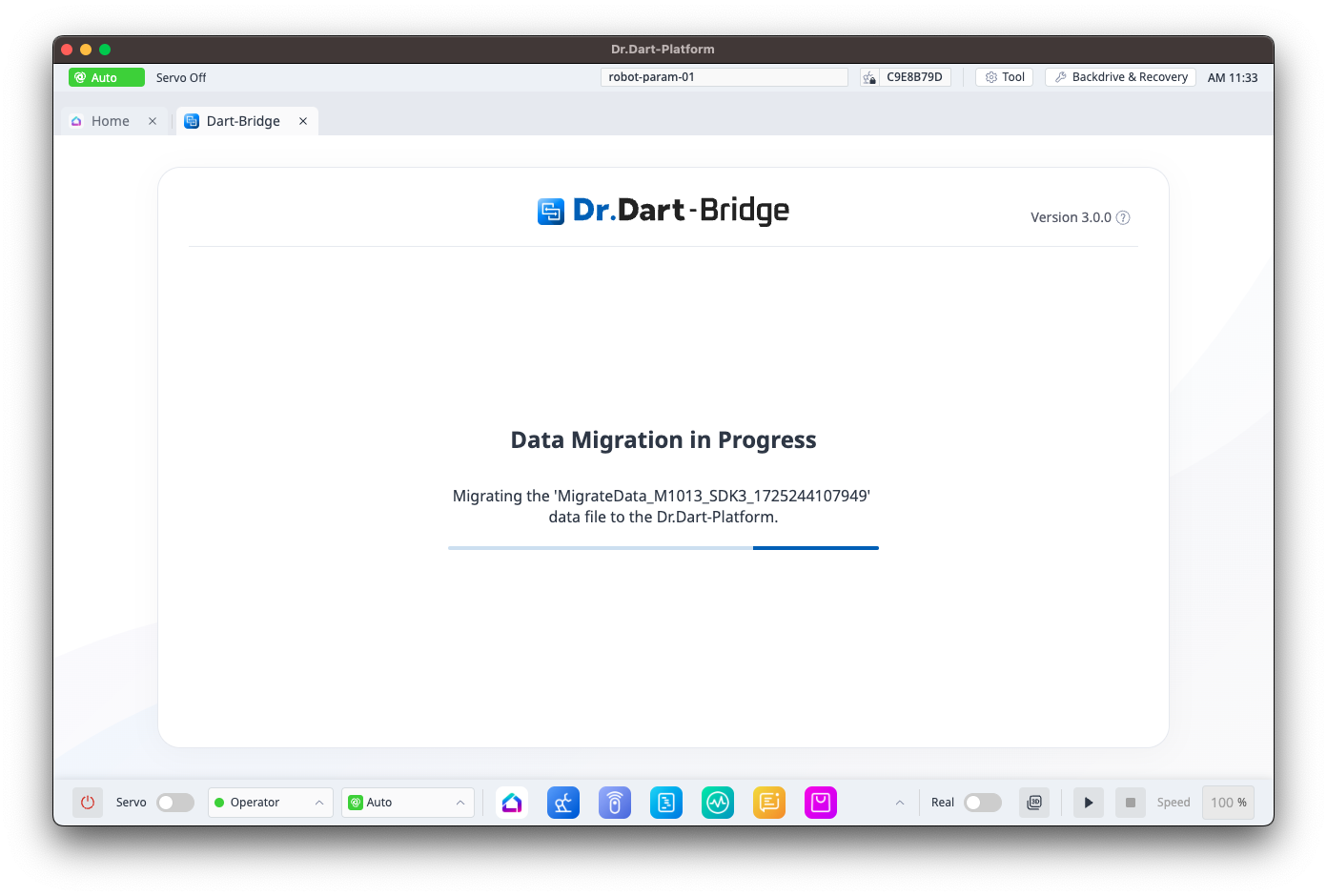
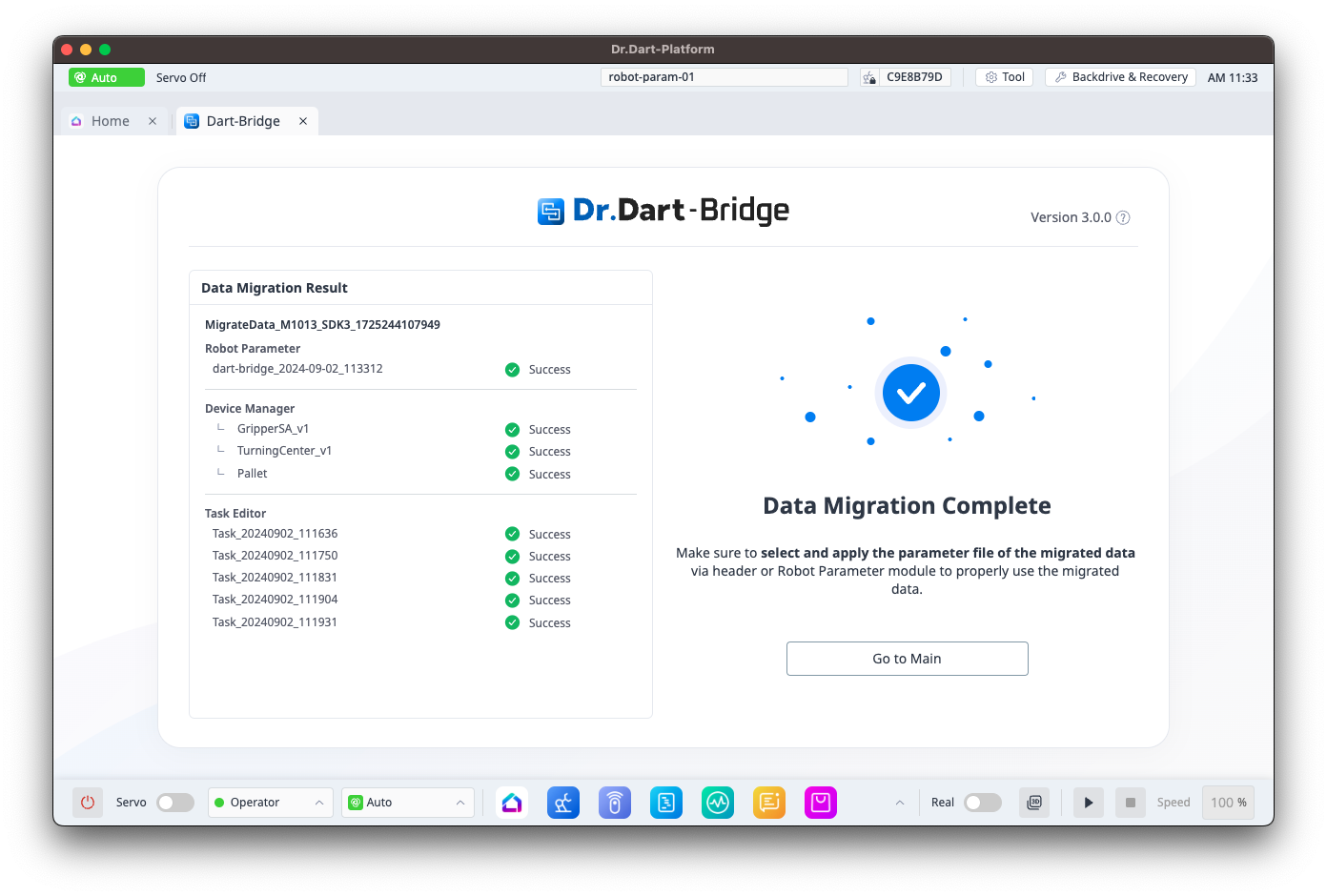
Data Migration Success
Upon successful data migration, information about the results of the data migration will be displayed.
Data Migration Failure
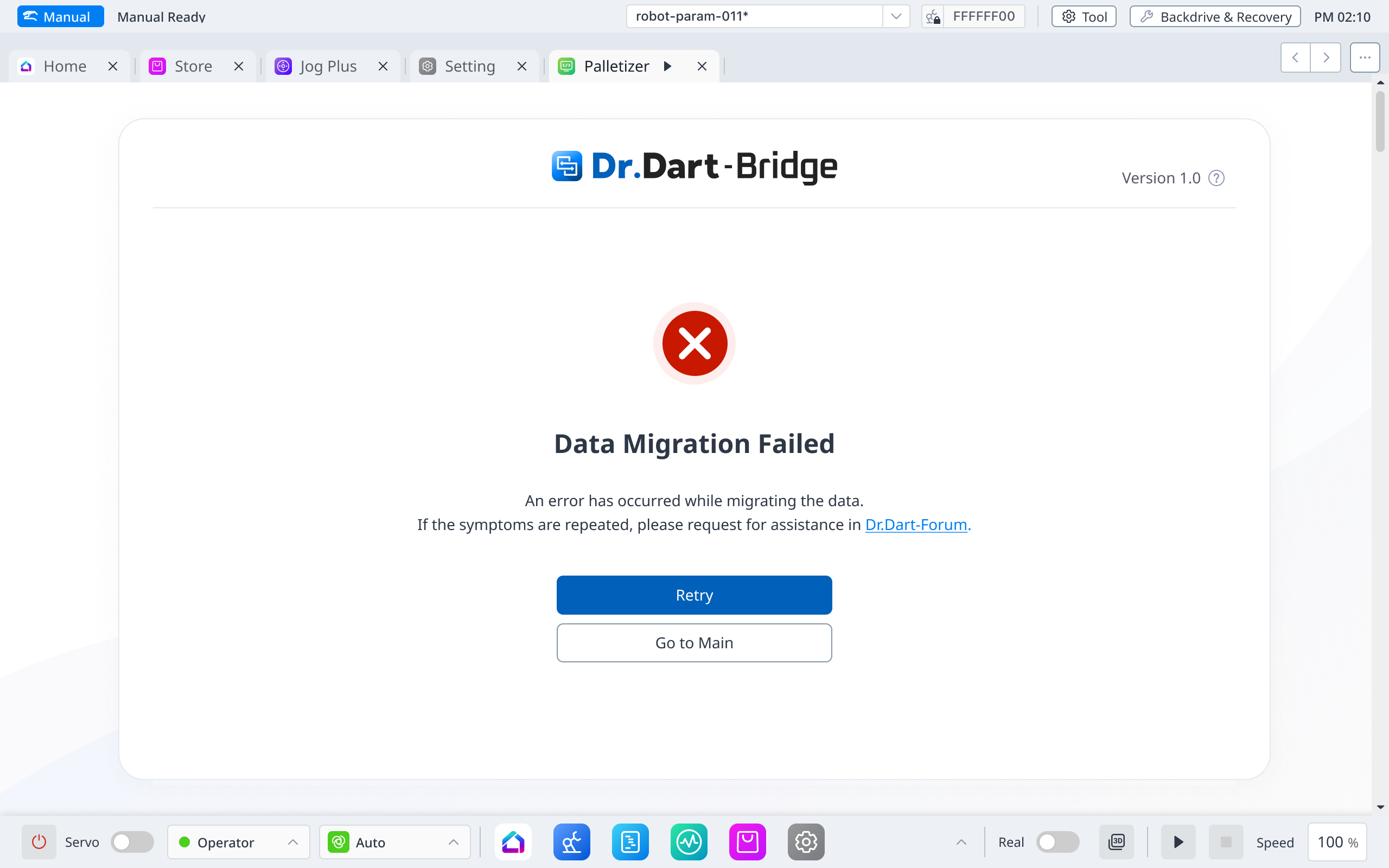
In the event of a data migration failure, this screen will be displayed.
Clicking the "Retry" button will return you to the data migration progress screen.