
How to set the shape of the Space Limit/Zone is as follows.
|
Item |
Description |
|
|---|---|---|
|
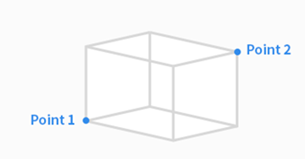
Cuboid |
The shape of the Space Limit/Zone is created as a cuboid.
|
|
|
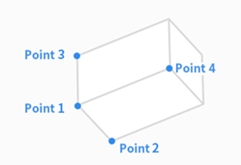
Tilted Cuboid
|
The shape of the Space Limit /Zone is created as a tilted cuboid.
|
|
|
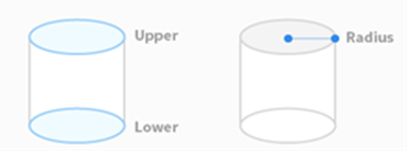
Cylinder |
The shape of the Space Limit/Zone is created as a cylinder. Enter the point at a radius distance, the point of the upper plane and the point of the lower plane of the cylinder, and tap the Save Pose button. |
|
|
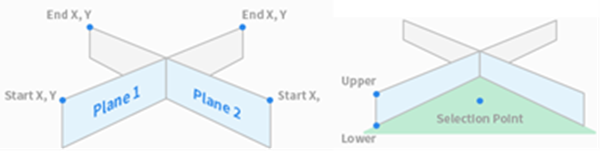
Multi-plane Box |
The shape of the Space Limit/Zone is created as a multiplane box.
|
|
|
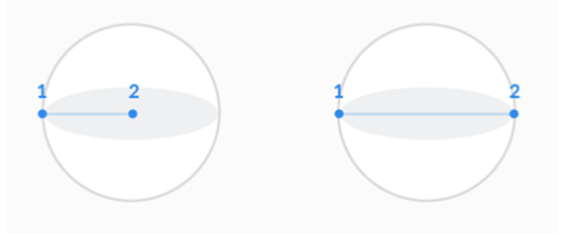
Sphere |
The shape of the Space Limit/Zone is created as a sphere.
|
|
LikeWant to be the first person to like it?