This function inputs/outputs safety-related signals through a redundant terminal. If any signal that is different from the redundant safety input or output signal is detected, the system determines whether it is a short circuit or hardware defect and stops the robot with STO Stop Mode.
-
Safety Signal I/O) can be set in Robot Parameters > Safety Settings > Safety I/O.
For more information, see Safety Signal I/O.
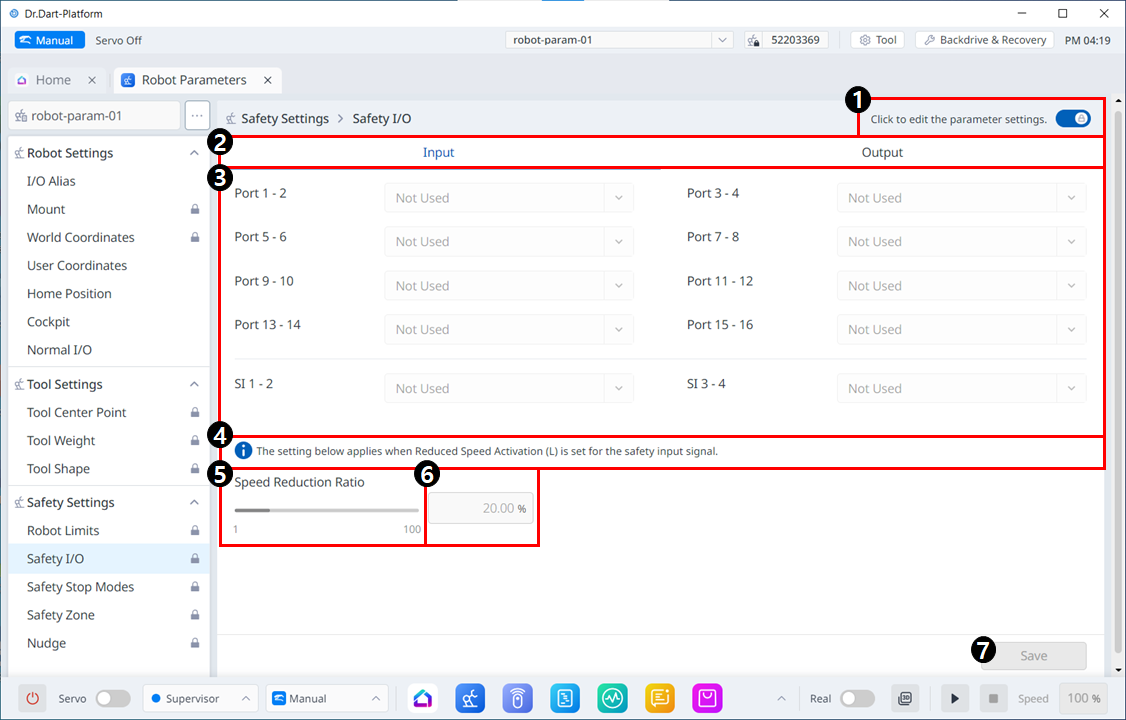
Menu Items
|
|
Item |
Description |
|---|---|---|
|
1 |
Lock Toggle Button |
Used to lock the set value. The safety password is required for modifying the set value. |
|
2 |
Input/Output |
Either Input/Output can be selected to be set. |
|
3 |
Port list |
This is a list of Ports in the corresponding category. The drop-down menus include: Not Used
|
|
4 |
Caution Message |
A note of caution for setting up Safety I/O. |
|
5 |
Velocity Reduction Rate Slider |
You can use the slider to set the Speed Reduction Ratio. It can be set from 0 to 100. |
|
6 |
Velocity Reduction Rate Input |
The velocity reduction rate can be directly entered. It can be set from 0 to 100%. |
|
7 |
Save |
This button allows you to save the setting you entered. |
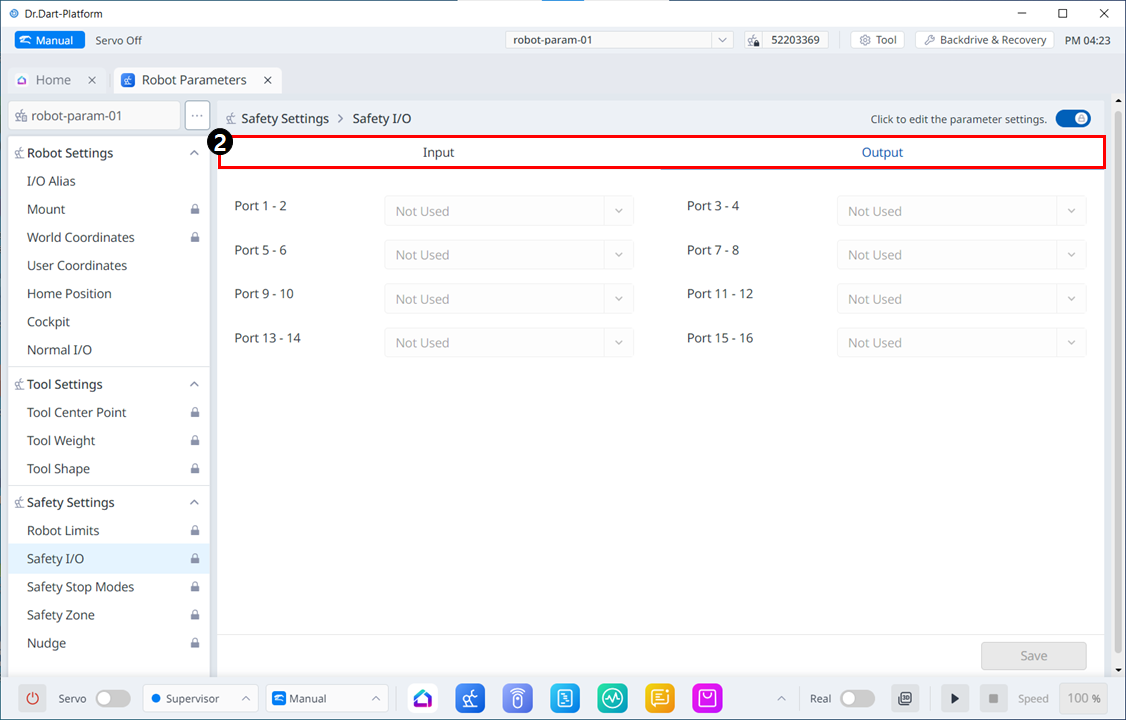
The Output screen appears as follows, similar to Input.