
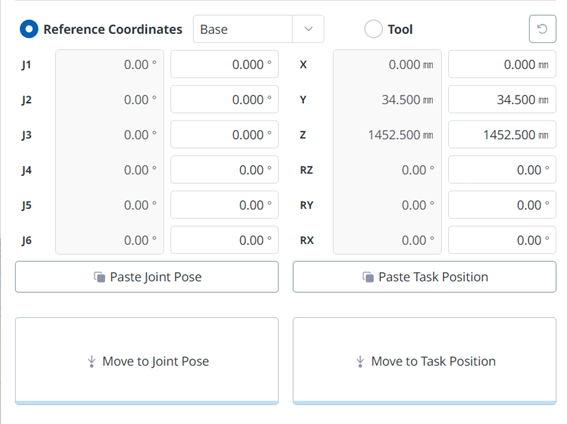
To move the robot based on its base coordinates:
-
Select the Move tab and then select the Reference Coordinate item.
-
Select the display coordinate as the base.
-
Tap and hold the button to move to the corresponding task position to move to the set coordinates.