Align Menu
|
|
Item |
Description |
|---|---|---|
|
1 |
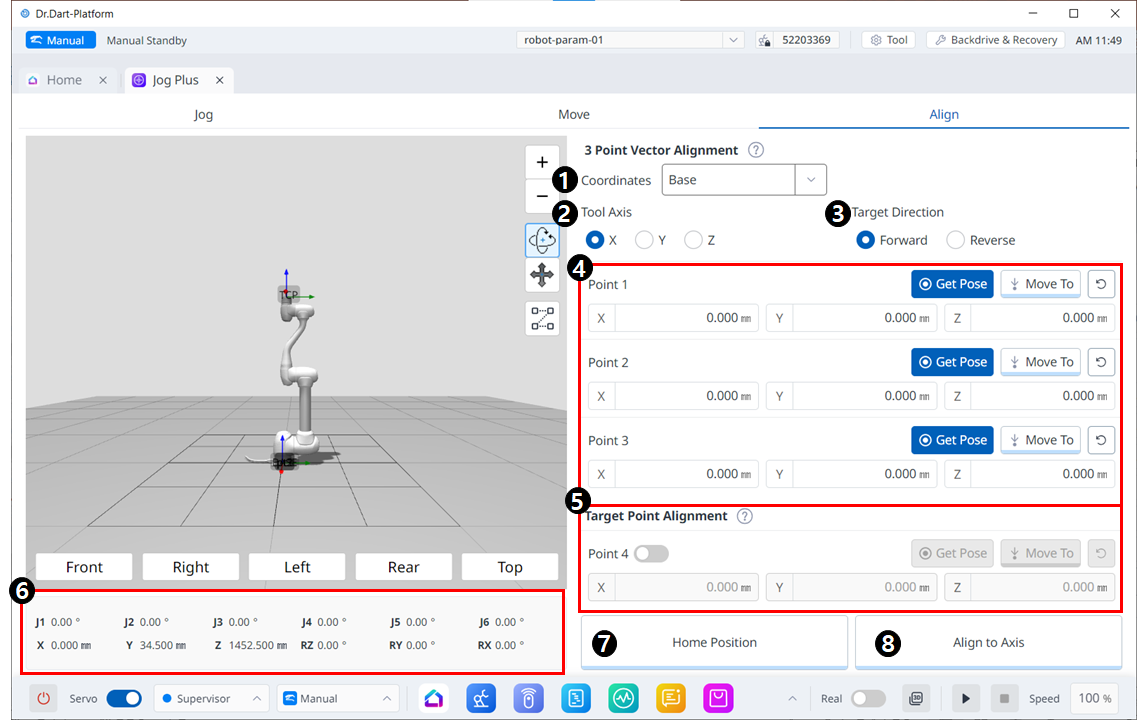
Coordinates |
Select the reference coordinate system for positions in Figures 4 and 5. |
|
2 |
Tool Axis |
Select which axis of TCP to align. |
|
3 |
Target direction |
Select forward/reverse direction |
|
4 |
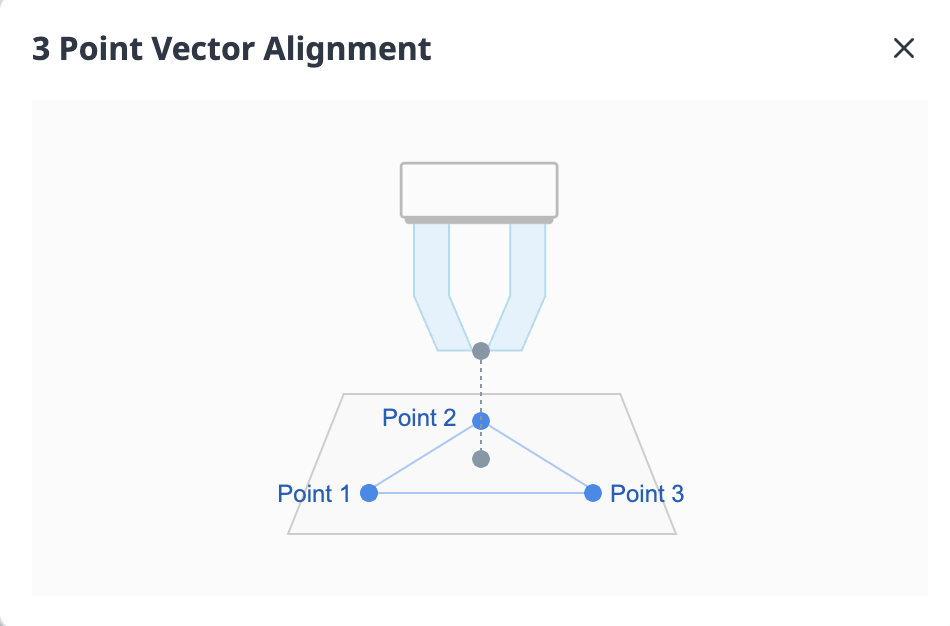
Pick points on a plane |
Pick three points to define the plane. The definitions are as follows: |
|
5 |
Target Point Alignment |
Select a point to place TCP. This is optional and if unchecked, only the orientation will be sorted from the current location. |
|
6 |
Robot Posture |
Displays the current robot's joint posture and task posture. For task posture, it follows the reference coordinate system selected in Figure 1. |
|
7 |
Home Position |
When you click the button, it moves to the home position. |
|
8 |
Align to Axis |
When you click the button, it algins. |