
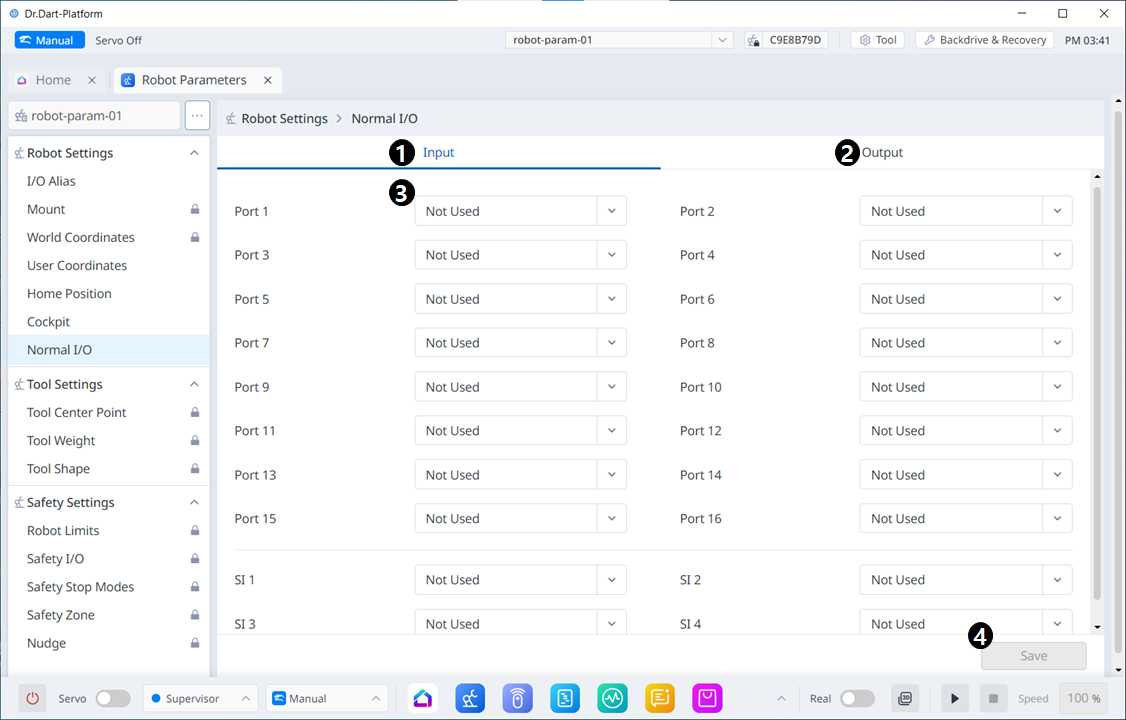
Menu Items
|
|
Item |
Description |
|---|---|---|
|
1 |
Normal Input |
This is the section where you can set what to be entered. |
|
2 |
Normal Output |
This is the section where you can set what to be output. |
|
3 |
Port Component |
The options listed in the drop-down menu are different for Input and Output. For Input, the options in the drop-down menu for each port are: Not Used Power On (H) Power Off (H) For Output, the options in the drop-down menu for each port are: The options are: Not Used
Safe Operating Stop (L) Normal Speed (L) Reduced Speed (L) Auto Mode (L) Manual Mode (L)
Standalone Zone (L) Collaborative Zone (L) High Priority Zone (L) Tool Orientation Limit Zone (L) Designated Zone (L) Task Operating (L) Robot In Motion (L) Mastering Alarm (L) Home Position (L) Deceleration - SS1 SS2 (L) |
|
4 |
Save |
This allows the set values to be applied. |