

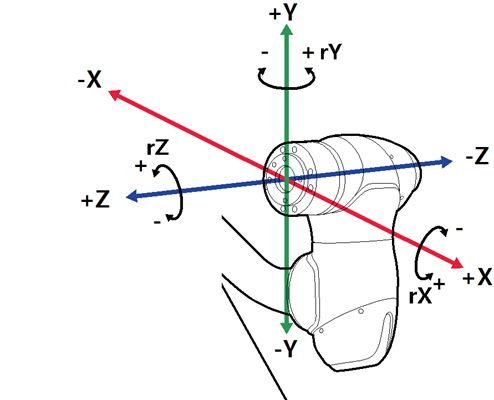
To move the robot based on the robot tool, follow these steps:
-
Select the tool as a reference coordinate system.
-
In the task panel, select the axis (X~RX) for which you want to adjust the angle.
-
Press and hold the Direction button (+,_) to move the corresponding axis.
-
Safety area does not apply in virtual mode.
-
Rx, Ry and Rz are executed according to TCP (tool center position).