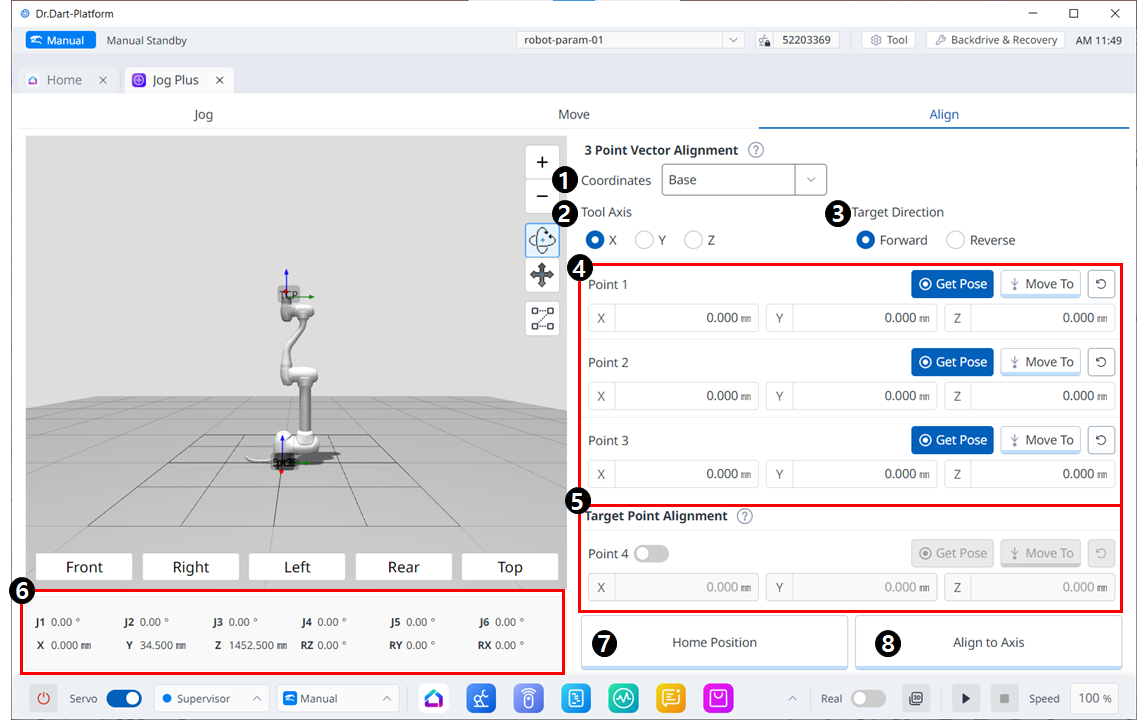
对齐菜单
|
|
Item |
Description |
|---|---|---|
|
1 |
Coordinates |
选择图 4 和 5 中位置的参考坐标系。 |
|
2 |
Tool Axis |
选择要对齐的 TCP 轴。 |
|
3 |
Target direction |
选择前进/后退方向 |
|
4 |
Pick points on a plane |
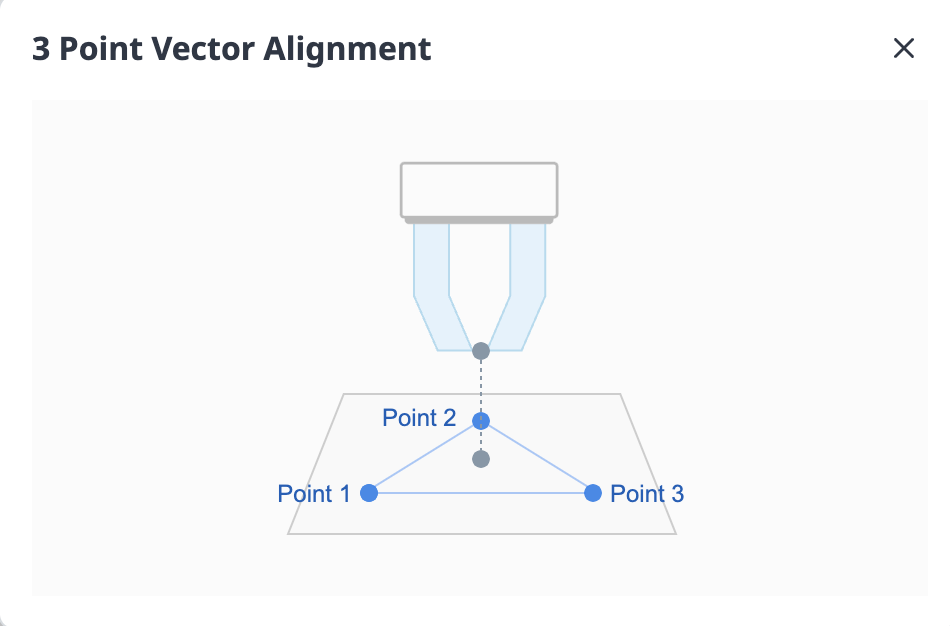
选取三个点来定义平面。 定义如下: |
|
5 |
Target Point Alignment |
选择放置 TCP 的点。 这是可选的,如果未选中,则仅从当前位置开始对方向进行排序。 |
|
6 |
Robot Posture |
显示当前机器人的关节姿态和任务姿态。 对于任务姿势,它遵循图1中选择的参考坐标系。 |
|
7 |
Home Position |
当您单击该按钮时,它会移至起始位置。 |
|
8 |
Align to Axis |
当您单击该按钮时,它会闪烁。 |