Setting up the menu layout
|
|
Item |
Description |
|---|---|---|
|
1 |
Indication of robot's modes |
This can be changed to Auto/Manual. |
|
2 |
Indication of robot's detailed status |
See the link |
|
3 |
Robot Parameter file information |
This is where the selected file name of the Robot Parameters module is seen. |
|
4 |
Safety Checksum |
This is where the current Robot Parameter Checksum information of the Controller is seen. |
|
5 |
Tool Setting |
This is where the current TCP, Tool Weight, and Tool Shape can be set. |
|
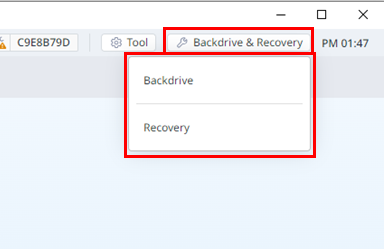
6 |
Backdrive & Recovery |
This is the area where you can use the Backdrive & Recovery function.
|
|
7 |
Current Time Information |
The current time can be seen. |