
This menu allows you to export and import data from your Dart-platform.
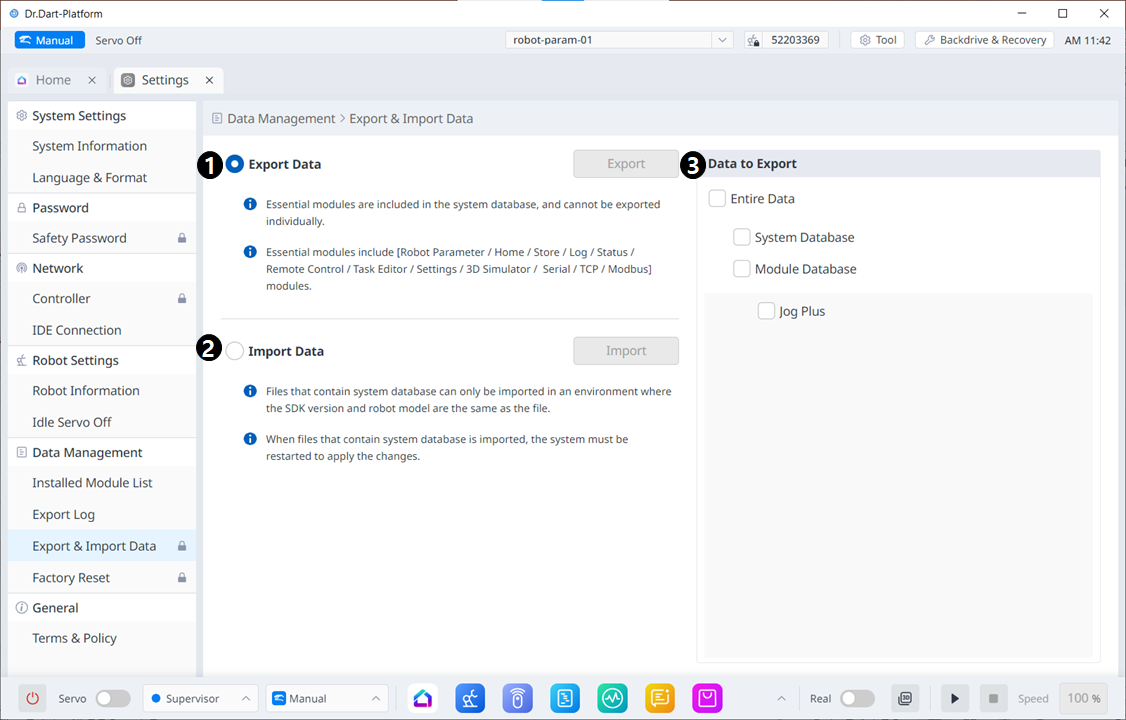
Menu item
|
|
Item |
Explanation |
|---|---|---|
|
1 |
Export Data |
After selecting the corresponding radio button, the export button will be activated when you select the data to export on the right. |
|
2 |
Import Data |
When you select the corresponding radio button, the Import button becomes activated. |
|
3 |
Data to Export |
You can select the data to export. |
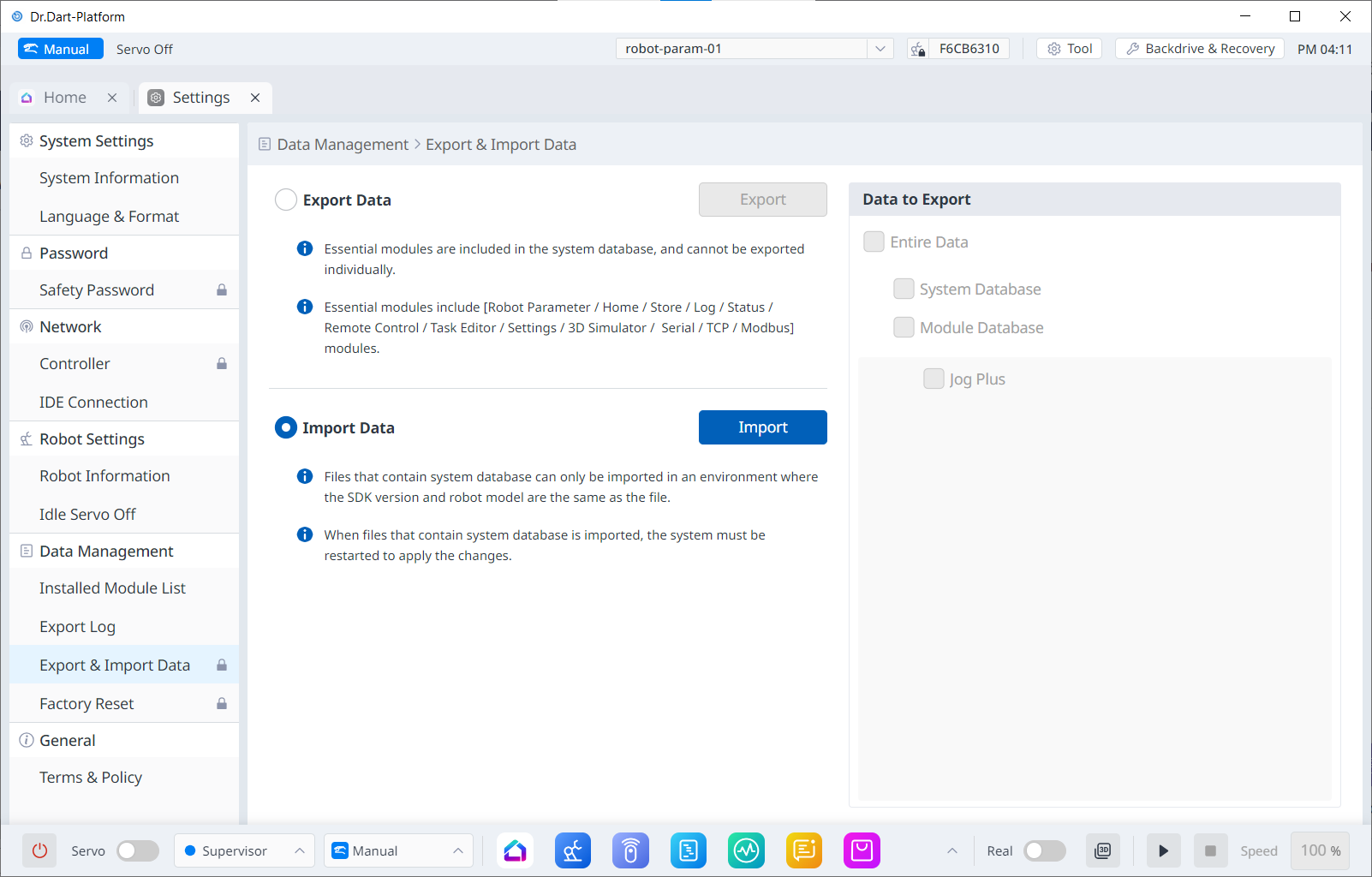
When the Import radio button is selected, the data selection screen on the right is disabled.