This menu is where you can view and manage the installed modules.
Menu Items
|
|
Item |
Description |
|---|---|---|
|
1 |
Category |
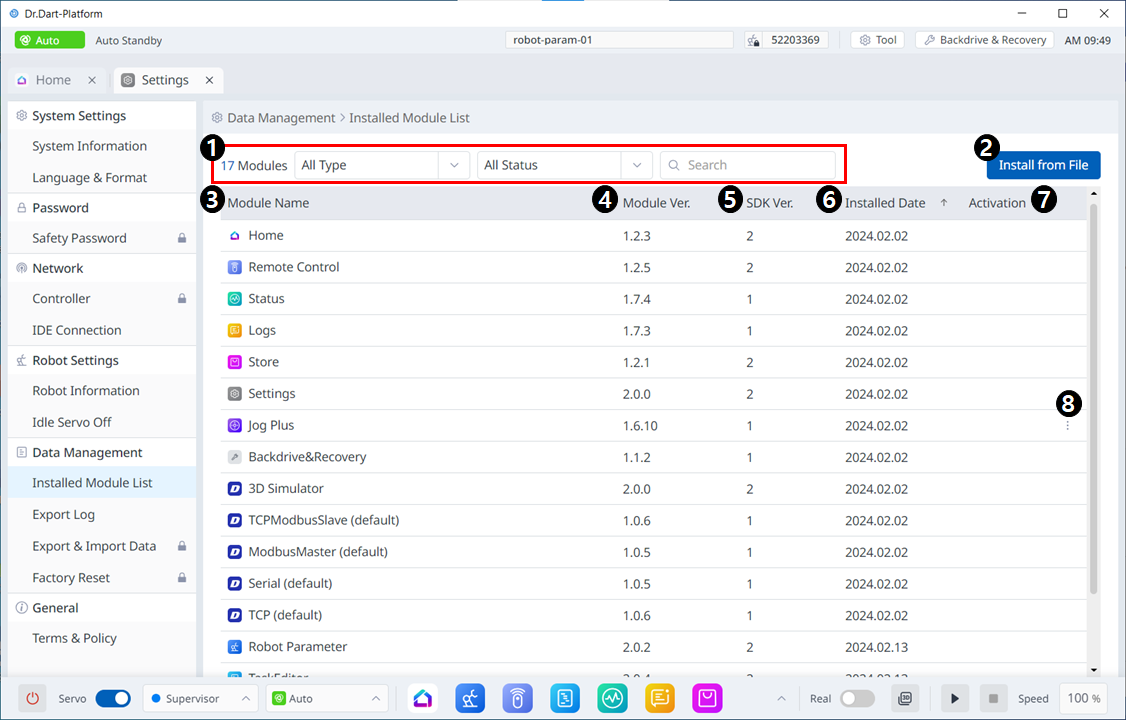
On the module list, you can select the type of module or status category you want to view, as well as search for them. |
|
2 |
Install from File |
This button allows you to add your files to install the module. |
|
3 |
Module Name |
The names of the installed modules are seen. |
|
4 |
Module Ver. |
The versions of the installed modules are seen. |
|
5 |
SDK Ver. |
The SDK versions of the installed modules are seen. |
|
6 |
Installed Date |
The dates each module was installed are seen. |
|
7 |
Activation |
Whether each is enabled is seen. |
|
8 |
3 dot button |
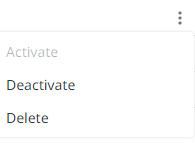
If it is enabled, 3 dots are seen, and tapping the 3 dots brings up the menu below.
|