
3.7.0 3.6.0 3.5.0 3.4.0 3.3.0 3.2.2 3.2.1 3.2.0 1. M/H Series 2. A Series 3. E Series 4. P Series Korean English Chinese Czech Dutch French German Hungarian Italian Japanese Polish Portuguese Spanish

Updating and managing the Robot.


After entering the Safety Password, you can select the desired update file from the Update section, on your PC to initiate the update.
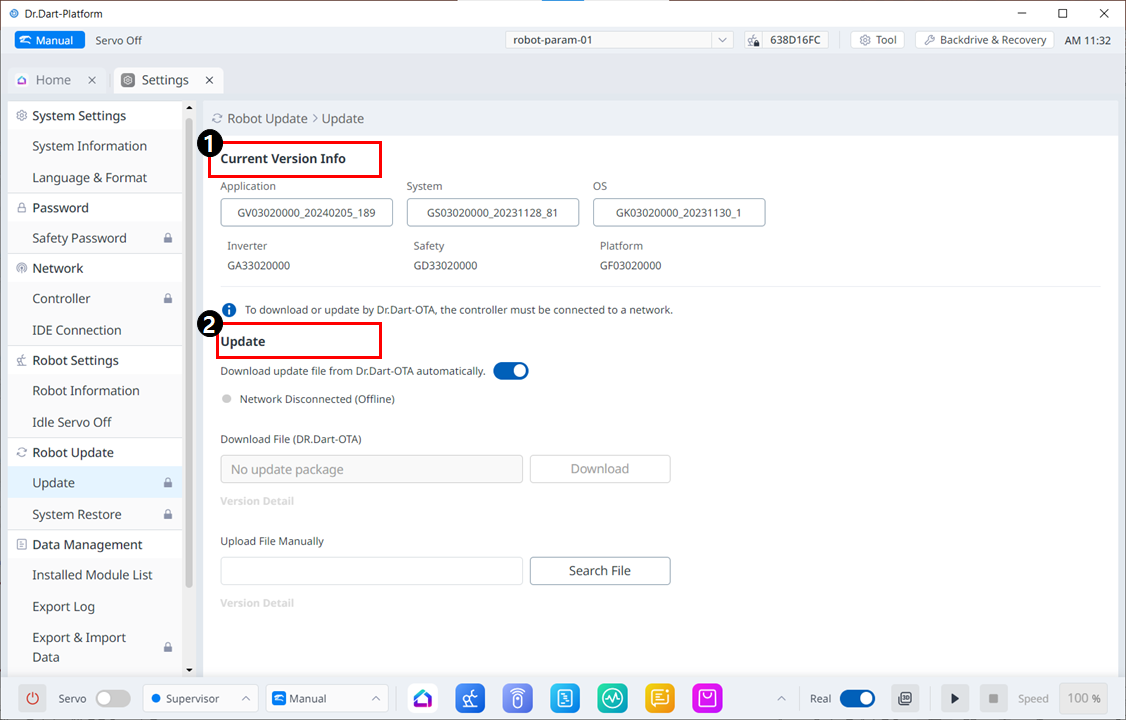
image2024-3-7_14-44-12.png

Menu Layout


Item

Description

1

Current Version Info

Displays the current application/system/OS version information.

2

Update

You can download update files automatically or manually.


Note

For JTS models, the JTS information is also displayed.
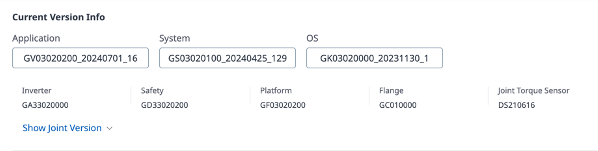
image2024-10-24_10-47-22.png