
This menu is only accessible for E and A series robots.
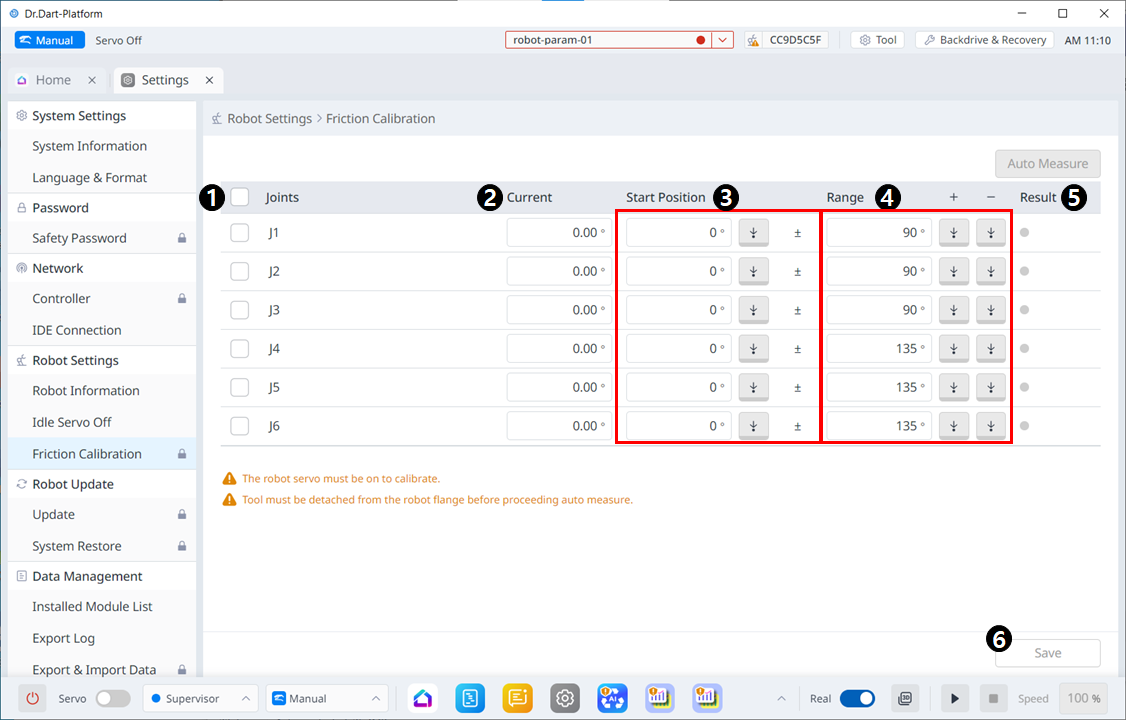
|
|
Item |
Description |
|---|---|---|
|
1 |
Joint Check Box |
Select the Joint to Auto Measure. |
|
2 |
Current |
Displays the current robot posture. |
|
3 |
Start Position |
Enter the posture at which the joint will start when performing Auto Measure. Unselected axes also require input. |
|
4 |
Range |
Enter the range in which the axis will move. Only checked axes allow input. |
|
5 |
Result |
Displays results for Auto measure. |
|
6 |
Save |
Measured results are applied to subordinates. |