
After entering the Safety Password, you can restore by selecting the desired restoration version from the restoration list.
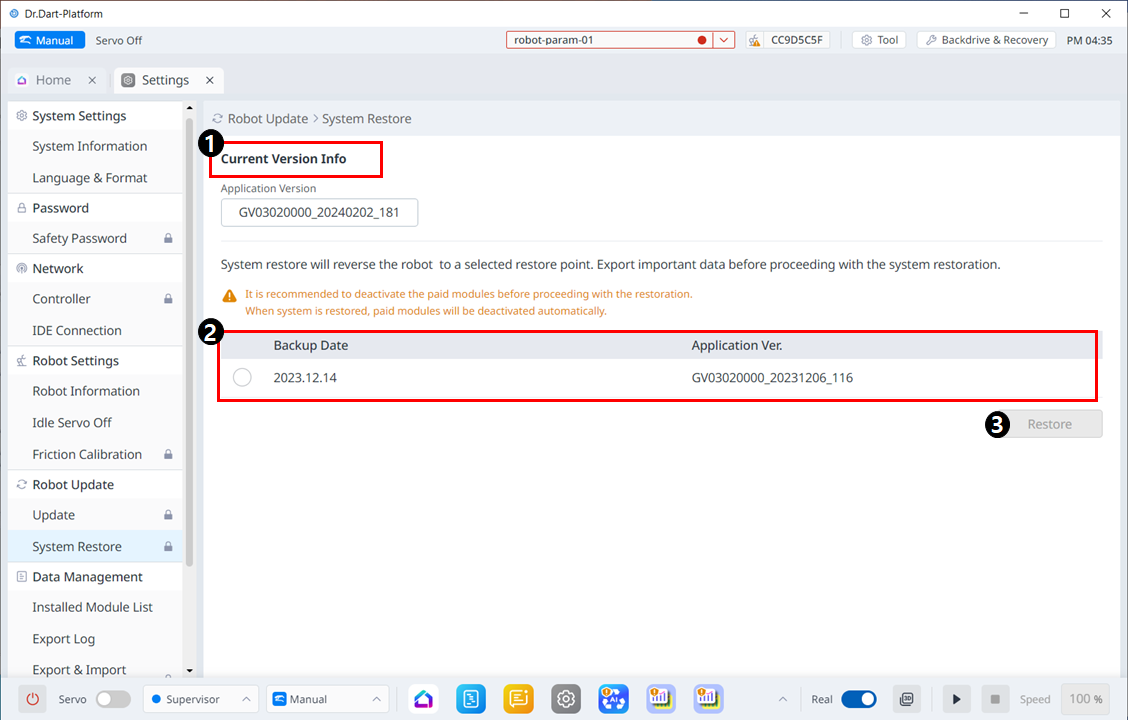
메뉴 구성
|
|
Item |
Description |
|---|---|---|
|
1 |
Current Version Info |
Shows current application/system/OS version information. |
|
2 |
Backup List |
It shows a list of restore versions that can be backed up. Items on the list are created when updated using the update function. |
|
3 |
Restore |
When you select the restore version list, the restore button becomes activated. |