
3.6.0 3.5.0 3.4.0 3.3.0 3.2.2 3.2.1 3.2.0 1. M/H Series 2. A Series 3. E Series 4. P Series Korean English Chinese Czech Dutch French German Hungarian Italian Japanese Polish Portuguese Spanish

Configuração do idioma

Para definir o idioma da interface do usuário do programa, siga estas etapas:

  1. Toque no botão Módulo Configurações no menu principal e selecione Configurações do Sistema > Idioma e Formato.

  2. Selecione o idioma que deseja definir na lista Idioma e toque no botão Salvar.
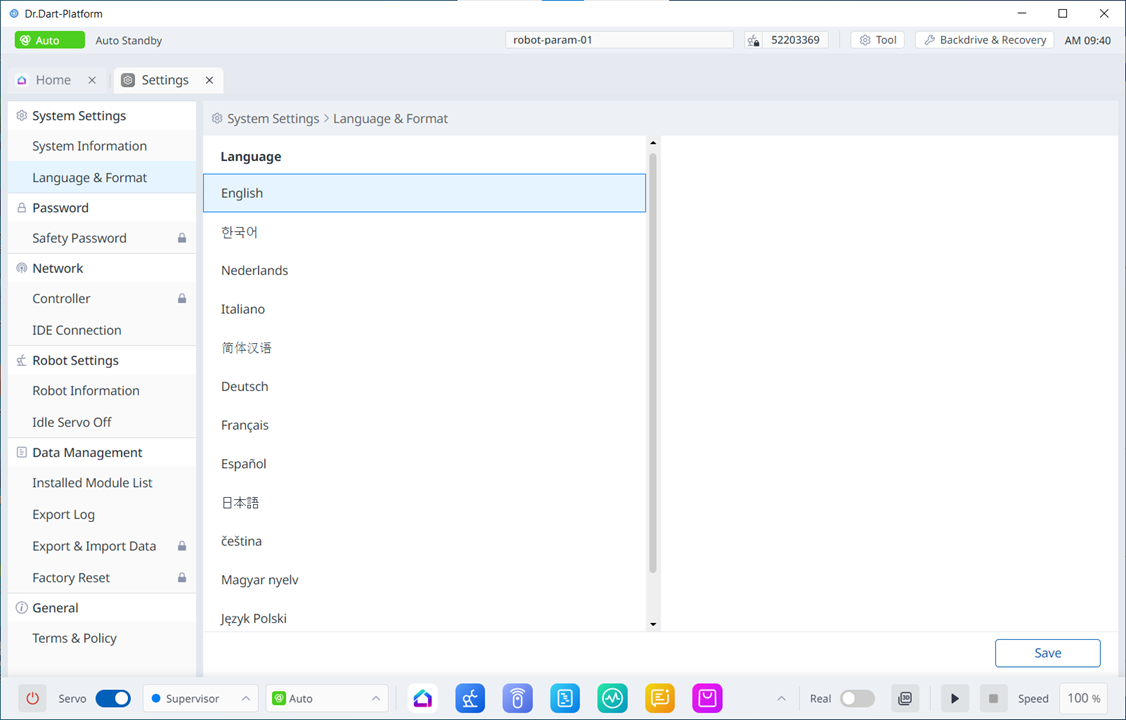
image2024-3-7_13-40-3.png