
Setting the Robot Information
|
|
|
|
|---|---|---|
|
1 |
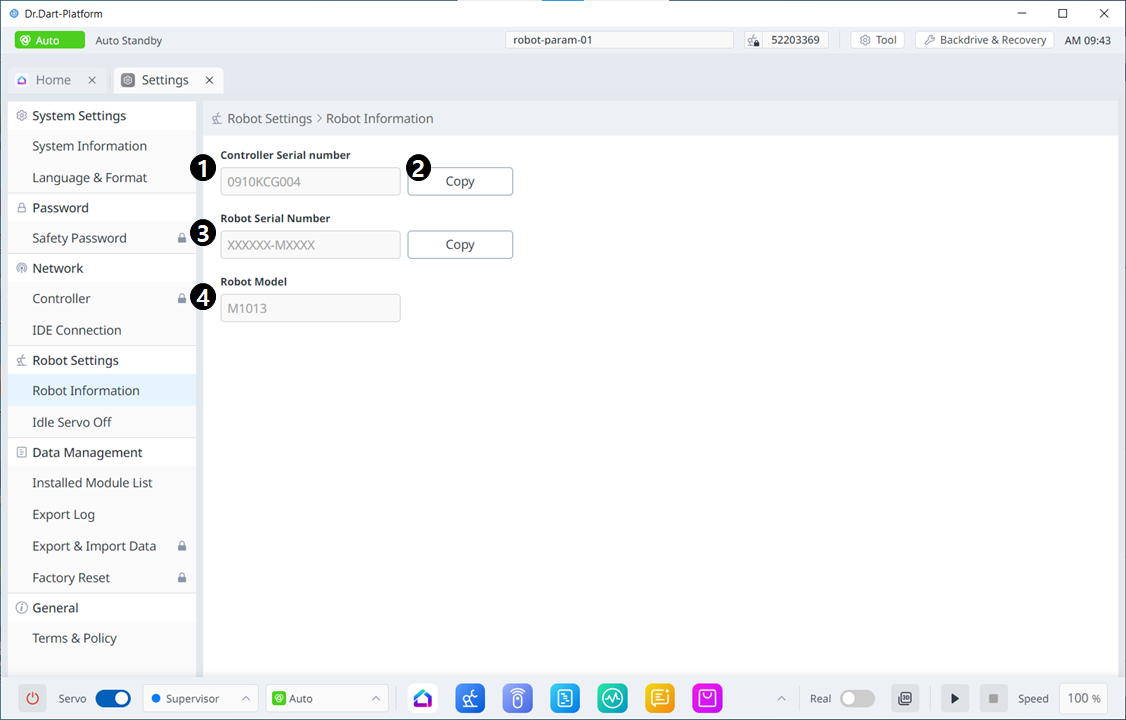
Controller Serial Number |
This is where the serial number of the controller is seen. |
|
2 |
Copy Controller Serial Number |
This button allows you to copy the serial number. |
|
3 |
Robot Serial Number |
This is where the serial number of the robot is seen. |
|
4 |
Robot Model |
This is where the robot model name is seen. |
Robot Idle Servo Off
|
|
|
|
|---|---|---|
|
1 |
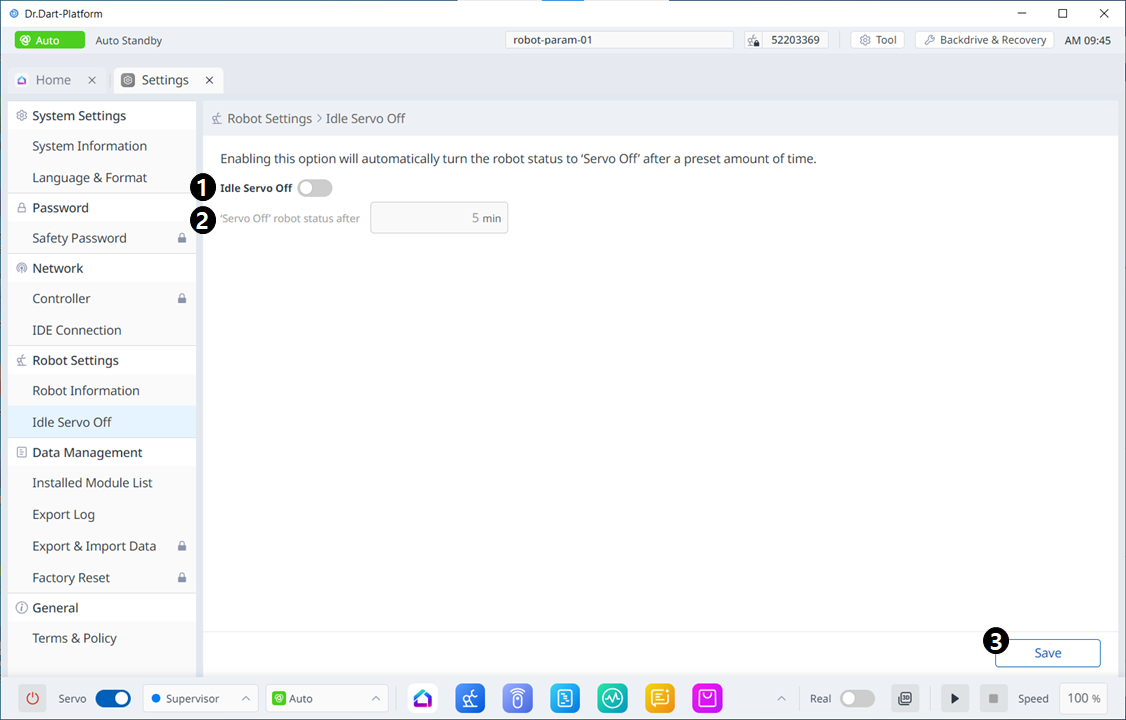
Enable Idle Servo Off |
This button allows you to enable idle servo off. |
|
2 |
Servo Off Setting |
This field is where you set the idle servo off in minutes. |
|
3 |
Save |
This button allows you to save the changed settings. |
Friction Calibration
This menu is only accessible for E and A series robots.
|
|
|
|
|---|---|---|
|
1 |
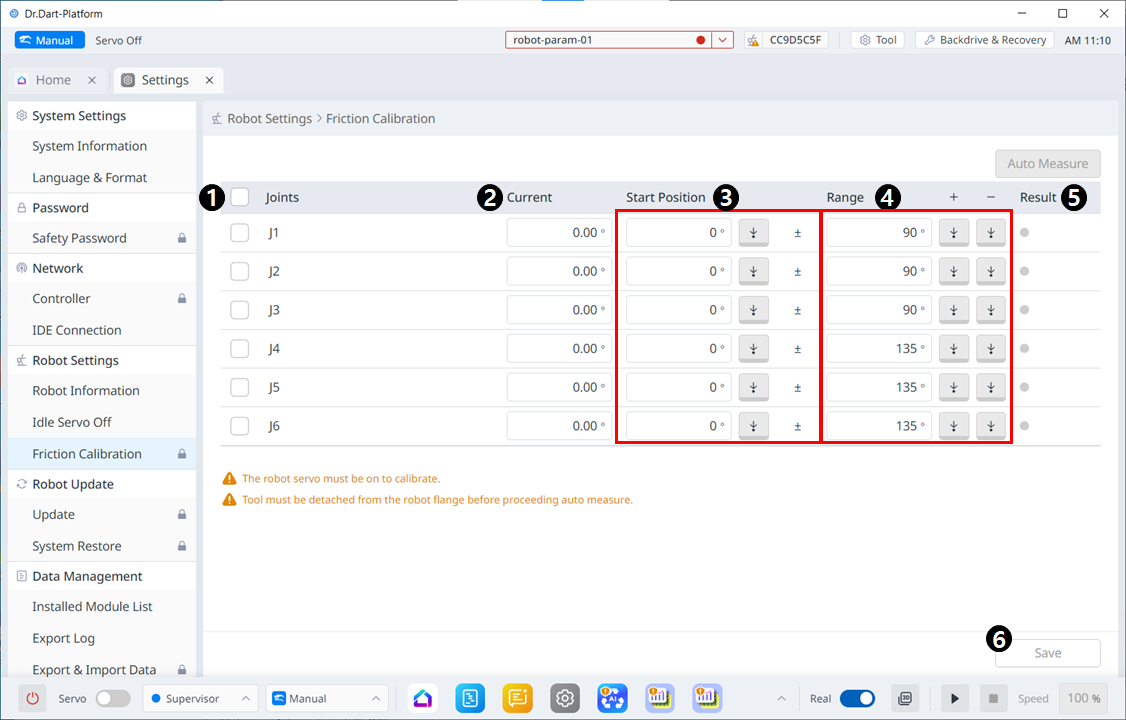
Joint Check Box |
Select the Joint to Auto Measure. |
|
2 |
Current |
Displays the current robot posture. |
|
3 |
Start Position |
|
|
4 |
Range |
|
|
5 |
Result |
Displays results for Auto measure. |
|
6 |
Save |
Measured results are applied to subordinates. |