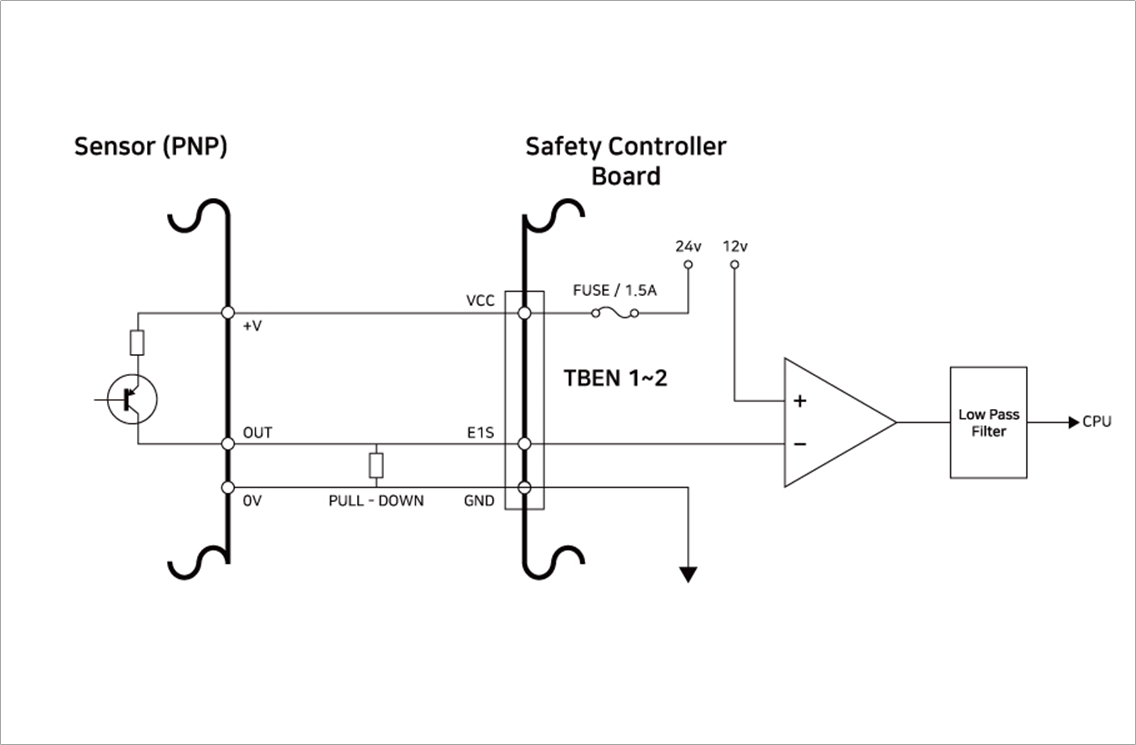
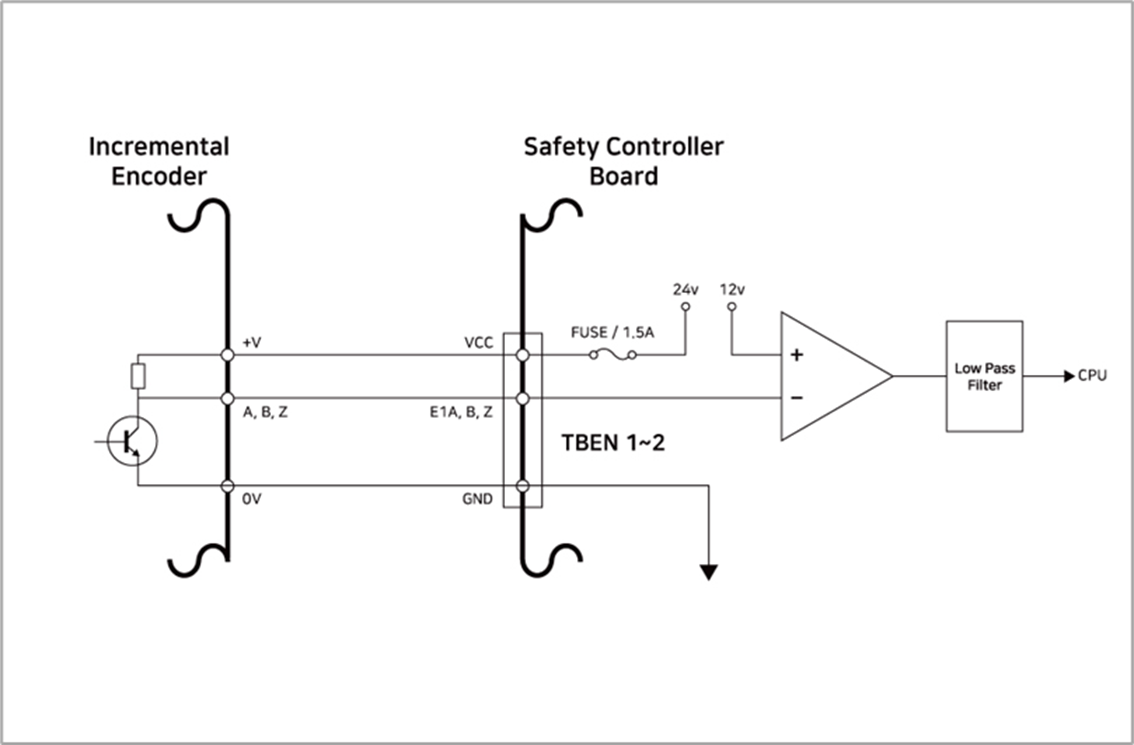
The controller provides two TBEN terminals that allow the input of external encoders. They support A, B and Z phases as inputs, and perform counts based on 12Vdc. In addition, S phase can be used as the conveyor’s Start sensor.
-
To ensure maximum input accuracy, observe the following: Use shielded, twisted pair cables to reduce noise.
-
Connect the cable shield to the ground terminal inside the controller.
-
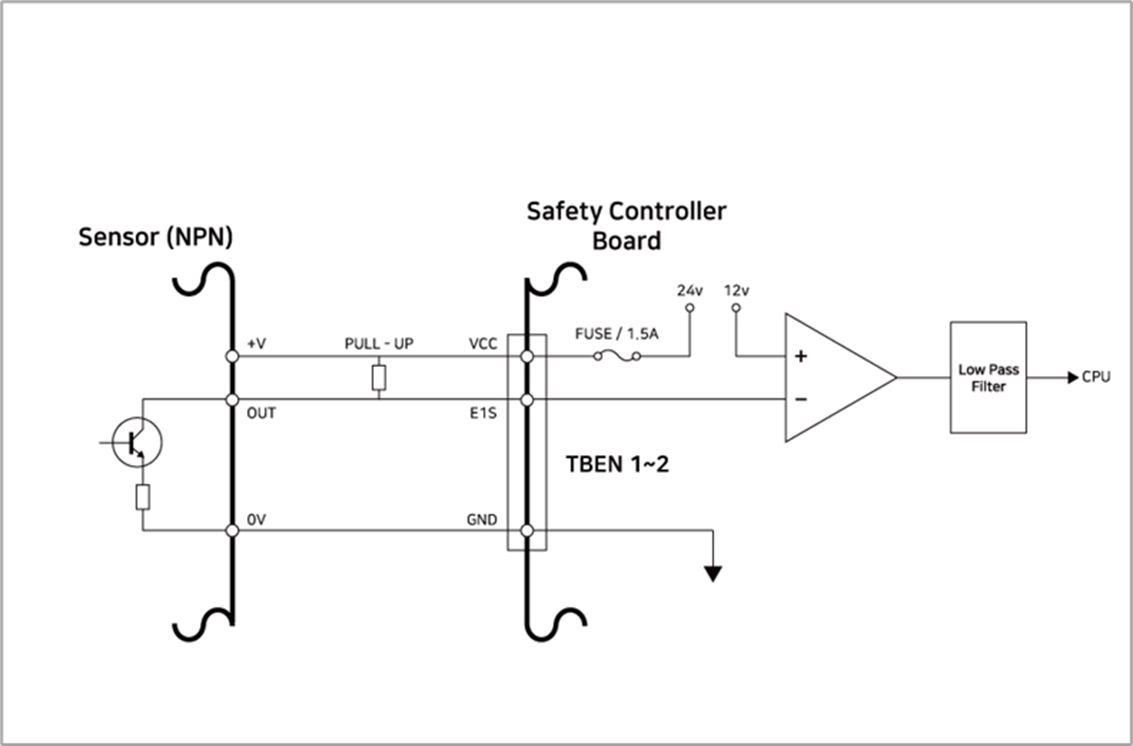
In the case of S phase inputs, connect a pull-up or pull-down resistance according to the sensor type(NPN/PNP) to prevent floating.
The figure below shows a sample encoder and sensor configuration, so refer to it while establishing connections.
Connecting Incremental Encoder A, B, Z phase
Connecting NPN Sensor
Connecting PNP Sensor