
Mandatory EASY 1 min
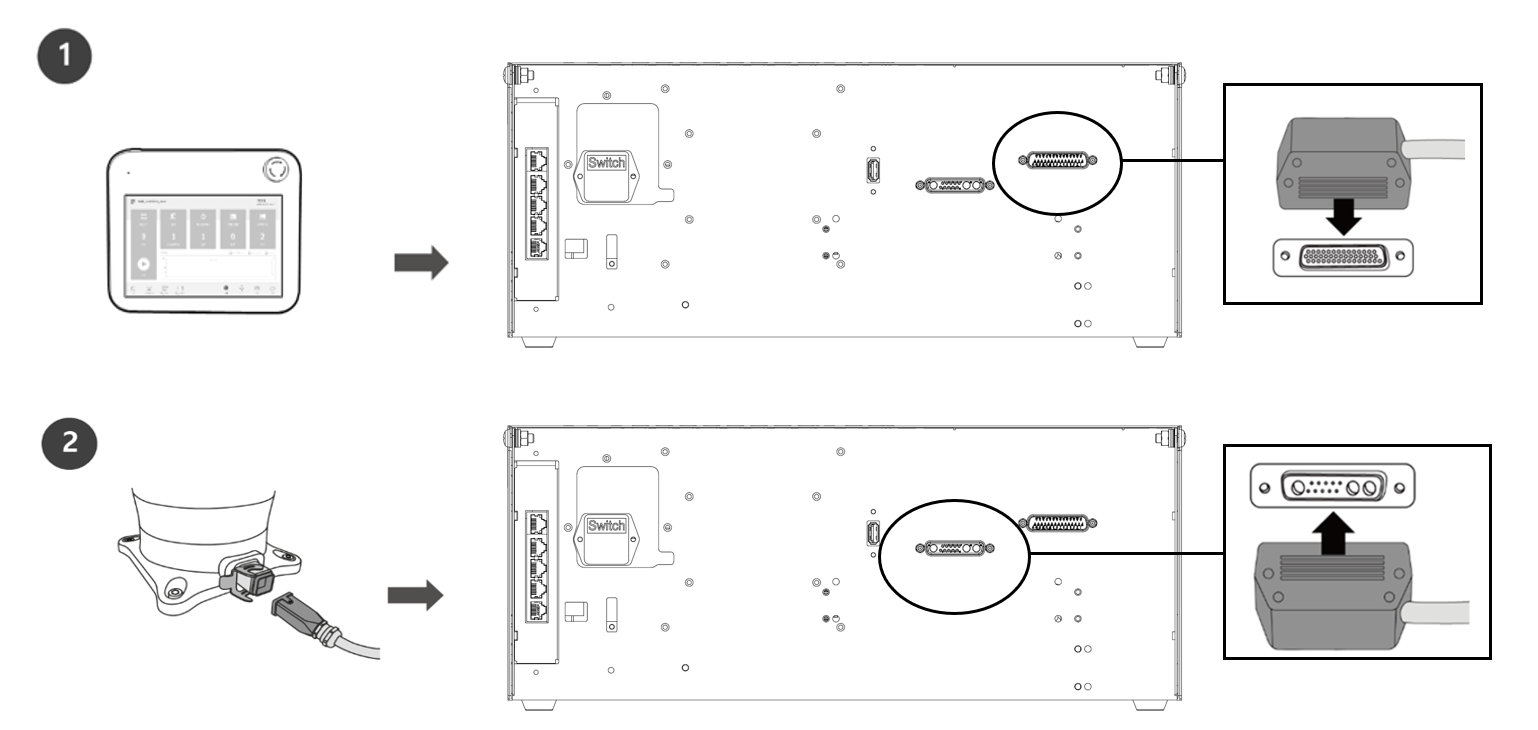
Connect the teach pendant and robot cable to the controller.
-
Push the teach pendant cable into the corresponding controller connector until a click is heard. This will prevent the cable from becoming loose.
-
Push the robot cable’s opposite end into the corresponding controller connector until a click is heard to prevent the cable from becoming loose.
-
Make sure to check that the pins in the cable end are not damaged or bent before connecting the cable.
-
If the noise generated by electromagnetic waves causes issues, it is necessary to install a ferrite core to ensure normal operation. For more information about the ferrite core installation location, refer to the followings: