
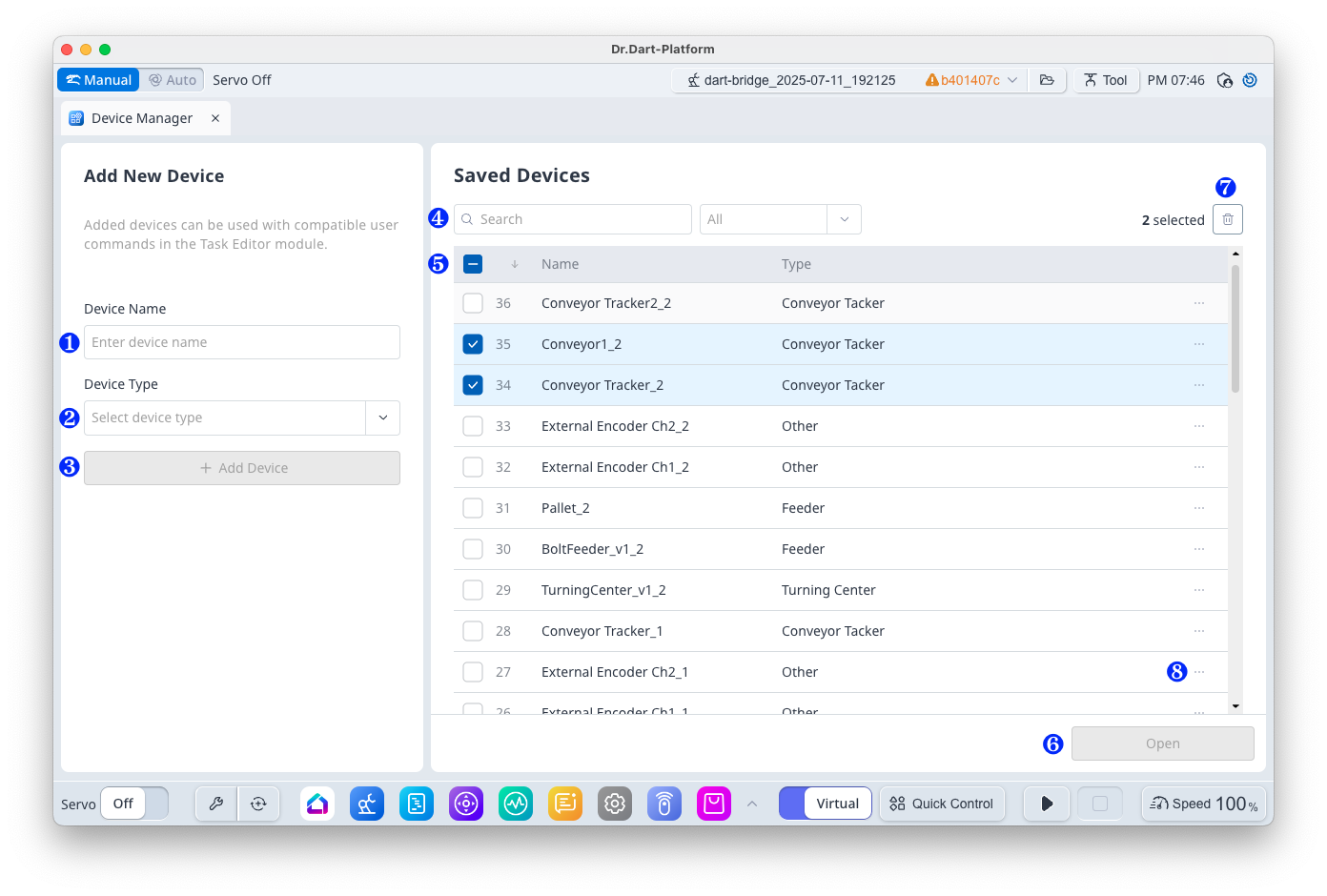
Item
|
Function
|
|
|---|---|---|
|
1 |
Device Name Input Field |
You can enter a name for a new device. |
|
2 |
Device Type Selection |
You can select a type of a new device. |
|
3 |
Add Device |
You can add a new device. |
|
4 |
Device Data Search and Filter |
You can search and filter device according to the selected type. |
|
5 |
Device Data List |
Displays the list of devices. |
|
6 |
Open |
You can open the selected device. |
|
7 |
Delete |
You can delete the selected device. ※ Displays only if there is more than one selected device. |
|
8 |
Option |
Displays the following option menus for the selected device.
|