
3.6.0 3.5.0 3.4.0 3.3.0 3.2.2 3.2.1 3.2.0 1. M/H Series 2. A Series 3. E Series 4. P Series Korean English Chinese Czech Dutch French German Hungarian Italian Japanese Polish Portuguese Spanish

Setting language

To set the language of the program UI, follow these steps:

  1. Tap the Settings Module button on the main menu and select System Settings > Language & Format.

  2. Select the language you want to set from the Language list, and then tap the Save button..
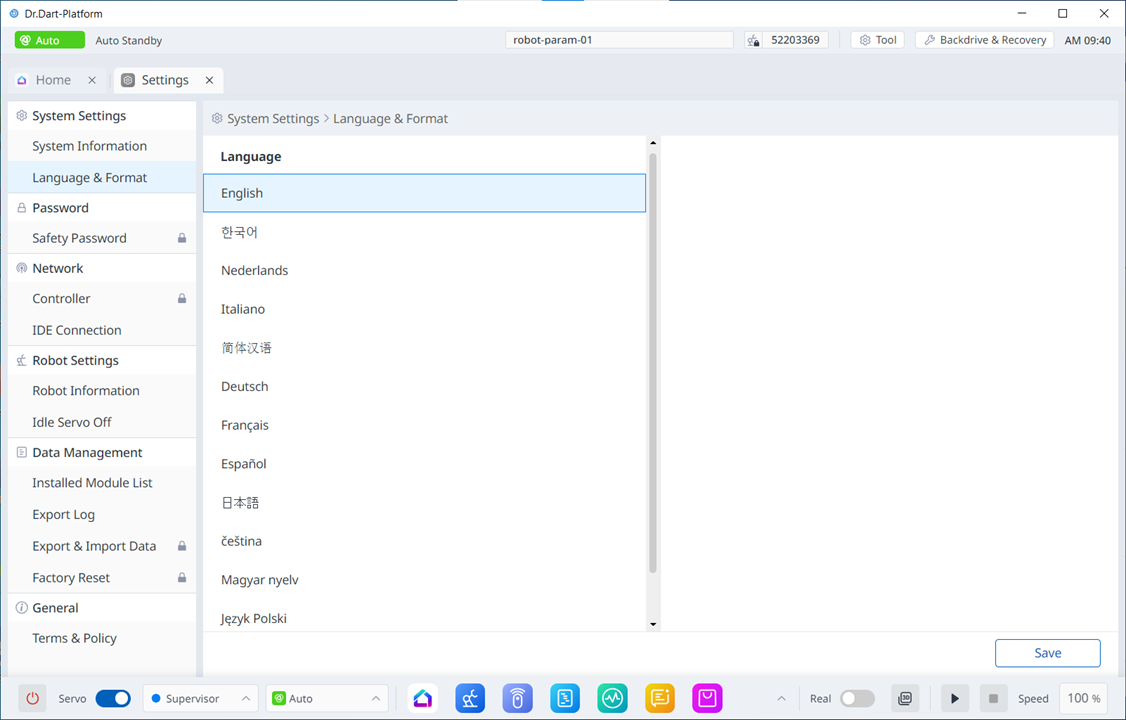
image2024-3-7_13-40-3.png