
3.6.0 3.5.0 3.4.0 3.3.0 3.2.2 3.2.1 3.2.0 1. M/H Series 2. A Series 3. E Series 4. P Series Korean English Chinese Czech Dutch French German Hungarian Italian Japanese Polish Portuguese Spanish

コラボレーションゾーンの設定

コラボレーション ゾーンを設定するには、 セーフティワークスペース(Safety Workspaces)で 新規ワークスペースを追加 (Add New Workspace)ボタンをタップし、 コラボレーションゾーン(Collaborative Zone)で 次のいずれかのタイプを選択します。立方体(Cube)、 シリンダ(Cylinder)、 複数平面ボックス(Multiplane Box)、 球(Sphere)、 またはチルト立方体(安全パスワードは、セットアップおよびイネーブル化の際に必要です。
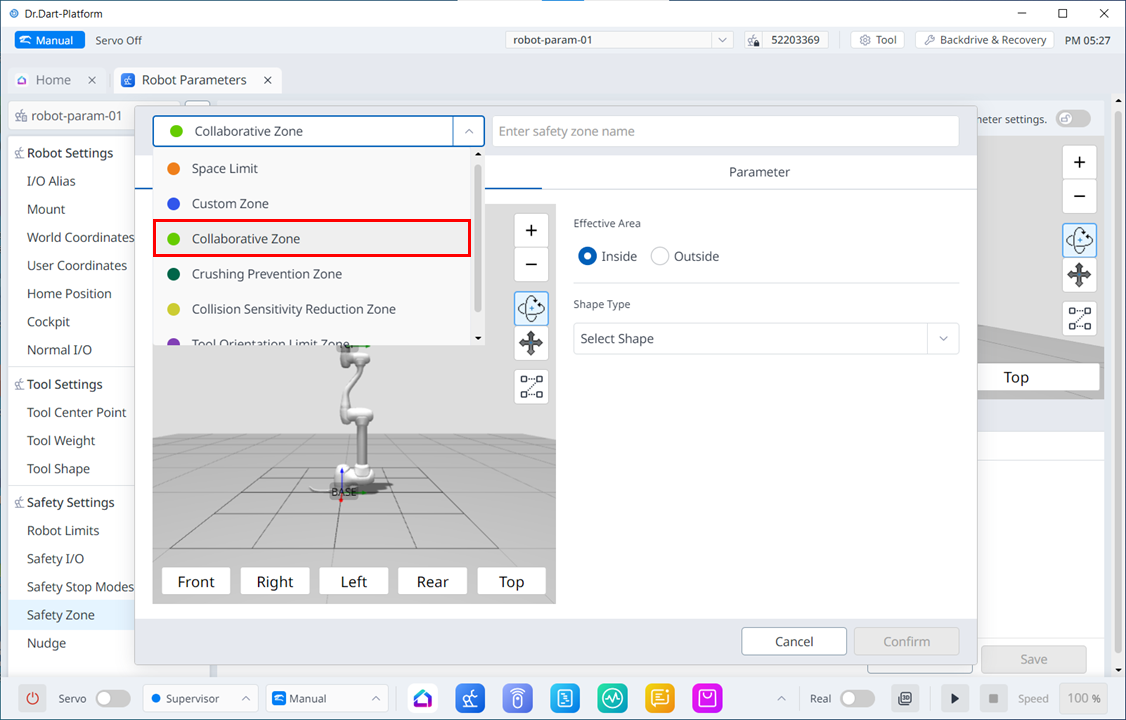
image2024-3-7_9-47-8.png