
システムの電源を入れる
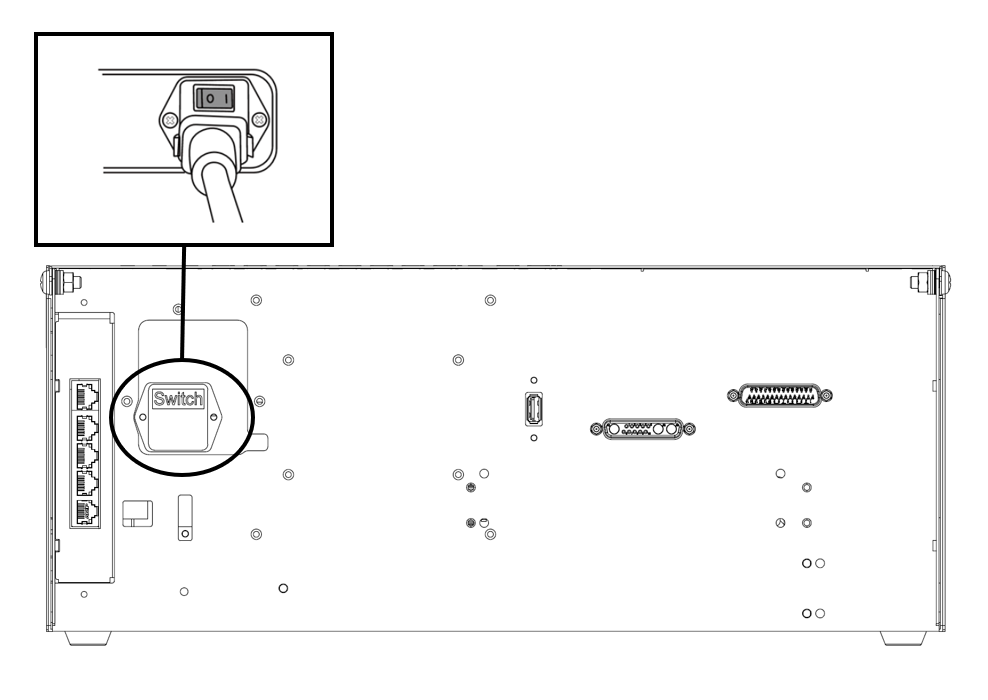
システムの電源を遮断するために、コントローラの底面に電源スイッチが取り付けられています。コントローラの底面にある電源ボタンを押します。
-
ロボット、 コントローラ、 ティーチペンダント 、 スマートペンダントなどのシステムの電源がオンになります。
Scroll conditional content
1m/hseries
Scroll conditional content
2aseries
Scroll conditional content
3eseries
Scroll conditional content
hidecontents
Scroll conditional content
tet
システムの電源をオフにする
Scroll conditional content
ロボットやコントローラのクリーニングや保守を行う前、またはシステムを分解する前に、電源スイッチを使用してシステムの電源を遮断してください。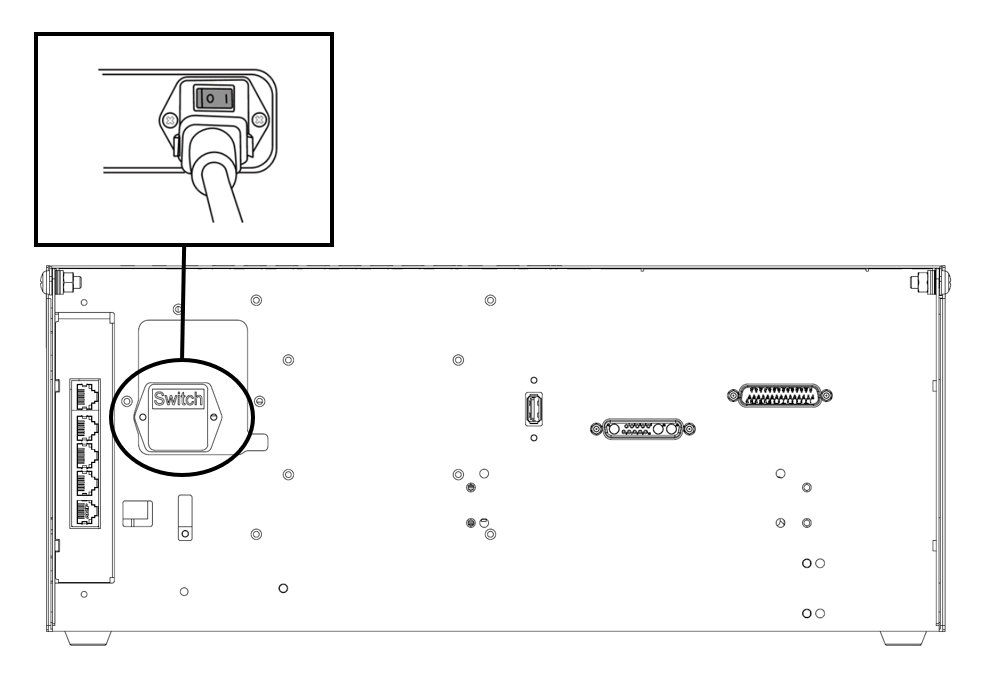
1m/hseries
Scroll conditional content
ロボットやコントローラのクリーニングや保守を行う前、またはシステムを分解する前に、電源スイッチを使用してシステムの電源を遮断してください。
2aseries
Scroll conditional content
ロボットやコントローラのクリーニングや保守を行う前、またはシステムを分解する前に、電源スイッチを使用してシステムの電源を遮断してください。
3eseries
Scroll conditional content
ロボットやコントローラのクリーニングや保守を行う前、またはシステムを分解する前に、電源スイッチを使用してシステムの電源を遮断してください。
hidecontents
Scroll conditional content
ロボットやコントローラのクリーニングや保守を行う前、またはシステムを分解する前に、電源スイッチを使用してシステムの電源を遮断してください。
tet