
If the robot is stopped by Safety Stop Mode SS2 or RS1 within a Collaborative Zone, the Interrupted state can be reset and task can be resumed with Nudge input. Nudge option can be enabled on user defined sections.
-
To set up a nudge, select Robot Parameters > Nudge item.
For more information, refer to Nudge.
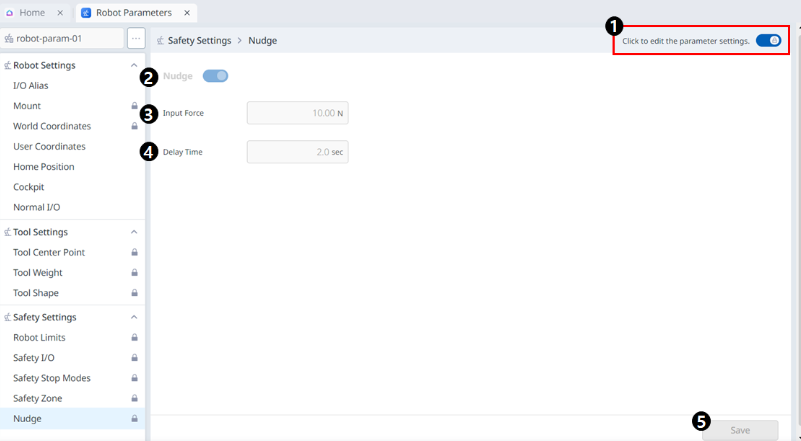
Menu
|
Items |
Description |
|
|---|---|---|
|
1 |
Lock toggle button |
Used to lock the set value. The safety password is required for modifying the set value. |
|
2 |
Nudge activation button |
You can choose whether to use nudges. |
|
3 |
Force Input |
This field is where the desired Force value is entered. |
|
4 |
Delay Time |
This field is where the delay time is set. |
|
5 |
Save |
This button allows you to save the value you set. |