
Scroll conditional content
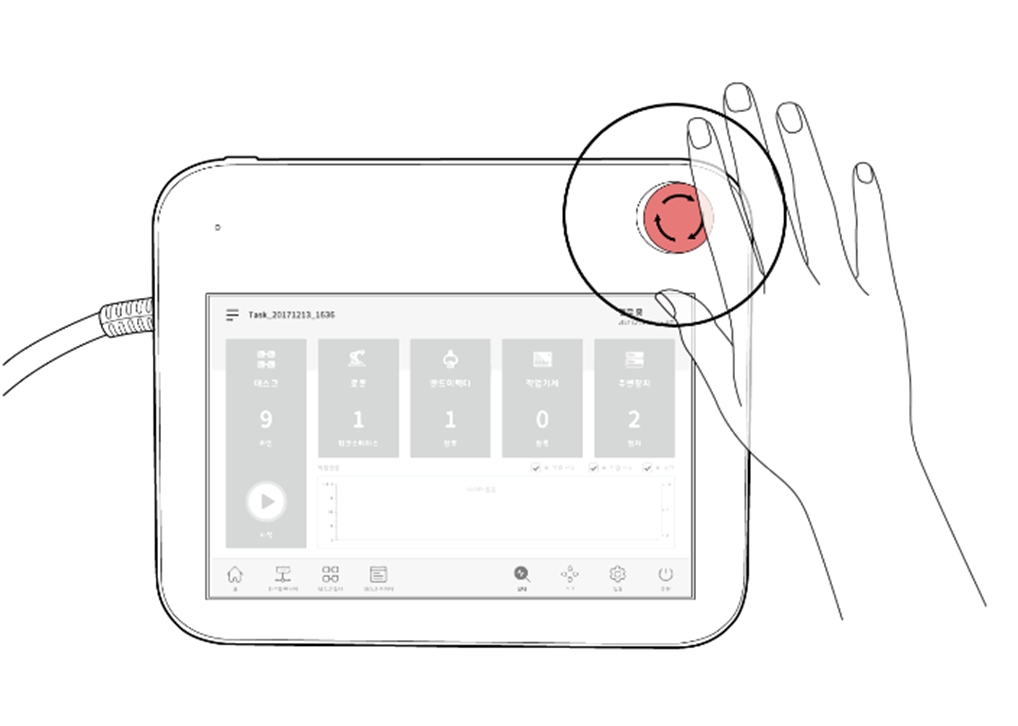
The Emergency Stop button is available to stop the system in case of an emergency. In emergency situations, press the Emergency Stop button in the top right corner of the teach pendant to immediately stop the system.
1m/hseries
Scroll conditional content
The Emergency Stop button is available to stop the system in case of an emergency. In emergency situations, press the Emergency Stop button in the top right corner of the teach pendant to immediately stop the system.
2aseries
Scroll conditional content
The Emergency Stop button is available to stop the system in case of an emergency. In emergency situations, press the Emergency Stop button in the top right corner of the teach pendant to immediately stop the system.
3eseries
Scroll conditional content
The Emergency Stop button is available to stop the system in case of an emergency.
hidecontents
Scroll conditional content
The Emergency Stop button is available to stop the system in case of an emergency.
tet
-
Emergency stops should be used as a complementary protective measure, not as a safeguard.
-
The safety stop mode for the emergency stop is set to Safe Stop 1 (SS1) by default.
-
Additional Emergency Stop buttons can be installed if deemed necessary as a result of evaluating the risk to the robot application.
-
The Emergency Stop button must comply with IEC 60947-5-5.
-
If an emergency stop triggered through the port set in Safety I/O, the button capable of accessing the screen for Safety Input setting at the bottom of the emergency stop popup window is enabled.