
3.7.0 3.6.0 3.5.0 3.4.0 3.3.0 3.2.2 3.2.1 3.2.0 1. M/H Series 2. A Series 3. E Series 4. P Series Korean English Chinese Czech Dutch French German Hungarian Italian Japanese Polish Portuguese Spanish

Making Settings in Network Section

The Network section is where you can make settings related to the connection between the controller and the IDE.

When configuring the controller, you can select either a static address or DHCP.
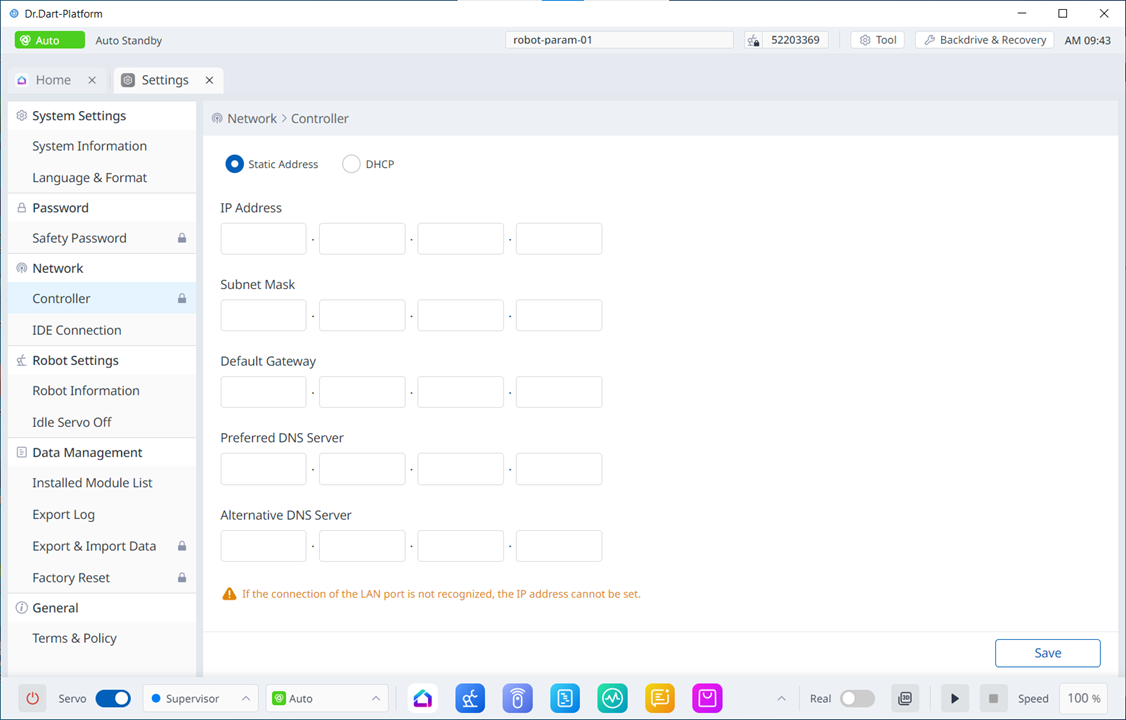
image2024-3-7_13-43-48.png


When configuring the IDE Connection, the IP can be selected from a list or the IP can be directly entered.
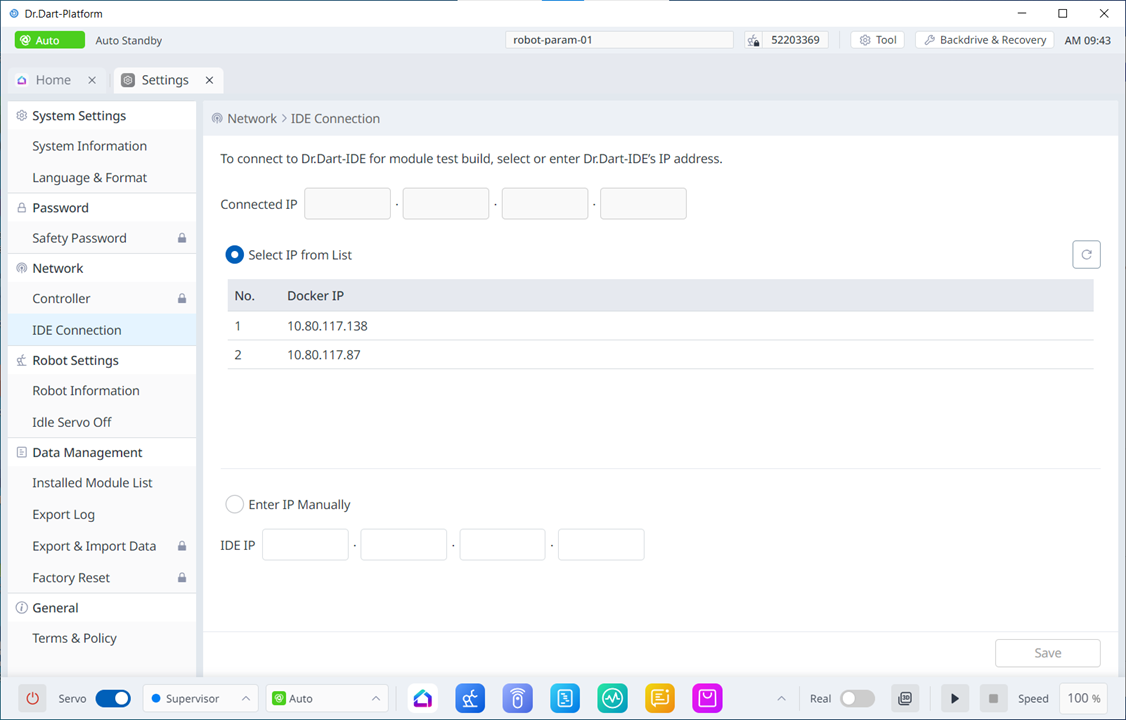
image2024-3-7_13-44-14.png


To save the settings, the Save button at the bottom must be pressed.