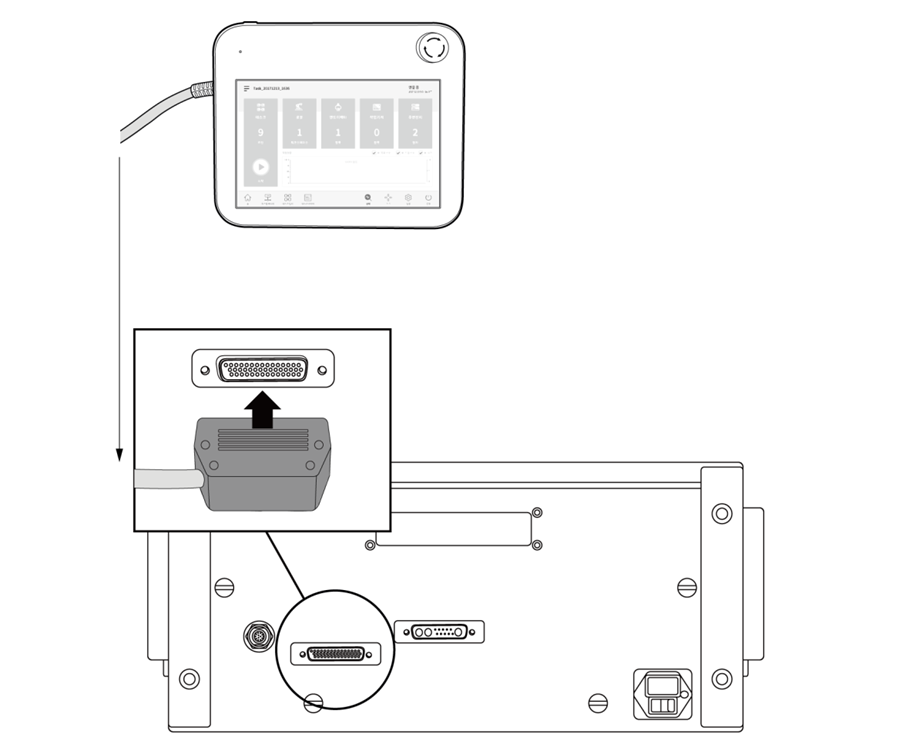
Connecting the Controller and Teach Pendant
Push the teach pendant cable into the corresponding controller connector until a click is heard to prevent the cable from becoming loose.

Caution
Make sure that the pins of the cable end are not damaged or bent before connecting the cable.
If the teach pendant is used by hanging on a wall or on the controller, be careful not to trip on the connecting cables.
Be careful not to allow the controller, teach pendant and cable come in contact with water.
Do not install the controller and teach pendant a in a dusty or wet environment.
The controller and teach pendant must not be exposed to a dusty environment that exceeds IP20 ratings. Be especially careful in environments with conductive dust.

Note
When configuring the system, it is recommended that a noise reducer be installed to prevent noise effects and malfunction of the system.
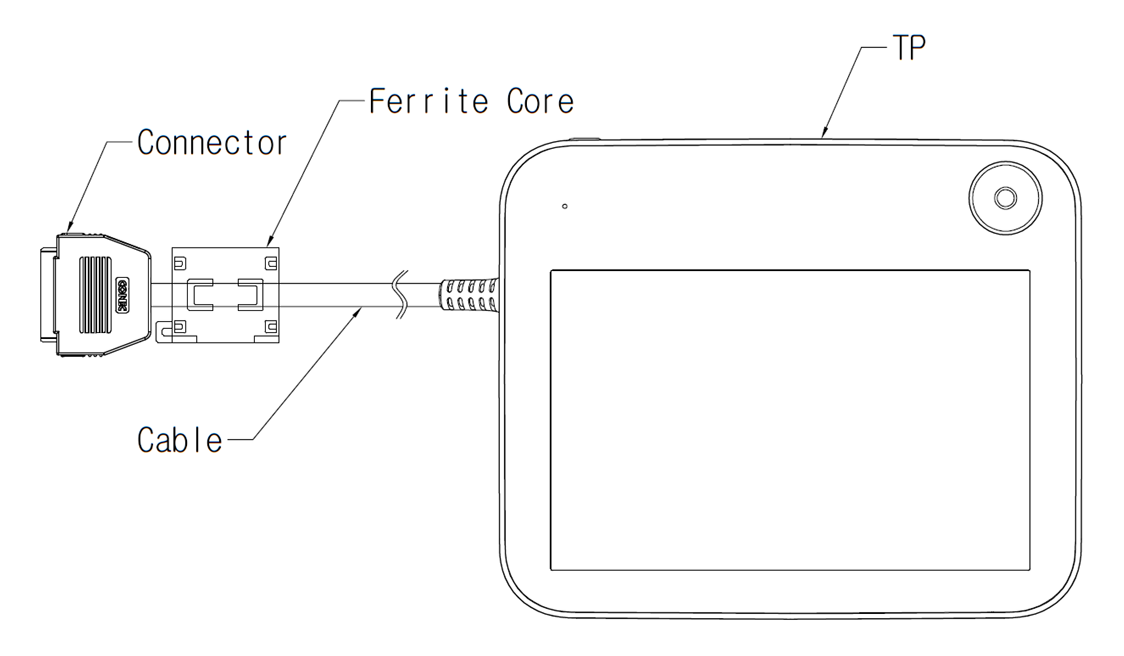
If the teach pendant is influenced by noise generated by electromagnetic waves, it is recommended to install a ferrite core on the Teach Pendant connection side to ensure normal operation. The installation location is as follows: