
Add Workcell Item
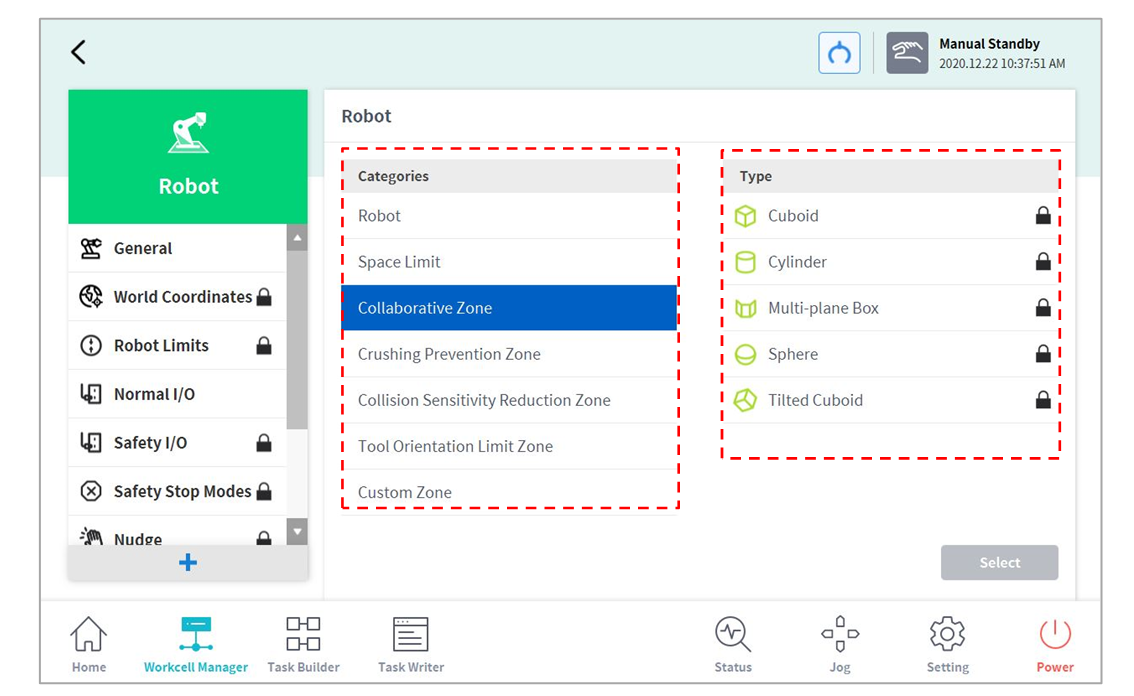
Tap the  add button at the bottom of each Workcell displayed on the initial screen of the Workcell Manager to display the Workcell category and type selection screen. Select the Workcell category and type to register, and tap the Select button to go to the corresponding Workcell setting screen.

Note
The Workcell Item name must consist of 20 alphabet characters and numbers. The only special character allowed is the underscore, and the name cannot have blank space at the front or back.