
Names and functions of each part
Manipulator
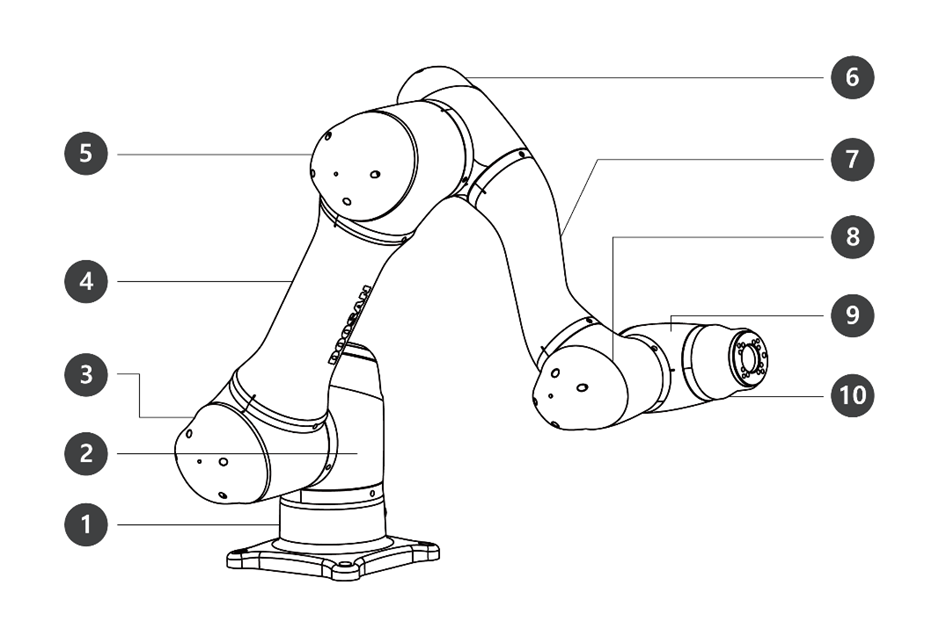
Names of Parts
No. | Name | No. | Name |
|---|---|---|---|
1 | Base | 6 | J4 |
2 | J1 | 7 | Link2 |
3 | J2 | 8 | J5 |
4 | Link1 | 9 | J6 |
5 | J3 | 10 | Tool Flange |
Key Features
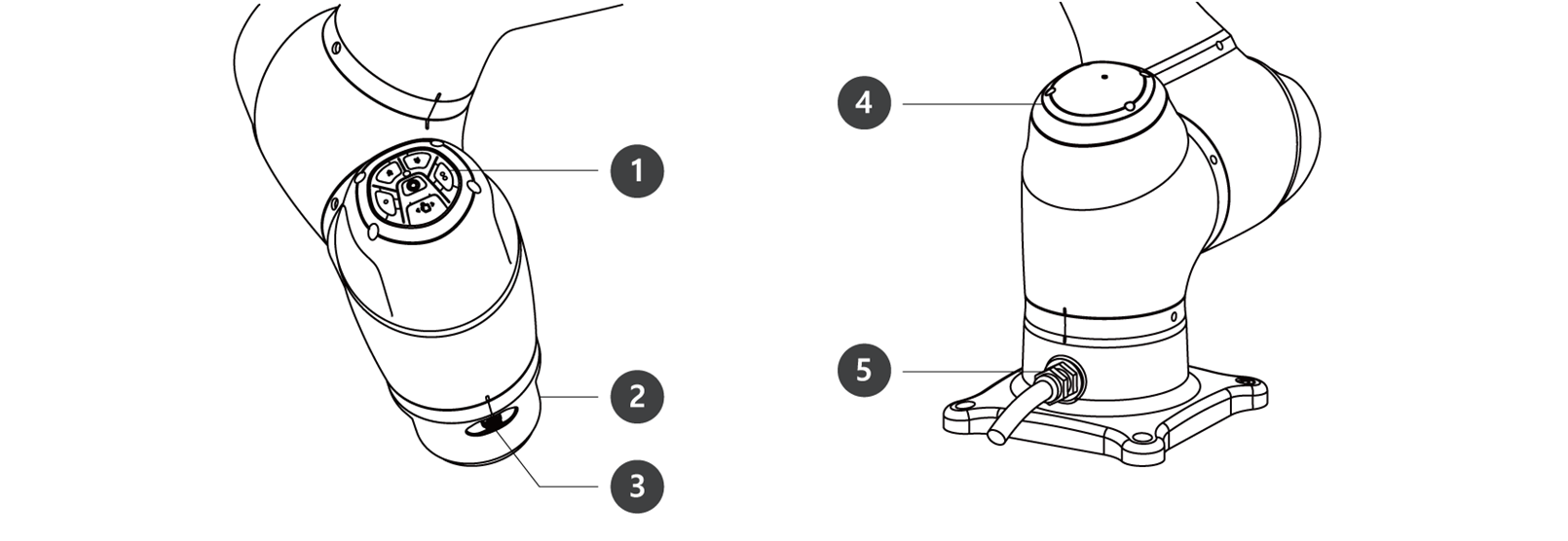
No. | Item | Description |
|---|---|---|
1 | Cockpit | [Option] Controller used for direct teaching and operation. |
2 | Tool Flange | Area to install tools. |
3 | Flange I/O | I/O port for tool control. |
4 | LED (1-axis) | Displays the robot state with different colors. For more information about robot state, refer to Status and Flange LED Color for Each Mode. |
5 | Connector | Used for supplying power to and communication of the robot. |
Controller
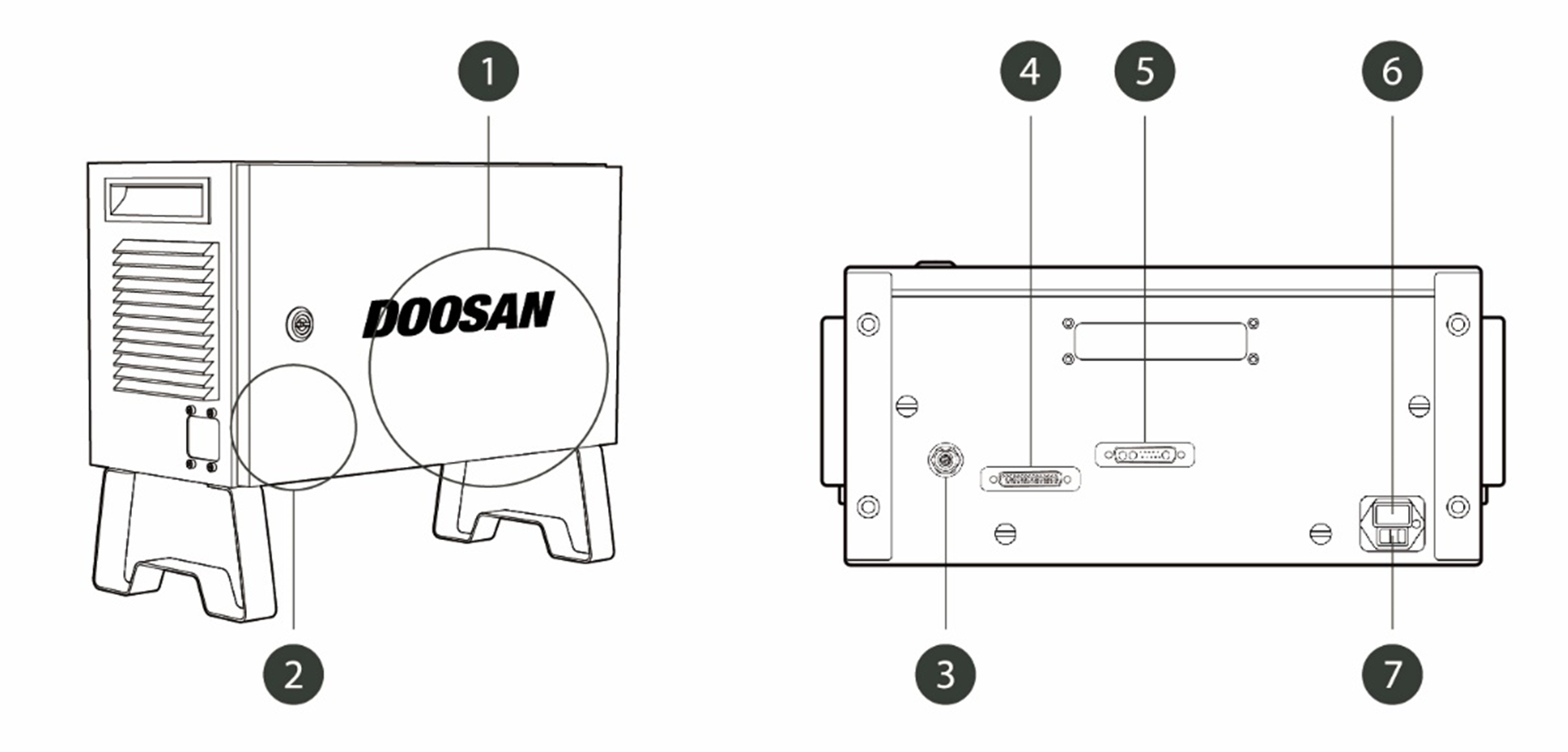
No. | Item | Description |
|---|---|---|
1 | I/O connection terminal (internal) | Used to connect the controller or peripherals. |
2 | Emergency stop button setting switch | To use the Teach Pendant, Smart Pendant, or Emergency Stop buttons, the switch must be set to match the actual configuration. Warning If the setting(Section Emergency Stop Button Setting Switch) of the emergency stop button setting switch is different from the actual configuration, the emergency stop button may fail and cause injury to the user in an emergency situation, so check the setting condition and operation of the emergency stop button. |
3 | Emergency stop button and smart pendant connection terminal | Connects the emergency stop button or smart pendant cable to the controller. |
4 | Teach pendant cable connection terminal | Used to connect the teach pendant cable to the control box. |
5 | Manipulator cable connection terminal | Used to connect the manipulator cable to the controller. |
6 | Power connection terminal | Used to connect the controller power supply. |
7 | Power switch | Used to turn ON/OFF the main power of the controller. For detailed product features, please refer to System Power On/Off. |

Emergency Stop Button
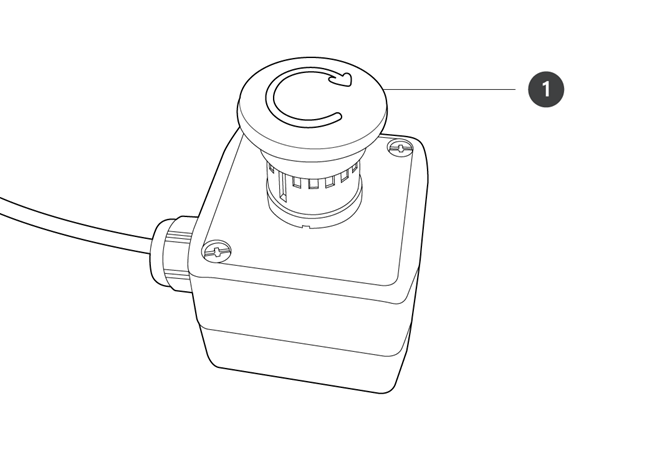
No. | Item | Description |
|---|---|---|
1 | Emergency stop button | In case of an emergency, press the button to stop robot operation. |
Smart Pendant
The smart pendant is not a standard item but an optional item, so it must be purchased separately.
For detailed product features, please refer to Appendix. Smart Pendant (A Series).
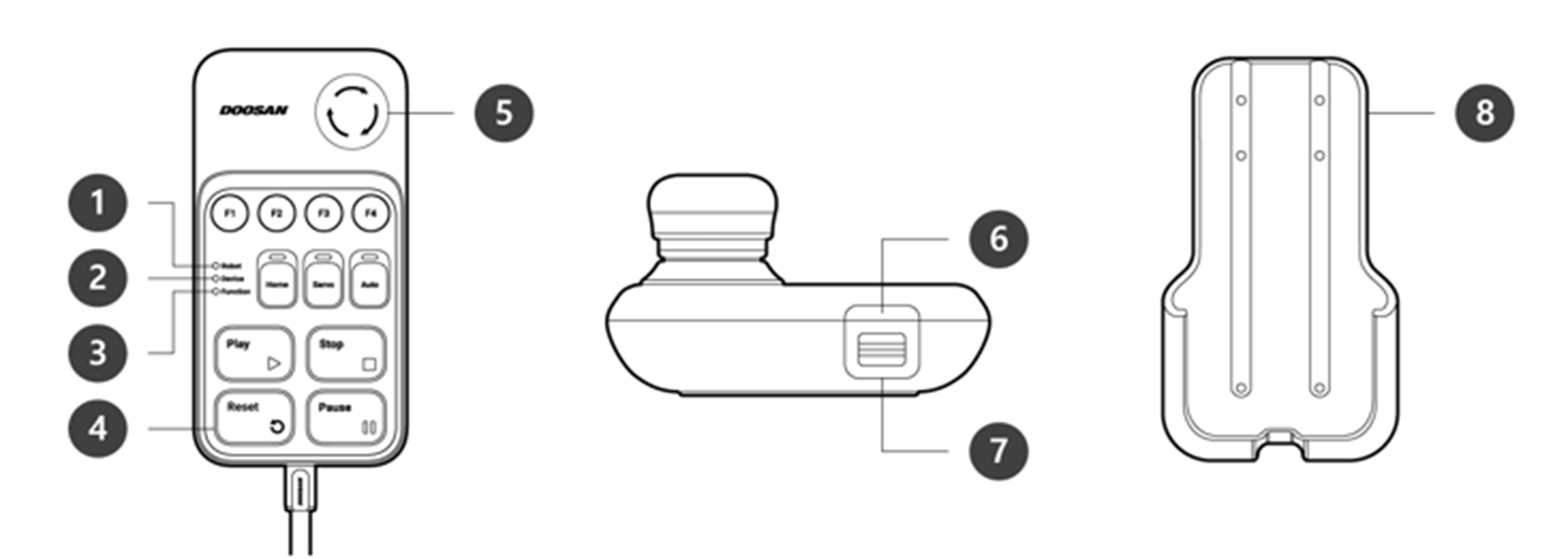
No. | Item | Description |
|---|---|---|
1 | Robot LED | Used to indicate the robot’s state by displaying the same color as the robot status LED to the user. |
2 | Device LED | Used to indicate whether the system entered smart pendant mode. |
3 | Function LED | Pressing four input signal buttons (F1-F4) lights the LED, indicating the press status. |
4 | Buttons | There are a total of 11 buttons including four input signal buttons (F1-F4) for each function, home, servo, auto, play, stop, resume and pause. |
5 | Emergency Stop Button | In case of an emergency, press the button to stop robot operation. |
6 | Power Button | Used to turn ON/OFF the main power of the smart pendant. |
7 | Strap Anchor | Used to add a strap to the device. |
8 | Holder bracket | Install the holder bracket on a wall to store the smart pendant. |

Note
For using SW V2.8 or higher, please attach the Reset label to the Resume button on the smart pendant.
If a version lower than SW V2.8 is used, the reset label does not need to be attached. In that version, The resume button in Smart Pendant works as a resume function, not a reset function.
The label may come off during use, so please be careful.
Teach pendant
A Series
Teach Pendant must be purchased separately as an optional product rather than as a basic component
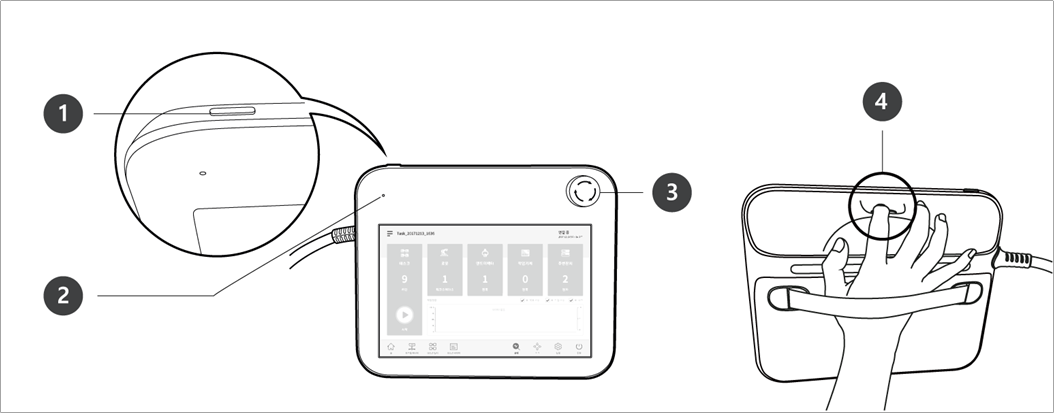
No. | Item | Description |
|---|---|---|
1 | Power button | Used to turn ON/OFF the main power of the teach pendant. For detailed product features, please refer to System Power On/Off. |
2 | Power LED | Turns ON when power is supplied. |
3 | Emergency stop button | Press the button to stop robot operation in case of an emergency. |
4 | Hand guiding button | Press and hold the button to move the robot freely into a desired pose. |
Note
If you need to protect and hold the Teach Pendant during work, you can use it more safely and easily with a soft cover supplied by Doosan Robotics.