
Using Software Recovery Mode
To use the software recovery mode, follow these steps:
Tap the Safety Recovery button in the Status window.

Tap each joint button on the right side of the Software Recovery screen, and use
 and
and  button to set the position. Or press the
  ,
,  and
and  buttons of the Cockpit to adjust the joint angle by direct teaching.
For more information about the cockpit buttons, refer to (2.12-en_US) Cockpit Button (five buttons) or (2.12-en_US) Cockpit Button (six buttons).
Changes made to the setting are reflected on the simulation window on the left in real time.
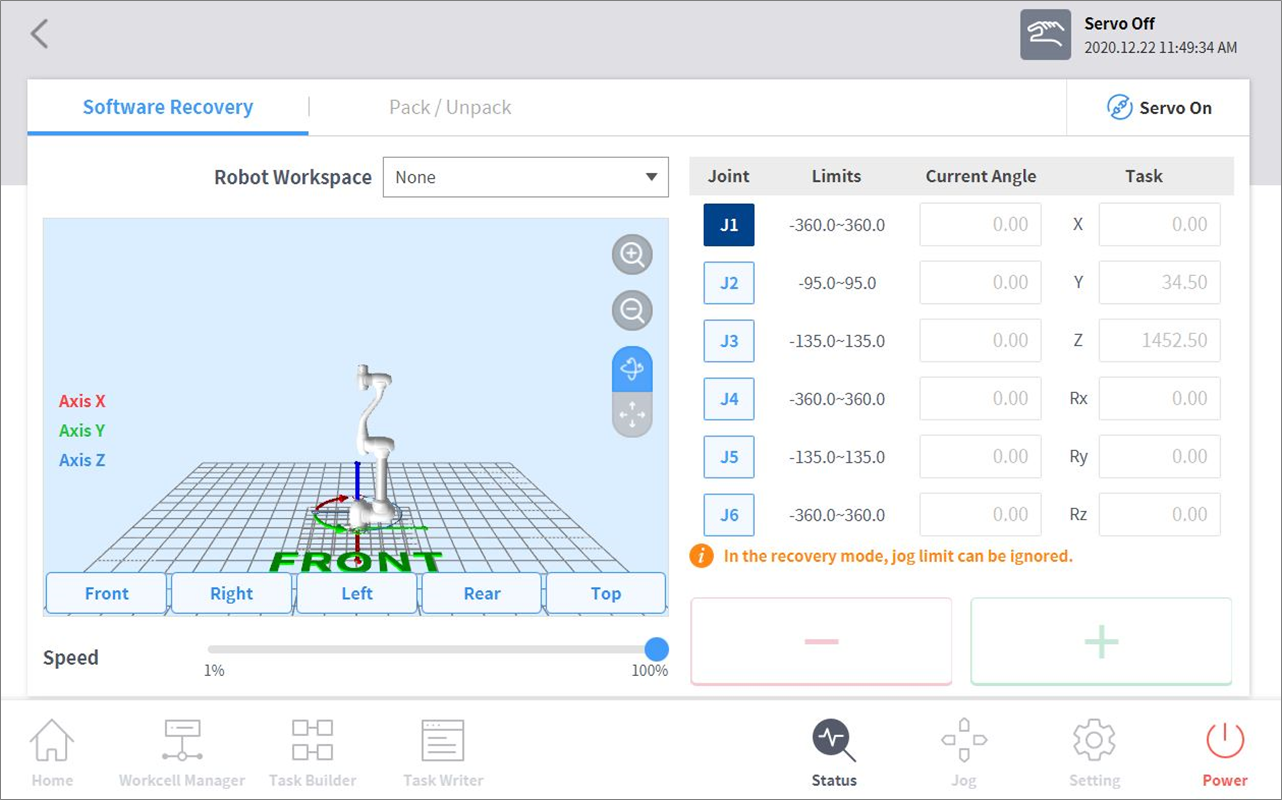
When the setting is complete, tap the X button on the top left.

Caution
Software recovery mode cannot be used when the joint angle limit exceeds 3 degrees.