
SubTask / CallSubTask
Doosan Robotics provides SubTask commands and also provides CallSubTask commands to call SubTask statements.
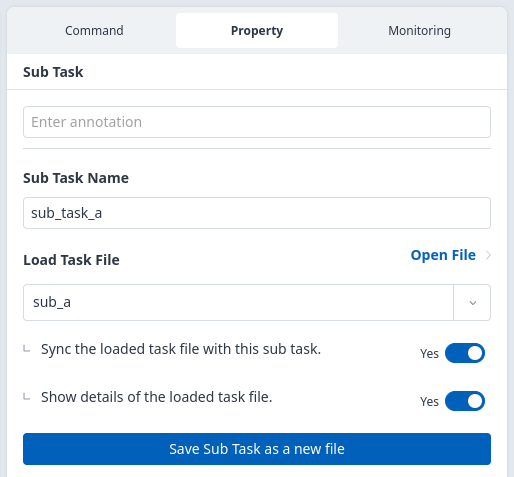
Add SubTask command
In the Command tab, find and click the SubTask command under the Flow Control group.
In the Property tab, enter the name of the SubTask.
Select a previously created Task.
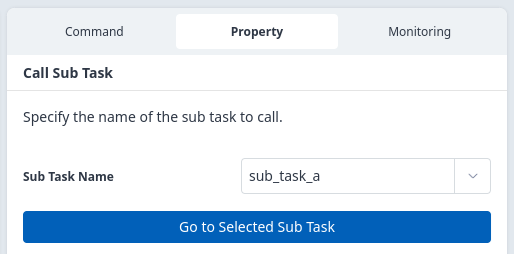
Add CallSubTask command
In the Command tab, find and click the CallSubTask command under the Flow Control group.
In the Property tab, select the name of the SubTask.
Call SubTask using CustomCode
You can call SubTask using CustomCode command instead of CallSubTask command.
When the SubTask name is "sub_task_a"
Enter the following in the CustomCode property:
sub_program_run("sub_task_a")
Backward Compatibility
For versions below Dart-Platform 3.4, enter as follows:
sub_task_a()